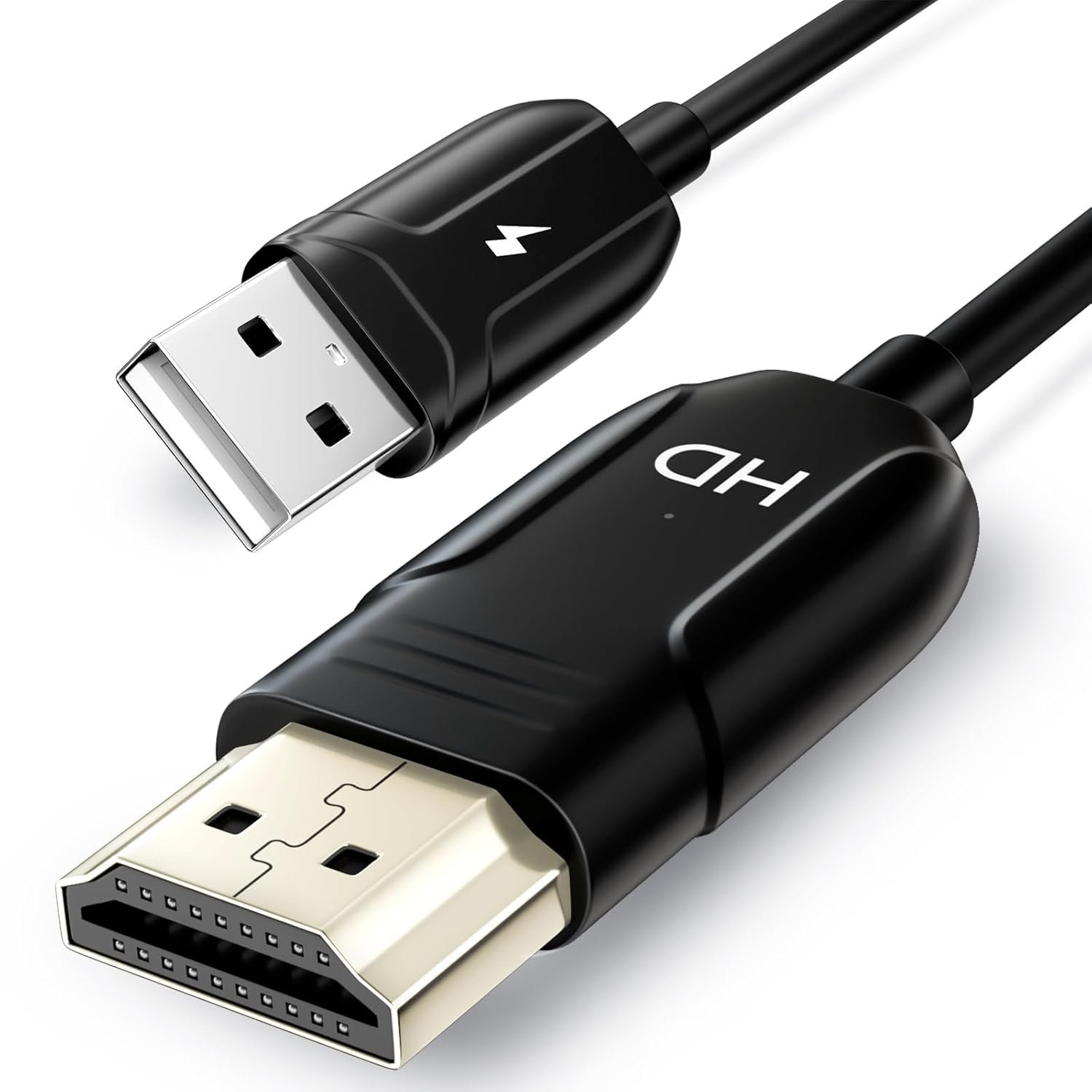
Wireless HDMI Display Adapter for iPhone, Wireless Mirroring Cable for iPhone,iPad,MacBook,Android,Windows to TV/Monitor/Projector,Streaming Video/Audio/Files,Supported Airplay & Miracast
$35.99
Related Products


Product description

 iOS/ Mac OS Wireless HDMI Display Mirroring Cable
 Android/Windows Wireless Display Screen Mirroring
 How to make iOS wireless mirroring screen to TV ?
 How to make macOS wireless mirroring screen to TV?
 How to make Android wireless mirror screen to TV?


【Wireless HDMI Mirroiring Cable】The Wireless Display Adapter supports Miracast and AirPlay, you can easily stream HD videos, photos, and presentations from your laptop, smartphone, or tablet right to your TV or projector.Experience freedom from cables and enjoy the convenience of instant screen sharing.
【High-Definition Screen Sharing】Elevate your viewing experience with our Wireless HDMI cable .Mirror what’s displayed on your iPhone or iPad screen, including images, movies, games, apps, presentations, websites, slide shows, and more, on your HDMI-equipped TV, display, projector, or other compatible screens. Enjoy stunning visuals with crystal-clear clarity.
【Compact & Portable Cable Design】Perfect for travel,meeting,creative work,home use,Enjoy wireless display your phone,tablet, or laptop to the big screen,Experience smooth,vibrant visuals whether you’re watching movies, gaming, or delivering a business presentation.
【Plug and Play Low Latency】HDMI Wireless Cable featuring an advanced dual-band chip (5G + 2.4G) and the Dynamic Stability Equalizer Engine, this system delivers strong anti-interference performance and stable signal transmission under all conditions.No apps, no Bluetooth, no Wifi required, one-click to mirror the screen of mobile phones or laptops to a big screen
【Wide System Compatibility】This Wireless HDMI Cable supports Airplay for Apple iOS and macOS systems and Miracast for Android and Windows systems,Enjoy high-quality wireless HDMI connectivity across devices like PCs, laptops, projectors, monitors, and HDTVs—wherever you go.
13 reviews for Wireless HDMI Display Adapter for iPhone, Wireless Mirroring Cable for iPhone,iPad,MacBook,Android,Windows to TV/Monitor/Projector,Streaming Video/Audio/Files,Supported Airplay & Miracast
Add a review

$35.99
MB –
Simple Setup, Flawless Streaming — A Must-Have Adapter!
I’m absolutely thrilled with this wireless HDMI display adapter! From the moment I unboxed it, the setup was effortless — no complicated software or confusing instructions. Within minutes I was mirroring my iPhone and iPad to my TV using AirPlay, and it worked just as seamlessly with my Android and Windows laptop through Miracast.The streaming quality is excellent — sharp, smooth video and clear audio with no noticeable lag whether I was watching videos, sharing photos, or giving a presentation. I use it at home for movies and sports nights, and also professionally for meetings on a projector, and it performs beautifully every time.
Emilin –
Effortless Wireless Screen Mirroring That Just Works
This wireless HDMI display adapter is exactly what it should be. Simple to set up, stable, and reliable across devices. Plug it in, connect via AirPlay or Miracast, and your screen is on the TV in minutes. No apps, no nonsense. Video and audio are clear with no noticeable lag, good enough for movies, sports, photos, and work presentations.
Amanda Bethune –
Great for mirroring!
Bought this for a presentation I needed to make at work. Had everything set up on my laptop and was able to plug it into the tv in our conference room so that everyone could see easily. Works as it should!
Tony Brar –
Nice adapter to have !!
Working great, you dont need Casting Mirror app now and watch ur phone apps and stuff on TV !!
LiemN –
Video mirroring does NOT work!
The manual indicates that few applications are supported using an iPhone mirroring to a TV, which includes YouTube and Spotify.Spotify mirroring works because it’s audio only (with a static picture). For YouTube, I can hear the audio mirrored, but there is NO video mirroring.
naresh –
Fantastic Wireless HDMI
This Wireless HDMI Display Adapter is excellent and incredibly easy to use. Setup was quick and easy to use. I just plugged it into the HDMI port, connected the USB power and within minutes I was able to mirror my phone and laptop screen wirelessly and smoothly. No complicated software or adapters needed.
Samson –
Simple and Reliable Wireless Mirroring for iPhone
I’ve been using this wireless HDMI display adapter for a few weeks, and it’s made mirroring my iPhone to the TV much easier. I mostly use it for streaming videos and showing photos to family, and it works quickly without any noticeable lag.Setup was straightforward. I plugged it into the TV’s HDMI port and connected my iPhone, and the connection was stable right away. The signal stays strong even when I move around the room, and the video quality is clear and sharp.I like that it’s compact and portable, so I can take it to a friend’s house or use it in different rooms without hassle. It doesn’t require extra apps or complicated steps, which makes it convenient for everyday use.Overall, it’s a practical and reliable way to mirror an iPhone to a TV. It works smoothly, is easy to set up, and makes sharing content on a bigger screen effortless.
John –
Did not expand the view to a full screen
i could not get a full screen on my 55” Flat Screen Panasonic TV from my I-Phone 16 , the viewing box was just a bit bigger than the size of my I-Phone size
Tomoya –
I bought the Anytrox wireless HDMI display adapter to mirror my iPhone and laptop to a TV for family movie nights and presentations. The setup was surprisingly simple: I plugged the adapter into the TV’s HDMI port, connected the USB power, and followed the on-screen instructions to connect my devices. Within a few minutes, I had my iPhone screen mirrored to the TV with good clarity and minimal lag.I tested it with a few different uses—streaming videos from my phone, showing photos, and using my laptop for a quick slideshow. The video quality was clear, and the audio came through the TV without any noticeable delay. I also tried mirroring from my Android phone, and it worked smoothly using Miracast. The adapter stayed connected well during my tests, and I didn’t experience any sudden disconnects.The only small issue I noticed is that the connection can take a moment to establish when switching between devices, but once it’s connected, it works reliably. Overall, this adapter is a solid option if you want an easy way to mirror your phone or laptop to a TV or projector. It’s convenient, versatile, and performs well for both streaming and presentations.
Robert O –
The physical setup is very quick and easy. Plug the HDMI into an available port, and the USB into the USB near the HDMI inputs. Make sure to leave the loop free from other coards that may cause interference. It took me two seconds to connect my laptop to the TV usuing this. It seems to use the miracast protocol to do so.I did initially had issues with connecting my android devices, until I found ways to find a burgermenu box and check allow external display. On one device I used Fdroid to install a shortcut to miracast setting to get there. So for Android it’s as easy as finding the casting settings. Which is very easy on some devices, and a whole hidden menu on others.
Coffee Brewer –
I have a smart TV. Ok, sort of smart. It talks to Google products but not my Apple phone – until now. The usage is simple – just plug the adapter cable into an available HDMI port and the other end into the USB (for power), and away you go. Change the channel to the right input, scan the code with your iPhone to pair to it, and you can then cast both audio and video to the television. I have used apps that can do the casting and they have been less than stellar, but this one is awesome. I found little to no lag, plus loved that the audio would cast as well with no issues. It means that I can now share photos and videos from my phone without any hassle.
Ryan –
I had high hopes for this wireless display adapter cable, but the other reviewers must all be using Apple products because Android connection was non-existent and Windows performance was extremely disappointing.I first tried connecting to it with a Pixel 6, a Pixel 9a, and a Samsung S21. None of those three phones would even detect it. That’s not as surprising with the Pixel devices as Google’s Miracast support is non-existent, but the Samsung phone does have Miracast support and SmartView should have worked, but it couldn’t find the adapter. So while it claims Android support, I would not count on it.Windows fared better, and my Windows 11 desktop and laptop computer both picked it up fine as long as wifi was enabled. The problem with them was display resolution. Even on a 4k monitor, maximum resolution was 1080p and maximum refresh rate at that resolution was only 30hz. To get 60hz, I was down to 1280×720 resolution. These might be okay for low-end projectors in a pinch, but for business or recreational purposes these aren’t remotely good display specifications, particularly because i have a separate wireless display adapter that does much higher specs. I would have considered a higher star rating on Windows performance if this was a cheap, budget-friendly device, but it’s far from that – at time of review, it was priced at over $50 CAD which is not at all a good value for the frankly poor performance characteristics. Maybe the Apple experience is better, but for Windows and Android I recommend giving this a pass.
kewiki –
I picked up this wireless display adapter, mainly because I was tired of fumbling with different cables every time I wanted to show movies from my MacBook to the TV. This device is very versatile and can work with numerous devices such as iPhone, iPads as well.Right out of the box, I was skeptica as wireless adapters can be finicky, but this one connected in under two minutes. You plug the HDMI end into your TV, connect the USB power cable, then switch to the right HDMI input, and scan the QR code. No messy app installations or network configurations to mess with.I’ve mainly used it for mirroring my iPad for presentations. The connection is stable, and I haven’t experienced any lags. Video quality looks crisp on my 55-inch TV.Battery life on the adapter itself isn’t a concern since it’s powered through USB, and the range seems decent approximately 15 feet without any drops.For watching action movies there is a bit of hesitation. Also, the adapter itself runs slightly warm during extended use, though it’s never been hot enough to worry me.