

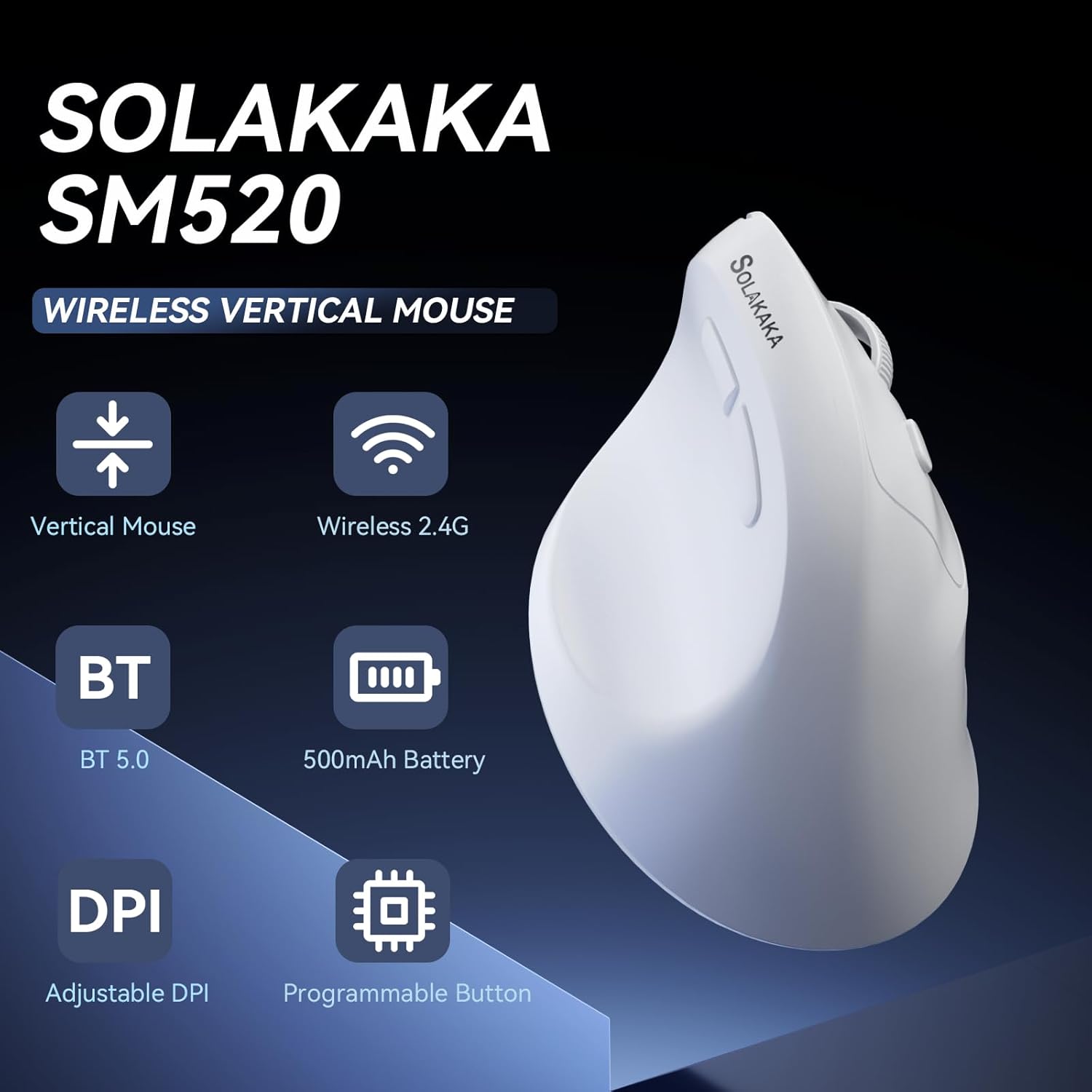
SOLAKAKA SM520 Ergonomic Mouse with 24000 DPI, Vertical Mouse with Programmable Side Button, Wireless Mouse with Tri-Mode Connection – BT5.0/USB-C/2.4GHz, for Desktop, PC, Laptop (White)
$21.65
Related Products





From the brand


GAMING KEYBOARD
MECHANICAL KEYBOARD
WIRELESS GAMING MOUSE
WIRELESS MOUSE
SOLAKAKA GAMING MOUSE
SOLAKAKA COMPUTER MOUSE
KEYBOARD AND MOUSE COMBO
MOUSE AND KEYBOARD COMBO
Ergonomic Design Built for Comfort: This SM520 ergonomic mouse features an ergonomic design. It allows the palm to rest naturally perpendicular to the desktop, relaxing the muscles in the arm and shoulder, and reducing pressure on the wrist. This reduces wrist fatigue and soreness caused by prolonged computer mouse use. In addition, this vertical mouse weighs 2.60 oz, making it very lightweight and easy to use. (Note: This product is for right-handed users only. And it is suitable for small to medium-sized hands.)
High DPI & 6-Level Adjustment: Our gaming mouse boasts a DPI of up to 24,000 and supports 6 adjustable DPI levels (800-1600-2400-3200-6400-24000). Fine-tuning within ±100 DPI is available through the driver software. This caters to both office work and gaming needs. The scroll wheel’s lighting color changes as the DPI is adjusted, with 6 different lighting colors corresponding to the 6 DPI levels. Furthermore, this laptop mouse features a high-precision sensor with a polling rate of up to 1000Hz, adjustable in 4 levels through the driver (125-250-500-1000)
Tri-Mode Connectivity & Widely Compatible: This pc mouse features tri-mode connectivity, supporting 2.4GHz wireless connection, Bluetooth 5.0, and USB-C wired connection. This meets your various connectivity needs. Furthermore, this wireless gaming mouse is compatible with multiple operating systems including Windows, Mac, IOS, and Android. Therefore, it can be easily used with various devices such as desktops, laptops and tablets
Sleep Mode To Save Energy: The SM520 wireless mouse features two modes: light sleep and deep sleep. After 15 seconds of inactivity, the gamer mouse enters light sleep mode, which can be woken up by moving the mouse or pressing any button. After 20 minutes of inactivity, the pc gaming mouse enters deep sleep mode, where it can only be woken up by pressing a button
Programmable Buttons: Our ergonomic gaming mouse features “Page Forward” and “Page Back” on the side, helping you quickly browse the web. All six buttons on the vertical gaming mouse are programmable. You can customize their functions in the driver software to create your own personalized mouse. Software download : solakakadriver.com (Note: This software only supports Windows systems. Please run the driver in wired mode.)
High-capacity Battery: This rechargeable mouse has a built-in 500mAh battery, so you don’t need to buy batteries separately. It also comes with a USB-C charging cable, making it plug-and-play. It is quite sufficient for everyday needs. If you encounter any problems about rechargeable wireless mouse, please don’t hesitate to contact us and enjoy a 12-month warranty
5 reviews for SOLAKAKA SM520 Ergonomic Mouse with 24000 DPI, Vertical Mouse with Programmable Side Button, Wireless Mouse with Tri-Mode Connection – BT5.0/USB-C/2.4GHz, for Desktop, PC, Laptop (White)
Add a review

$21.65
Dawn –
If you have SMALL (Child size) hands this is the mouse.
1/30/26 Update – Using it for ~ two weeks and it stops responding. Charged overnight, then tried USB and Bluetooth, multiple computers & surfaces, it works for about 3 seconds and then you cannot see the mouse on the screen.:-( – the hunt continues.Finally, I finally found an ergonomic mouse for SMALL hands (apparently child size small:-)) Amazon is probably cheering as they are reading this! No more returns for this girl. It fits perfect and what a really like is it fits all my fingers comfortably. No more dragging my pinkie on the desk.If you have small hands STOP and get this mouse, you will not be disappointed. @Amazon sorry for all the other returns.
ReviewersAnonymous –
Totally meets my expectations for a $22 ergonomic bluetooth mouse
If you are not familiar with Amazon Vine, it is basically Amazon trading free* products for honest reviews. You see a lot of Vine reviews that are cookie cutter and based on templates. I aim to make my reviews honest and non-cookie cutter (other than this intro and disclaimer).* These items are not actually free as Vine members pay income tax on the items they receive. Therefore, I will never order something from Vine unless I actually intend to use it. I think this is important for readers to understand because it means I will never order an item just to provide a fake five star review to a company. If I review something as good, it means I actually enjoyed using it or it fills its intended purpose correctly. Items that don’t meet my expectations will be reviewed accordingly.Why I ordered this item: Up until I got this, I used a gaming mouse as my daily driver. I game, so I want something very customizable for that. However, I also have been developing issues with my wrist so I wanted something ergonomic and inexpensive to use when I’m not gaming. It did not need to be complicated or super programmable.Likes:* This was extremely easy to use with my PC’s bluetooth. I know that there are some extended drivers you can install to program stuff, but I am fine with the default button mappings so I didn’t install them.* Build quality is average. The plastic feels kind of thin and light which is fine for a daily driver for me.* There is just enough buttons to have full functionality. I like to have forward and back mapped to physical buttons.* The price is excellent.* I have not lost connection once over bluetooth, and I do not plan to use 2.4G.No likes:* NoneWould I pay full price for this product: YesFinal thoughts: This mouse met all of the expectations I had. It’s light, ergonimic, has enough functionality and will not break the bank.
Weslley –
Lightweight vertical design
I’ve been using a gaming mouse for years, and the SOLAKAKA SM520 sure feels different. It’s incredibly lightweight for an ergonomic mouse, weighing in at only 72 grams. This makes it very easy to glide across a mousepad with little to no effort. It features a modern USB-C charging port, which is a convenient upgrade over older micro-USB model, and the build quality feels solid despite the light weight. Transitioning from a traditional gaming mouse to this vertical design takes some adjustment. While it aims to reduce wrist strain, the sizing seems best suited for small to medium hands. For those with larger hands, the placement can feel awkward; I noticed that the outer edge of my hand often drags on the desk surface, which can lead to discomfort or table burn during longer sessions. This is a tri-mode mouse, but my experience with the connectivity was mixed. I was unable to get the Bluetooth mode to connect to my PC. However, the WiFi mode worked flawlessly using the USB dongle and provided a lag-free connection. Overall, I’ll give it 4 stars because while the weight and USB-C charging are excellent, comfort varies depending on hand size.
blissgirl –
Re-programable buttons add versatility
This is the second vertical mouse that I have tried. The first one I got wasn’t as vertical as this one. I like that this has more of a tilt to it. It also has indents shaped to fit my fingers and help keep them where they need to go. The other reason I like this one better is that the other one kept timing out and I was forever needing to click it to wake it back up. This one does have a “sleep” mode but wakes with just a jiggle of the mouse for the first 20 minutes. I have found this less invasive and easier to work with than my last mouse.If you get the driver you can re-program all the buttons on the mouse however you wish. You can save different configurations and reload them later. It only works with 2 browsers though. They are listed on the site that’s listed in the manual. I reprogrammed the scroll button to reload the page when pressed. Super cool.Pros:Works with the USB dongle or with the included cord if you preferSleep mode saves the battery without being annoyingConvenient button to set how fast the mouse movesHas thumb buttons for forward and backHas up to 90 days of standby time.Can use it while it’s charging.Charging cord is a little over 5ft long so it’s long enough to reach a charger under the desk.Cons:Honestly I can’t think of any.
Katherine –
Comfortable Angle Mixed Feel
Switching to a vertical mouse was mostly about wrist comfort, and this one definitely changed the way my hand sits during long work sessions. The shape feels natural once you get used to it, and after a few days my wrist felt less strained than with a standard mouse. Cursor movement is smooth, and the adjustable DPI is handy when bouncing between spreadsheets and more precise tasks. The tri mode connection worked well on my laptop and desktop, though switching modes isn’t quite as seamless as I expected. Buttons are responsive, but the side buttons take some getting used to and felt a little stiff at first. Battery life has been fine for daily use, but charging more often than I hoped. Build quality is solid overall, though the finish picks up fingerprints easily. It’s a comfortable, functional option for work and casual use, just not as polished or refined as higher-end ergonomic models.