
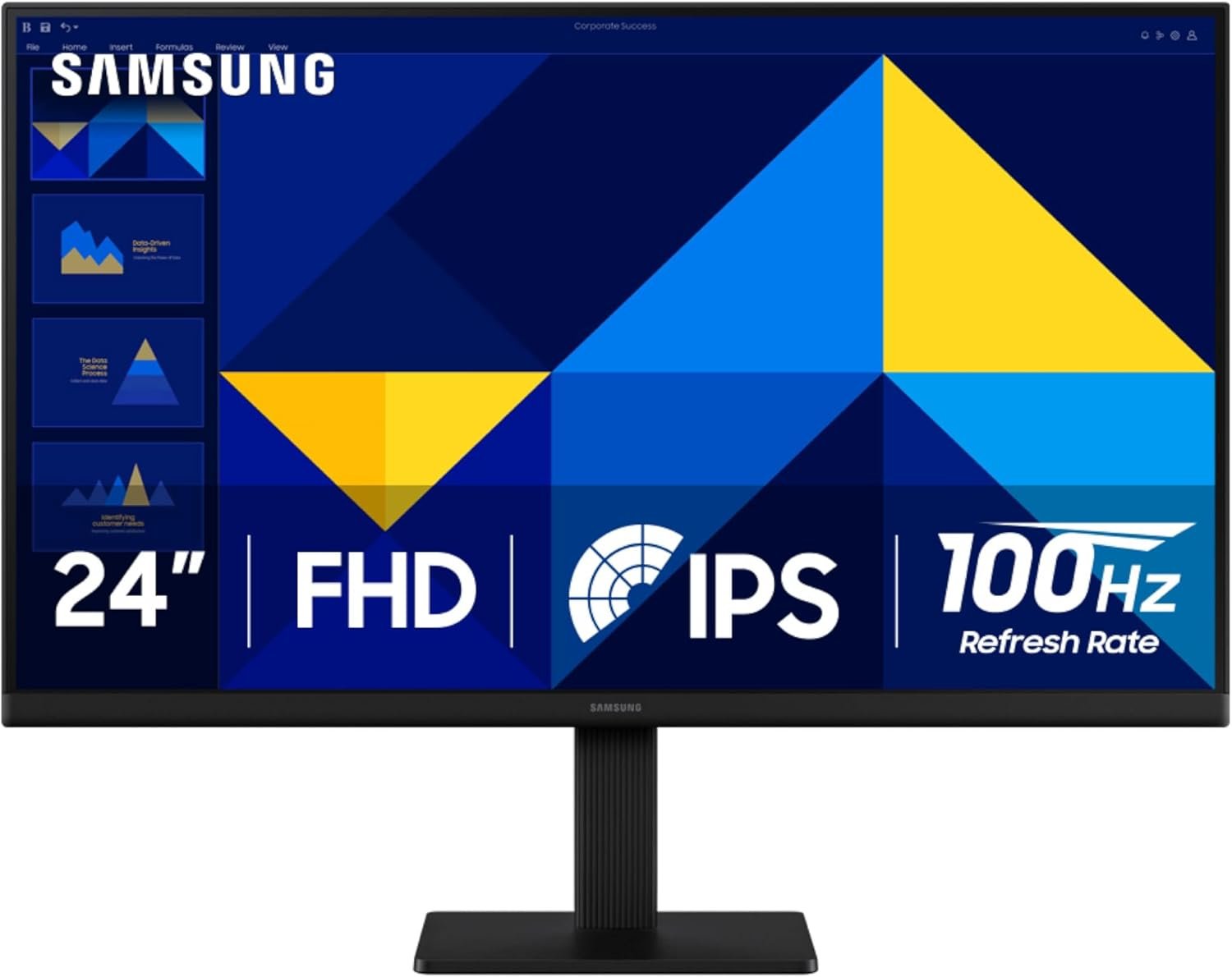
Samsung 24″ (S30GD) Essential Monitor with IPS Panel and Tilt Only Stand, 100Hz Refresh Rate, Ergonomic Design, Advanced Eye Care, Game Mode, LS24D304GANXZA
$99.99
Related Products


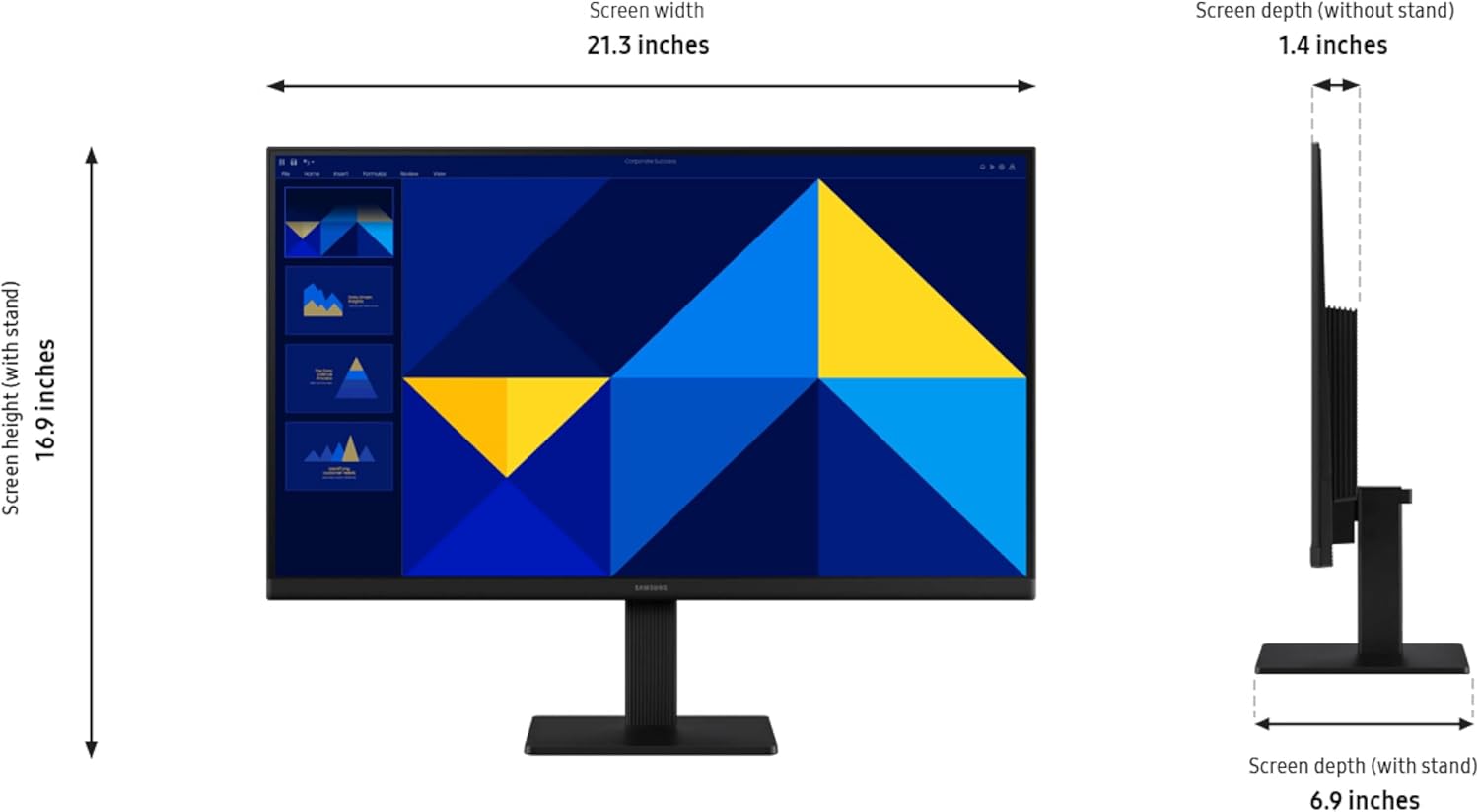


Samsung’s 22″ S3 Business Essential Monitor enables smooth performance, heightened productivity, and greater comfort. The IPS Panel delivers a stunning color experience across the entire display with less color washing, offering clarity from any viewpoint so tones stay consistent and accurate. The 100Hz refresh rate reduces lag and motion blur while playing games, watching videos, or working. Game Picture Mode with optimizable game settings enables instant adjustment of color and image contrast. Eye Saver Mode protects vision, reduces blue light and screen flicker, and extends comfort even during long sessions. The ergonomic super-slim design is a stylish addition to any environment, while ultra-thin border bezels make the most of screen space. Multiple connectivity enables devices to be plugged straight into the monitor for increased flexibility.
¹Default refresh rate is set to 60Hz, and may be adjusted to 100Hz in the monitor’s settings. ²Image simulated for demonstration purposes.
VIVID COLORS: Experience stunning colors across the entire display with the IPS panel. Colors remain bright and clear across the screen, even when you change angles. Tones and shades are represented consistently and beautifully with less color washing.
SMOOTH PERFORMANCE: Stay in the action when playing games, watching videos, or working on creative projects. The 100Hz refresh rate reduces lag and motion blur so you don’t miss a thing in fast-paced moments.¹
MORE GAMING POWER: Gain a competitive edge with optimizable game settings. Color and image contrast can be instantly adjusted to see scenes more clearly, while Game Mode adjusts any game to fill your screen with every detail in view.
EASY ON THE EYES: Protect your vision and stay comfortable, even during long sessions. Stay focused on your work with reduced blue light and screen flicker.²
A MODERN AESTHETIC: Featuring a super-slim design with ultra-thin border bezels, this monitor enhances any setup with a sleek, modern look. Enjoy a lightweight and stylish addition to any environment.
CONNECT TO MORE: Plug devices straight into your monitor for increased flexibility, making your computing environment even more convenient.
13 reviews for Samsung 24″ (S30GD) Essential Monitor with IPS Panel and Tilt Only Stand, 100Hz Refresh Rate, Ergonomic Design, Advanced Eye Care, Game Mode, LS24D304GANXZA
Add a review

$99.99
Ashley –
Great price for great monitors
Monitors were super easy to set up and lightweight. The brightness on the screens is adjustable (thank goodness because they were super bright) the quality of the monitors is great clean crisp clear screens. I’m able to do everything I want to and have had no problems with the monitors.
Disneynerd –
Big, Bright, and Built for Focus—A Monitor That Does It All 🌅⚡
The Samsung 32-Inch Flat Monitor is a sleek essential for anyone who wants clarity, comfort, and versatility in their screen setup. With a borderless display, 75Hz refresh rate, and AMD FreeSync, it’s ideal for everything from gaming and streaming to editing and virtual learning.Why it stands out:• 🌈 Advanced Eye Care features reduce strain during long sessions• 🎮 Game Mode + FreeSync = smooth visuals with zero lag or tearing• 🔌 HDMI and DisplayPort options for flexible connectivity• 🖼️ Borderless design makes multitasking feel expansive and immersive• 🧠 Scenic display quality—colors pop, text stays crisp, and the sunset screensaver looks like artWith a 4.5-star rating and over 3,000 units sold this month, it’s clearly a favorite among those who value both performance and aesthetics. Whether you’re building a cozy homeschool station, upgrading your work-from-home setup, or diving into creative projects, this monitor brings clarity and calm to your digital space.
Samantha Pena –
Great Monitor!
Got this for my son to use as a monitor for his PlayStation. It is a great value and it works great! It looks great and works well as a monitor!
Chad Benedict –
Great mid size monitor
Only gave 4 stars because the screws for the base did not align up and it was difficult to attach the base, other than that the Clarity of the screen is excellent. I use this for a 2nd monitor on my work from home days and the size is perfect. Multiple settings options, functions are simple to setup. Great quality and price
Bill –
Well worth the money
Size wise, this is only a small upgrade (from a 24″), but wow does that extra 3″ make a difference! The picture quality is great, with accurate colors, and it has a nice viewing angle. Very happy with this purchase. It is well worth the money.Connectivity is great, I’m using the HDMI connection, and there are no issues whatsoever. I’m running it at it’s native resolution of 1920×1080 @60Hz. I also tried running it at 100Hz refresh rate, and it performed like a champ. I just didn’t see the need to keep it jacked up like that as 60Hz is the recommended refresh rate and I didn’t see any difference in picture quality. No flickering at either rate.I definitely recommend this monitor.
Sp1nz –
Great for people with poor vision
Bought this for my 78yo mother in law with not-so-great vision. A 32″ monitor at 1080p has a rather large pixel pitch, but if you are a comfortable distance away, it looks perfectly fine – especially if you have poor vision. Good quality and viewing angle despite the VA panel. She was very pleased. Simple interface, wakes from sleep in about 4 seconds, VESA mount on rear if you want to get creative.Also, the “Advanced Eyecare” mode appears to be bunk – don’t use that. It appears to reduce brightness and contrast which is not always helpful. Utilize your PC/Mac to alter the color temps, not this.
Kenneth Johnston –
Good clarity
Very excellent color, brightness, and clarity but no adjustable stand. That’s okay for an essential package. The eye care setting is also great. It has much better 170 degree viewing that a previous Samsung monitor which I bought earlier this year. I use this in conjunction with my 24 inch monitor for music score copying or for comparing or copying anything else. Having two monitors makes it much larger and more readable than trying to crowd to programs together on one. I can easily move different images between them with the click of the mouse even within one program.
Farmer –
Very good monitor
I’ve only used this for office work. The colors look true and there’s no dead pixels. Nice curve for comfortable viewing.
Lumus Rubricans est –
Excelente monitor
Dominic Gagne –
Excellent produit pour le prix. Ne dispose que d’une connexion HDMI et VGA. Installation super simple. Parfait pour le télétravail où un écran 4K n’est pas nécessaire.
Md Mahbubul Haque –
The Samsung 24″ FHD monitor delivers excellent value for the price. The IPS panel looks sharp with good color accuracy, and the 100 Hz refresh rate makes everyday use and casual gaming feel noticeably smoother than standard 60 Hz screens. Text is crisp, and the viewing angles are solid.Setup was quick, and the menu controls are easy to navigate. Game Mode gives a small but noticeable boost in contrast, which is nice for darker scenes. The 5 ms response time is perfectly fine for general use and light gaming.If you want a reliable, affordable monitor with smooth motion and a clean design, this one is a great pick.
Hit man –
Great product for the price point. It’s still going strong.
Al –
item recu en bonne condition, expedition rapide