

KLIM Turbofrost MAX – RGB Laptop Cooling Pad, Gaming Laptop Cooler with Powerful Turbofan XL, Fast Cooling Laptop, 15.6-17in, Smart Inlay System for Optimal Airflow, Adjustable Speed, LCD Screen
$79.95
Related Products




Product description


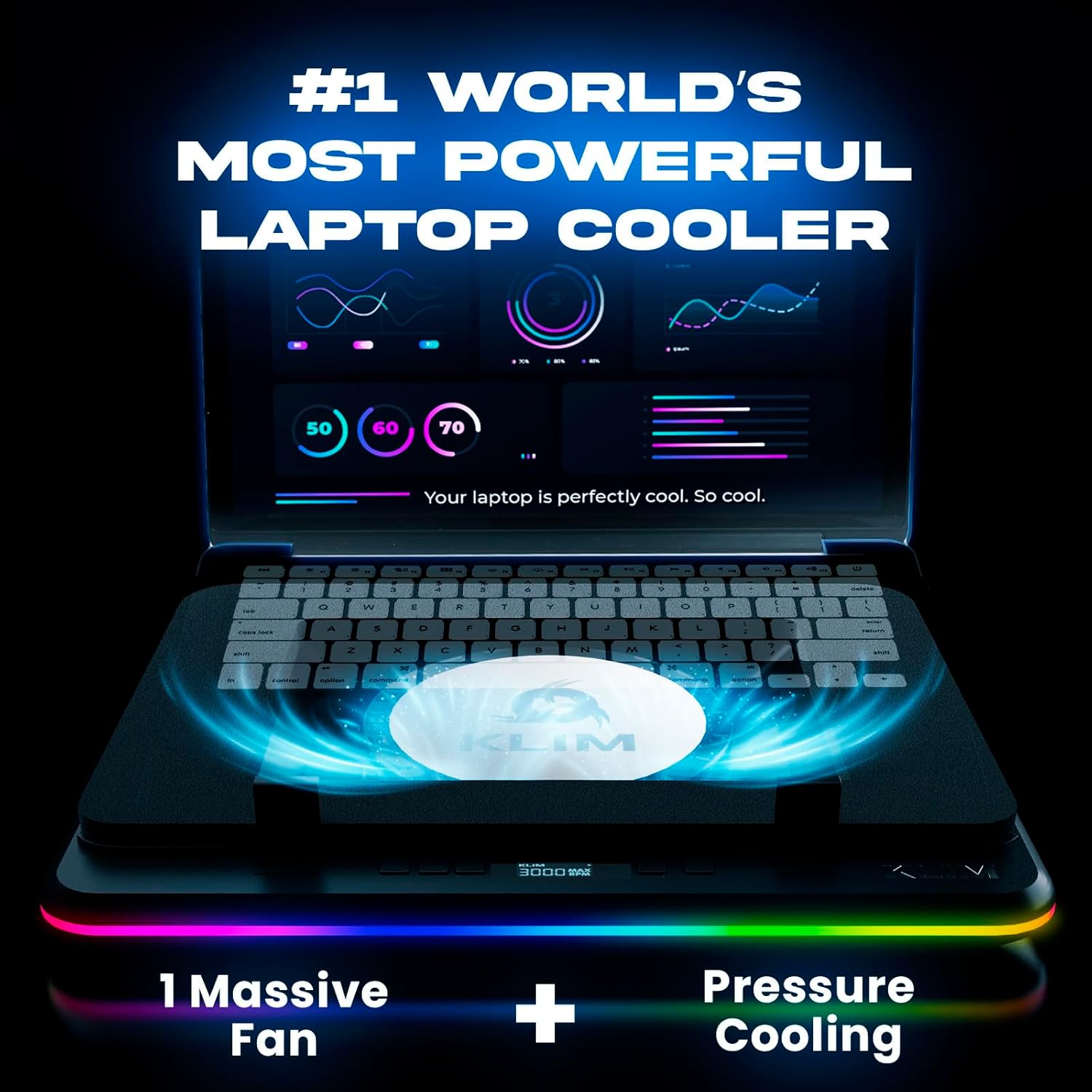
🌀No compromises! Pure Cooling Power: Equipped with our new patented TurboFan combined with an unique smart inlay, the KLIM Turbofrost MAX is the new gaming laptop cooling pad reference if you’re looking for pure performances.
💪German-engineered for Performance: Spurred by the succes of our preivous model, the KLIM Turbofrost that was designed to offer the best balance between noise and performances. We spend 1 more year in R&D to build this upgraded version with only one goal in mind, build one laptop cooler to rule them all!
💻 Totally New Smart Inlay System: its adaptive sealing foam will fit perfectly any laptop up to 17.3″. In addition, it’s patented inlay isystem is specially designed to concentrate 100% of the airflow directly beneath your laptop unlike other models on the market.
🔵 Immerse yourself in the game: 360° RGB with 64 unique customizable effects. Your light settings and fan speeds save automatically. Focus on the victory, not your settings with our rgb laptop cooling pad.
⚡Power Up Your Way: Dual Power (Wall Plug or Laptop USB-C) + 3 USB-A ports. Cools ALL Major Laptops 💻. Uninterrupted Cooling, Anywhere.
❄️Why choose KLIM: Cooling Mastery & Unmatched Performance. We’ve spent a decade perfecting laptop cooling. TurboFrost Max stands as the pinnacle of laptop cooling solutions in the entire market. Don’t settle for average. Game with confidence – 5-year assurance & 24/7 support. Choose KLIM.
8 reviews for KLIM Turbofrost MAX – RGB Laptop Cooling Pad, Gaming Laptop Cooler with Powerful Turbofan XL, Fast Cooling Laptop, 15.6-17in, Smart Inlay System for Optimal Airflow, Adjustable Speed, LCD Screen
Add a review

$79.95
Amazon Customer –
Upgrading from the KLIM Windforce
I am coming from the KLIM Windforce which is the $30 cooling pad that KLIM has to offer I had this laptop cooling pad for roughly 8 years before I upgraded, the laptop cooling pad Turbofrost MAX while is a premium price. Does provide premium based results. I received this laptop cooler AFTER I did a thermal repaste of this Acer Nitro 5.The build quality feels good compared to the KLIM Wind and I appreciate the accessibility of the cooling pads features. Having buttons in the front for RGB/Fan control versus in the back like the Wind is a big step up.The USB ports are strong enough to handle plugging keyboard/mouse or a headset, which is nice if you’re lacking ports on your laptop and are even strong enough to power an additional USB header due to the external power adapter provided with the cooler, which is a nice feature and the laptop cooling itself is for sure usable even without an extra power socket around. The cooler works just fine without the external Power adapter and provides great cooling for just running it at 2000 RPM. The foam seal around the underside of the case to the fan is phenomenal and the build material that they went with for the foam was not on the cheaper side, it actually feels NICE to touch, its SOFT and doesn’t GIVE away, so your laptop won’t be resting directly on the plastic and it won’t ever have a chance to get warm.The overall cooling fan works great and whilst the RPMs do go to 3000, I only find myself ever needing roughly 1500-2000 rpm. You can physically turn the laptops fans OFF and FEEL it sucking/pushing the air out of the sides/exhaust of my Acer Nitro 5 AN515-58 and these laptops are well known for generating heat.I use this laptop cooling pad at work in a Emergency Room setting, and it is not so big that its bulkiness stops you from using it as such.The specs used for testing.Intel 12650hRTX 4060.I asked chatgpt what it thought of these graphs just for fun and here is what it had to say.=)CPU (Intel i5-12650H) – 64°C averageYour CPU is sitting around 60–65°C, with past peaks up to 93°C (normal for short turbo bursts).Anything under 85°C sustained for a laptop CPU is considered healthy.A brief spike into the 90s is completely normal when the turbo boost kicks in.64°C under load is actually cool for this laptop model.👍 Verdict: Excellent CPU thermals. Many Nitro 5s run 80–90°C under gaming load even with cooling pads.GPU (RTX 4060 Laptop) – 51°C averageYour GPU sitting at 50–55°C is extremely good for gaming load.The 4060 laptop GPU typically runs 65–75°C under normal gaming load.👍 Verdict: Outstanding GPU temps. Your cooler and airflow setup are doing their job very well.Load PercentagesCPU load around 15% during gaming is typical — games usually use the GPU more.GPU around 30–60% depending on scene is also normal.These loads line up with what World of Warships and similar games usually require. This was World of warcraft at ultra max settings with Ray tracing on.Overall Health AssessmentYour system is running cooler than most Nitro 5 laptops.This is well within safe operating ranges:Component Safe Range Your Temps ResultCPU 70–90°C ~64°C GreatGPU60–80°C ~51°C ExcellentMore cooling won’t hurt, but you’re not heat-limited at all.If anything, your setup is performing above average.That being said, this cooling pad would absolutely in a heartbeat handle something bigger then this Intel 12650h/RTX 4060. I am very happy with this cooler and once again KLIM has retained a customer.
Monster Zero –
Nice addition to my gaming setup.
I got another cooler because it was shipping sooner and on receipt immediately regretted it and ordered this one. The differences were immediately noticeable. The magnetic foam attachment seems almost gimmicky, but it helps a lot. The RGB is easy enough to switch off. The fan controls are straightforward and they run fairly quiet. Most importantly, it feels solidly constructed, which the other unit did not. I am not saying it is, but it could just be a small weight in the body giving the illusion of a heavier build, but even if it is just that then it was a smart design choice.Cons:The packing list says there are 2 sets of stoppers, but I only had 1. The 1 I had was presumably the tall pair.That brings me to con 2: the metal adjustable stoppers seem nice enough, but I can see potential for inadvertantly scratching your laptop if you aren’t careful when first setting them. I was worried they had done so to my Asus G16, but thankfully they did not. A small design tweak could have avoided the potential altogether. I might put them in backwards to have a little more confidence it won’t happen in the future.Neutral:Another brand offers “AI control”, which is just silly. However, having a thermostat-controlled setting that would automatically step the fan speed up or down based on temp would be nice. Some sort of automatic switch to power down when the laptop is removed (and/or a timer) would also have been nice to have.The hub is fine, but I’m not giving up a TB4 port for 3 USB 3.0 ones. Either update or or make it an optional module that could be updated over time — or at least let the unit be fully powered by the USB-C port and toss the superfluous barrel connector.
Lorenza –
Overall, great product!
To start, I am not a gamer. However, I utilize a work laptop all day, every day. It is critical for my work that my laptop stay in good working order, and that means it needs to stay cool. As someone who works remote with medical issues, I often end up working in bed. As you can likely imagine, this can lead to some issues with having a suitable surface to place a laptop on, without creating an overheating issue. I opted for this item frankly because it sounded cool. I know, not the best way to choose something so critical, but it seemed like it was made for much more intensive uses than what I was planning for it.Overall, I enjoy the product.Pros: it is sturdy, durable, and most importantly – works! It keeps my laptop cool, even when I am using it on my lap, in bed. The colors are a nice addition, though of course they’re just a little extra touch. The cooling plate is aluminum, and the rest of the frame is plastic, with a foam insert that clicks in via magnets around the border of the main surface. The unit is lightweight, and portable. It can be adjusted to different angles for ergonomics/viewing of the screen. The addition of some humorous marketing/info cards was an unexpected touch and made it feel like the product didn’t come from some unnamed factory in who-knows-where. It felt like it was something actual people were invested in creating. The fan itself is runs from a low of 600, all the way up to 1800 max RPM. The pictures and description stated 3000 RPM, but unless I’m missing something critical, it stops at 1800. Regardless, that is more than enough for my needs. When running at this highest setting, the noise isn’t too disruptive. The foam inserts seem to help dampen it slightly. I can easily run it at a lower setting for effectiveness.Cons: The packaging claimed there were two different sizes of ‘clips’ that help hold the laptop in place. Mine only came with one set. The clips are metal, and when initially sliding my laptop in, I honestly thought I’d gouged the laptop. Thankfully, I didn’t, but I am surprised they don’t have some sort of coating on them to prevent damage to the laptop itself. The clips are probably my least favorite item, as they rest RIGHT where my wrists want to sit, creating a painful contact point. When I’m charging my laptop while also using it, the laptop doesn’t seat fully into the foam frame (due to the way the cord plugs into the side of the laptop) and so that makes things a little uncomfortable as well. it’d be neat if there were some way to thread the charging cord for my laptop through the side of the cooling pad, to avoid this awkward seating issue. I compromised by putting the cord under the foam on on side, which pushes it up. This seems to cause air to leak out from the foam, which can make my hands rather chilly, and create a bit of a breeze sensation against my wrists.I can’t comment on the value for the money, as I do believe the price point is a bit high, but given the purpose, I’d much rather pay for the cooling pad than have to pay to repair or replace a fried laptop.
Nika Bibileishvili –
Très bonne qualité
Eduardo L. –
No miente sobre su construcción además de ser muy ruidoso y poco eficiente la laptop no enfría bien y no es de aluminio como indica en su publicación es muy cara no merece la pena
A.S –
This thing is a monster and cools my laptop very well so I don’t have to worry that it runs to hotWith extra usb slots and power adapter it feels like a desktop dock awesome productOnly thing I would not pick is the metal hinge mechanism falls off from the hole but once it’s in place you are good to go
Antonio –
Ottimo prodotto la temperatura del mio portatile è scesa da 93 a 80 con velocità a 1800
Oscar Sánchez Poderoso –
Si tendría un poco mas ancho y mas dinámico el panel RGB sería ya lo mas