

SwitchBot Smart Switch Pusher with Remote – No Wiring, Control with APP, Timer and Bluetooth Remote, Add SwitchBot Hub Mini to Make it Compatible with Alexa, Google Home, IFTTT (White)
$36.54
Related Products


Product description

SwitchBot is your simple switch to a smart home. With easy setup, we help you to create a comfortable home with innovative smart home products.
A bluetooth remote is included to help you control how you use your Bot, removing the need to use your phone to control.
Easy set up 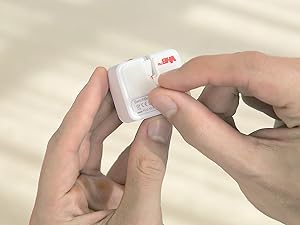 Tear off the 3M sticker
Install in 3 seconds.
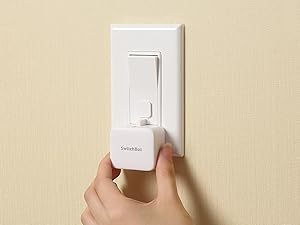 Attach near a switch or button
Just tape it next to a button or switch with no tools required.
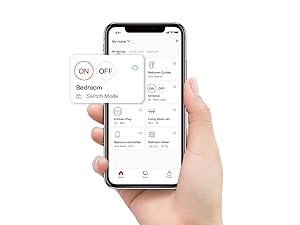 Tag the icon in the App
Turn switch or button ON/OFF in the App.
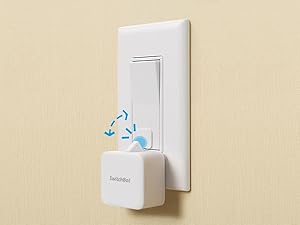 Push or pull
Push by the arm inside and pull by the Add-on.
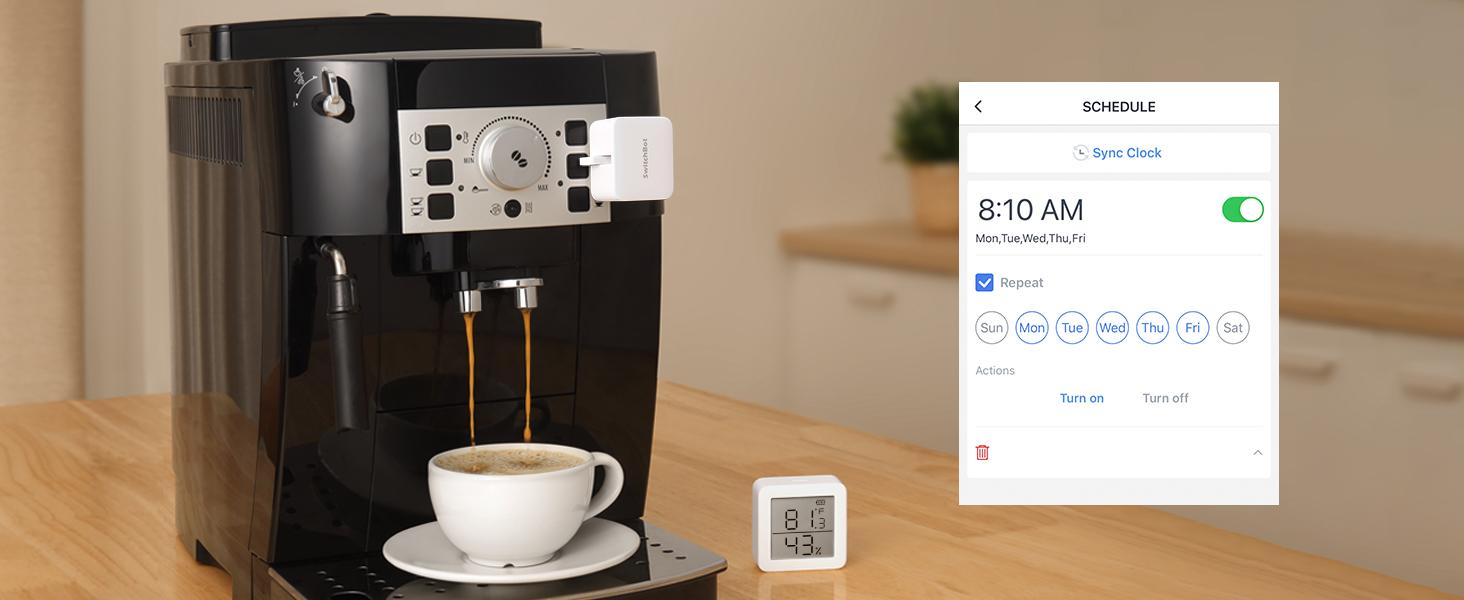 Automate with Schedule
Place it on a coffee machine or light switch and set a schedule to automatically turn it on or off.
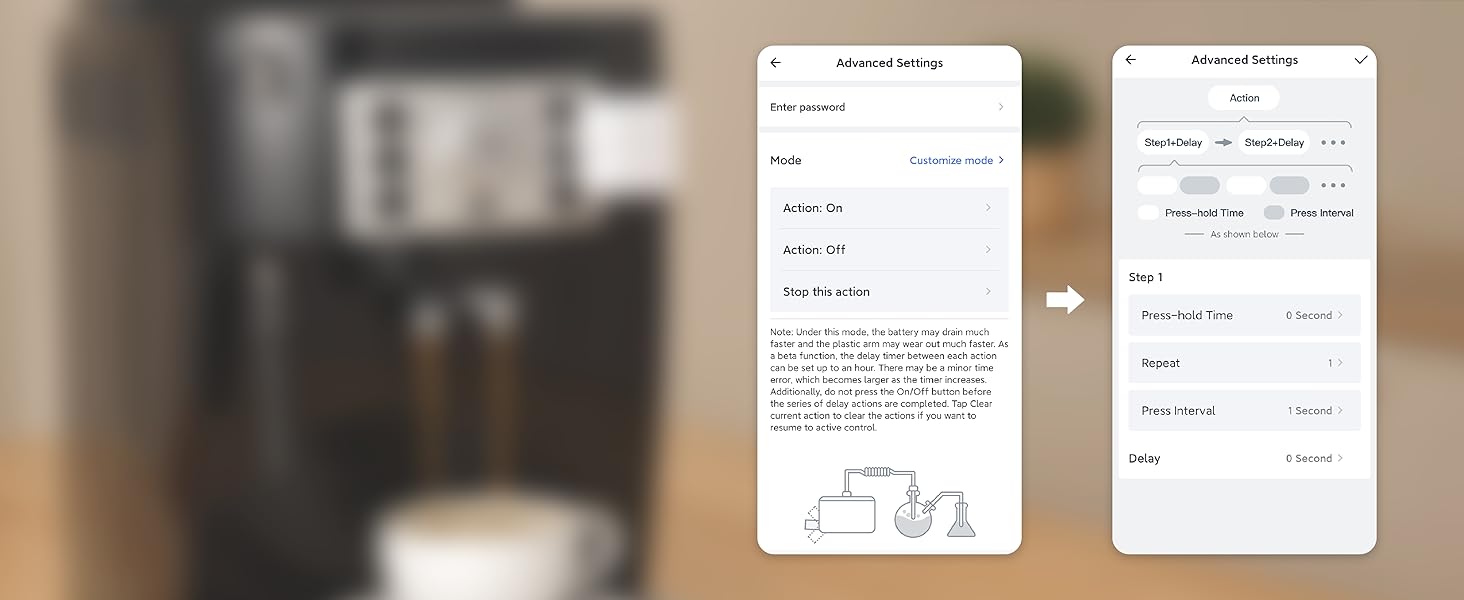 Repeat an action at a certain interval
Want to set a press-hold action at a certain interval repeatedly? Reach our team for a Beta version via Feedback in App. *Note this feature accelerates battery consumption and wears out the Bot arm.
 Turn any dumb appliance smart
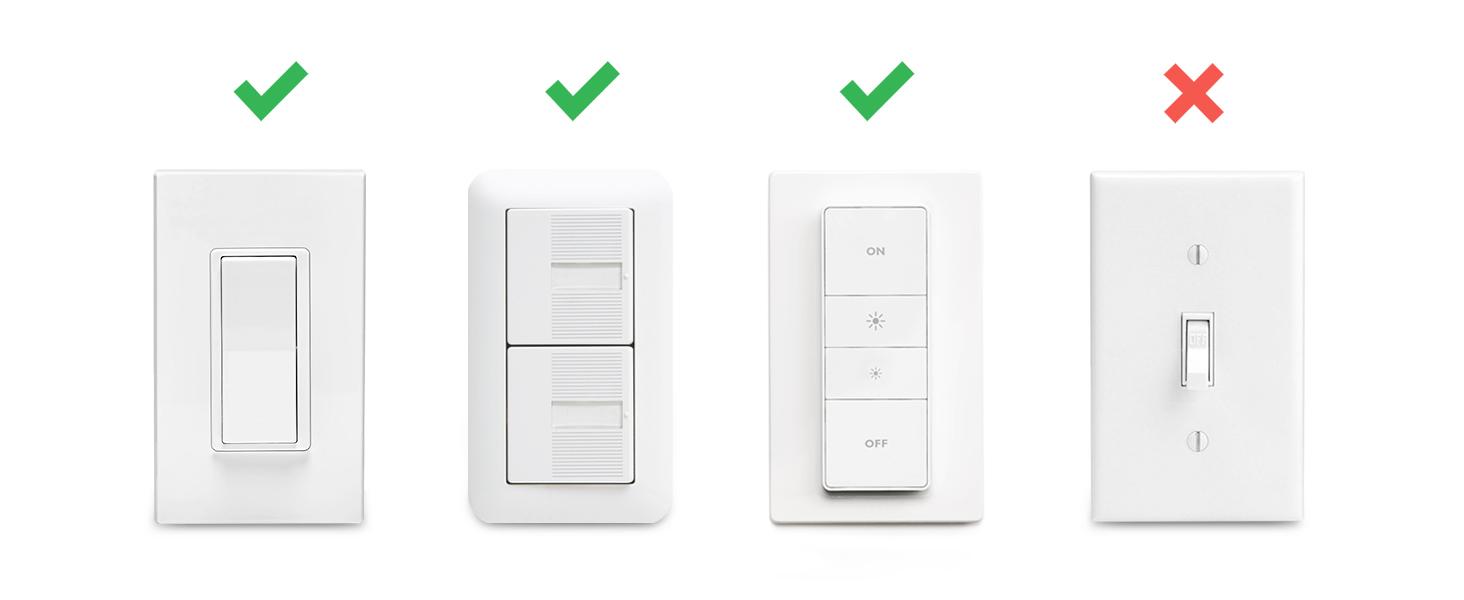
Works with just about any rocker switch and button of any appliance.
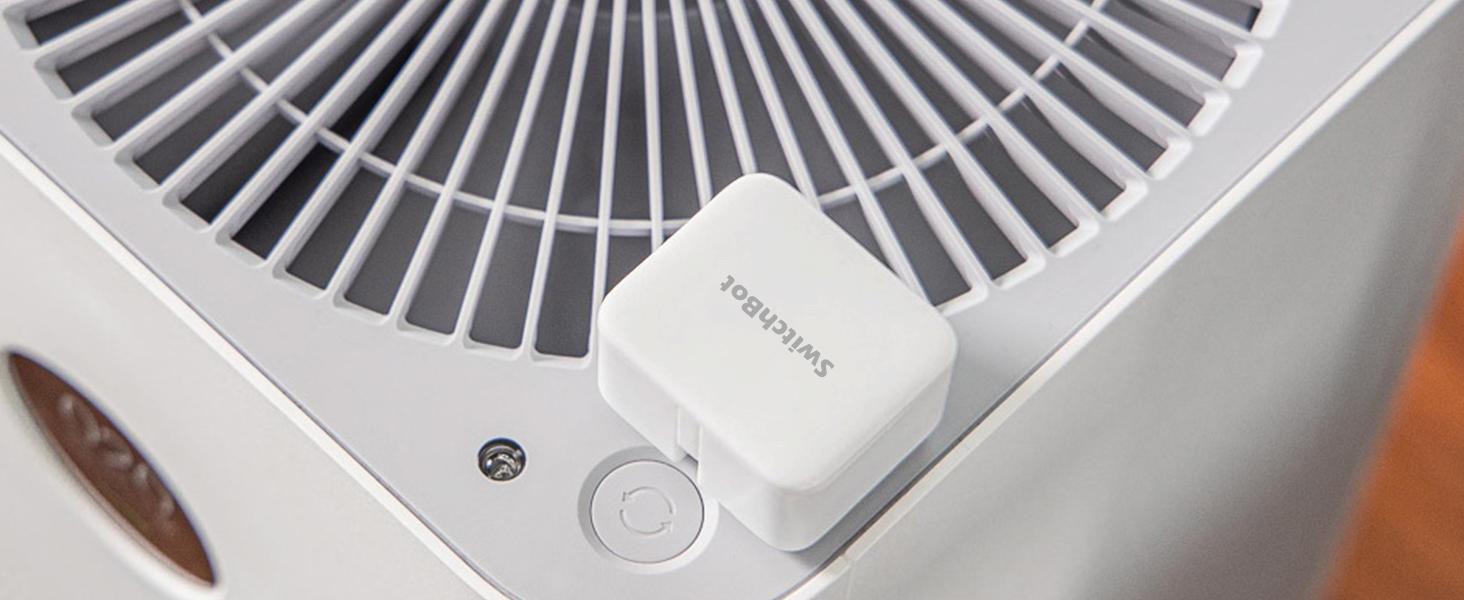 Power saving
Extreme power-saving BLE technology allows 600 days of use powered by a replaceable battery.
 Stick to anything
Your imagination is unlimited. It’s time to Smart your applications!
 Even better with SwitchBot Hub Mini
Enjoy voice control
Just say the words. With a SwitchBot Hub Mini(sold separately), the Bots can be voice-controlled by Alexa, Google Assistant, Siri, and SmartThings. Enjoy the hands-free experience by saying “Alexa, turn off the light”, “Hey Google, a cup of coffee please”, or “Hey Siri, open the garage door”.
More control methods 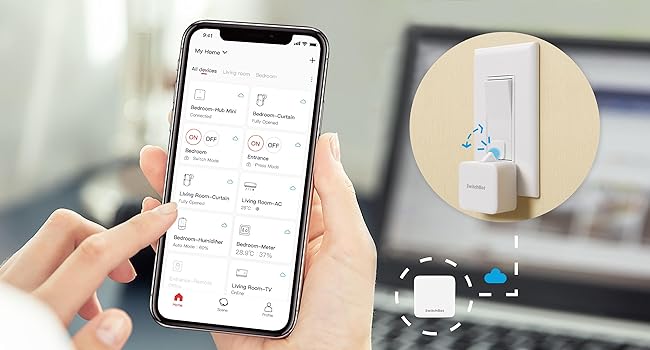 Control via SwitchBot App
By adding the SwitchBot Hub Mini(sold separately), you can control your Bot when you 1000 miles away from home!
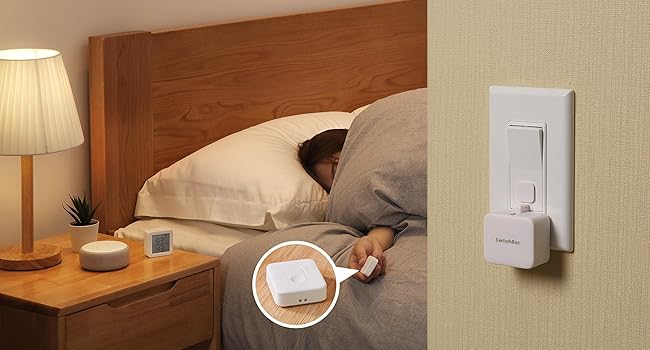 SwitchBot Remote
No need to operate your phone & voice control, just push the SwitchBot Remote button to turn off the light.
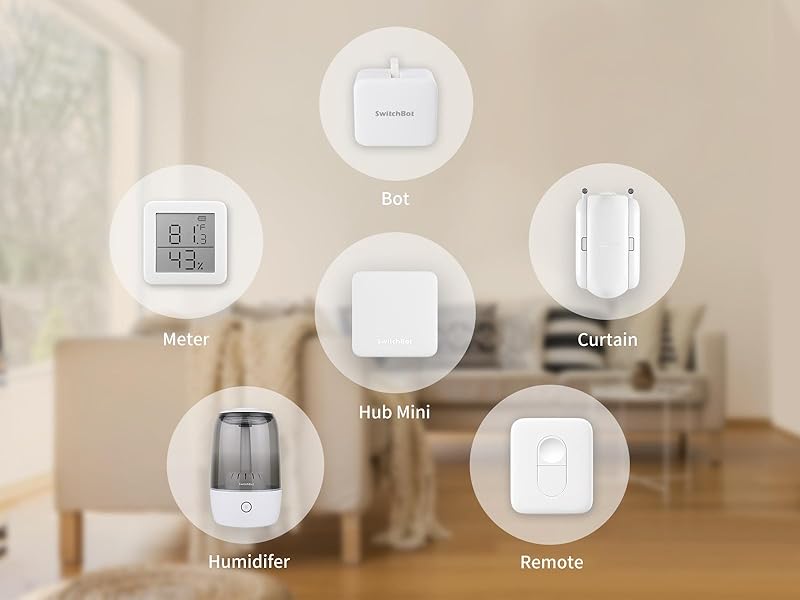
More fun with the SwitchBot ecosystem
For example, you can schedule a morning routine to turn on lights, TV, and your coffee maker every morning on working days. With the Scene feature*, you could set specific and unlimited timers to the Bot.
*Need SwitchBot Hub Mini(sold separately)
How do I know if SwitchBot works or not? 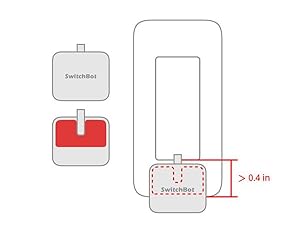 Space for the sticker
 requires more than 1cm (0.4 inches), and better to wait 24 hours after being stuck.
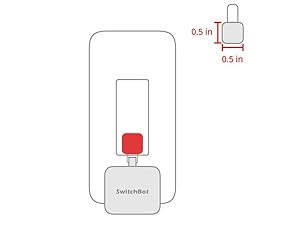 When to use add-on
In the case of applying an add-on to a rocker switch, the surface should be clean, flat, and has enough room.
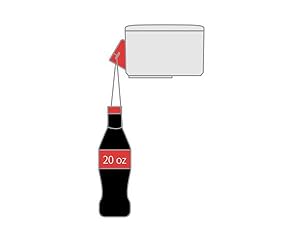 Strong for most
The Bot clicks down with a force strong for most, and still gently for not to break things.
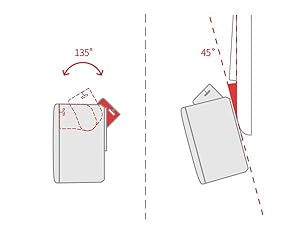 Maximum swing angle
The max swing angle of SwitchBot is 135 degrees. Make sure the Bot is on a surface where the arm could reach the switch or button when pushing down.
Universal: Works well with just about any rocker switch or buttons on appliances. Press mode helps make any switch smart and allows you to press buttons like intercom unlock keys, desktop power buttons, coffee machines, fans, garage doors and more.
Bundled for More Convenience: A bluetooth remote is included to help you control how you use your Bot, removing the need to use your phone to control. It also features 600 days long battery life.
Use Timers and Schedules: Use our app to schedule built-in timers to run your device without the need for a phone or hub to turn lights or home appliances on/off automatically even when you’re away.
Easy to Install and Set up: Attach it right next to a rocker switch or button with a 3M sticker in 5 seconds. No swapping, no tools are required. Supports Press Mode, Switch Mode, and Customization Mode.
Even better with SwitchBot Hub: With SwitchBot Hub Mini (2.4GHz Wi-Fi only), you can control your SwitchBot Bot remotely from anywhere and enable voice control. Works with Amazon Alexa, Google Assistant, Siri and IFTTT.
11 reviews for SwitchBot Smart Switch Pusher with Remote – No Wiring, Control with APP, Timer and Bluetooth Remote, Add SwitchBot Hub Mini to Make it Compatible with Alexa, Google Home, IFTTT (White)
Add a review

$36.54
Alfred M. –
There is Still No Better Alternative to Old Reliable
I purchased my first Switchbot Bot back in 2021 so that I could automate my garage door (I have a camera in the garage to verify if it is up or down, and use the bot on either the push button in the garage or a space remote). It worked perfectly for this function at all three of my rental houses since then, allowing me to automate something that is typically not included with the rental, while easily removing it when I leave. Since I have a two door garage setup now, I purchased an extra bot to automate both doors, since it was simply the most cost effective, reliable way to do this as compared to doing wiring, installing other apps, or some other invasive install that I would have to remove the next time I move (I am in the military, so frequent moves are a way of life). It’s a no-brainer since I already have a Switchbot Hub.
Customer Review –
SwitchBot pressing buttons inside my R2D2
Bought two of these SwitchBot fingerbots – one of which was included in the combo pack with the SwitchBot Hub Mini required to make hey google or amazon alexa verbal commands via google or alexa smart devices. Got all of this because had two buttons – the main power button & an AC power button – that had to be pushed one after another on a Power Bank inside a starwars HD-R2D2 droid that I did not want to open up all the time when I wanted to turn it on and off. SwitchBot works great & presses quickly when you finally figure out how to get the results that you want.Great with bluetooth connecting to the switchbot app. But for full versatility, also get the SwitchBot Hub Mini to give audio verbal commands. Works great if you then connect to Google because could use my Google Nest Mini to verbally give commands to “Turn On R2D2” and later to “Turn Off R2D2” – where google solved the trick where had to issue two commands in a single command automation to have two separate SwitchBot fingerbots to each separately one after another to first press the power button & then second press the AC button to then power up the AC power adapter plugged into the power bank to “Turn On R2D2”.However, when using Alexa on an Amazon Echo, could not combine commands for the two fingerbots to have each specifically press the two different separate buttons in a single alexa command routine because the routine would only activate only one fingerbot to do both presses on only one button. Oh well, gotta do two separate alexa audio commands if using Amazon Alexa.Another minor issue was I had to place each fingerbot at an angle because each button presser did not press deep enough on the buttons – but fortunately there were the extra double-sided 3M mounting tape pieces to help securely tilt/angle each fingerbot to be able to actually press each button.Nonetheless, this is a wonderful worthwhile solution to the problem of how to remotely press buttons inside an enclosed space that you do not want to always open up. Very much worth paying for. And fortunately the battery is replaceable.Thanks So Much to both SwitchBot & Amazon for this remote pushbutton technology.
Z –
Reliable for almost 5 years
Bought my first one in August 2021 and it stopped working today in January 2026. The arm stopped actuating even after battery replacements and firmware updates. I guess that’s a good enough long run being used almost everyday. I put this on my Breville Barista Express and had it on a daily schedule (except for when we’re traveling). It’s mostly reliable and easy to debug when there is a problem. It’s very quiet and doesn’t burn through batteries. I like the ability to program this button for my non-automated machine so I’m repurchasing.
Larry –
Great value!
All I can say about these switch bots is WOW! When I changed security companies my Z wave light controls stop working. So, I had no way of automatically turning my lights on and off. I had to manually turn them on at night and off at daybreak. I was just about to hire an electrician to rewire my light switch and I saw the switch bots on Amazon. I had no idea that something like this was out there and boy! what a remarkable device. It turns my lights on and off through the free phone app. I highly recommend this device!
mandy –
Best little robot
Been wanting this little robot for a while I finally committed and no regrets. My ceiling fan is not smart and my house has old wiring. My ceiling fan comes with a remote and I stuck this little guy on it just right and now I can turn my ceiling fan on with my voice or my phone from anywhere. I will be getting more. The SwitchBot app makes setup quick and easy, the bot is quiet and going strong after a month of use. Best price I’ve found to make a switch or device smart. Highly recommend!
David –
Simple Automation Solution
Works as you think it would. It has been great to create some automations to turn my lights on and off in different conditions. This is such a simple solution for automating switches that involves minimal knowledge and no electrical work which is a plus.
SIVABALAN. V –
The product is very good and useful, but we need to have a flat surfaced special switch and socket panel to stick the bot, will not be useful for old Indian switch panels.
ペーター –
とても便利です。電気が自動でつくのはとても良いです。
yANN lUCAS –
Produit très pratique pour automatiser un appareil ancien qui ne dispose pas de fonctions connectées. Je l’utilise avec un iRobot d’ancienne génération et cela fonctionne très bien pour appuyer automatiquement sur le bouton power.Dans mon cas, j’ai dû imprimer un petit réhausseur en impression 3D afin d’adapter correctement le poussoir au bouton d’allumage. Une fois cette adaptation faite, le SwitchBot remplit parfaitement son rôle et devient programmable via l’application.Il fonctionne uniquement en Bluetooth par défaut, sans connexion Wi-Fi. Pour un usage à distance ou avec Alexa, l’ajout du SwitchBot Hub est nécessaire. Cela reste à prendre en compte si on veux le wifi a tout pris.En résumé, très bonne solution pour rendre “intelligent” un appareil non connecté, à condition d’accepter les limites du Bluetooth et parfois une petite adaptation mécanique.
Laura –
Meilleur achat! Incroyable pour le prix!! Fonctionne parfaitement mais attention, uniquement quand vous êtes à la maison sinon il faut programmer. Ne fonctionne pas si vous n êtes pas sous le même toit et donc le même réseau. Seul bémol mais pour le prix franchement
Amazon Customer –
Very odd device but it actually works with almost all kind of buttons if you install it properly. It’s very important that you test the function few times BEFORE sticking it in place. Luckily there are 2 adhesive tapes in the package you can use.