

Replacement Voice Remote Control for TV Stick/Insignia Toshiba TCL Hisense Stick Smart TVs(1st/2nd/3rd Gen)
$12.39
Related Products


Product description
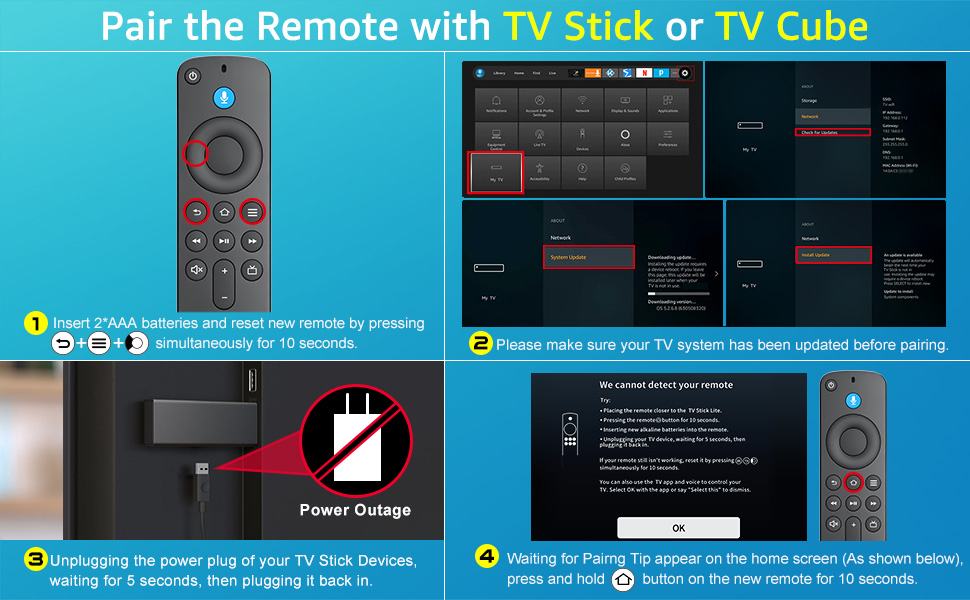
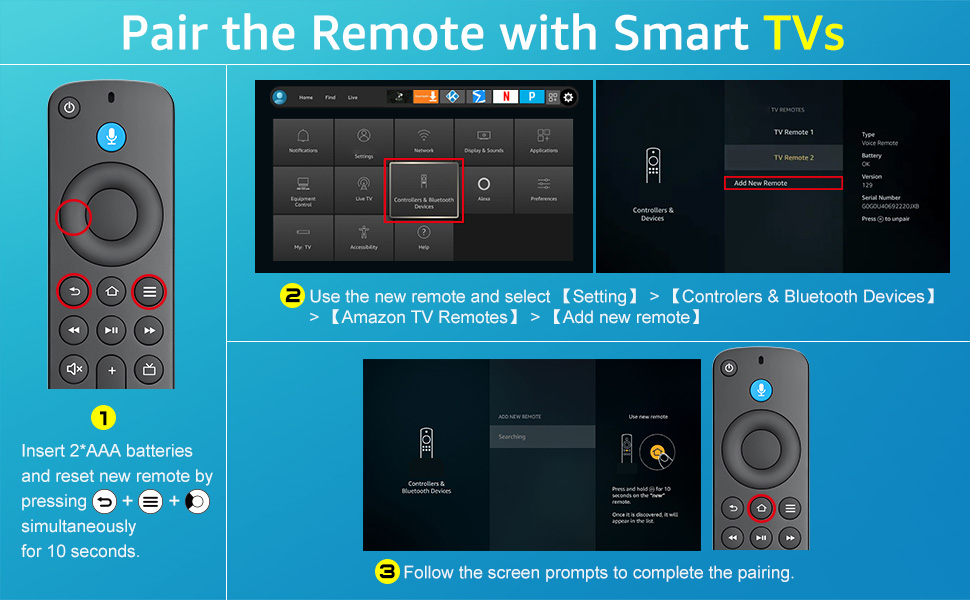
QA: What do I need to do first after receiving the product?
A: Since the product will be tested to see if it is fully functional before leaving the factory, you need to reset the product first after receiving it. Reset operation method: “Press Left” + “Menu” + “Back” buttons simultaneously for 10 seconds. When the reset is complete, the indicator light on the remote control will flash three times. After a successful reset, pair the TV or TV Stick again.
QA: How to pair and connect to my *** TV?
A: The remote comes with infrared tech, you can control your TV without pairing, but you can’t use the voice function under this mode. After confirming that the TV itself comes with voice tech, find the settings on TV > Controllers & Bluetooth Devices > Add New Remote > Press and hold “Home” button for 10 seconds as prompted by the TV, then release the “Home” button > Pairing to the TV successfully > Test the voice button to see if it works.
QA: How to pair connect to my *** TV stick and *** TV cube?
A1: If you still hold an old TV remote, use the old TV remote to find the settings on your TV > Controllers & Bluetooth Devices > Add New Remote > Press and hold “Home” button for 10 seconds as prompted by the TV, then release the “Home” button > Pairing to the TV successfully (If you could not find your old TV remote, you can choose to use a cell phone to control the TV to select settings operate)
A2: If you don’t have an old remote to control the TV stick, you can reset the new remote control. Unplugging the power plug of your TV Stick Devices, waiting for 5 seconds, then plugging it back in, then wait for the pairing page to appear (the time of the pairing page is determined by the TV), don’t press any buttons during the process. After the pairing page appears, press and hold the “Home” button for 10 seconds according to the prompts, then release the “Home” button and wait for the pairing to complete automatically. (This pairing method is the most uncontrollable due to the uncertainty of when the pairing page will appear.)
QA: How to solve the problem when I can’t use the power button, volume button and mute button after connecting the new remote to the TV stick?
A: Find the settings on TV > Equipment Control > Manage Equipment > TV > Change TV > We have detected your ****** TV > ls this correct? > Yes (Whether the brand of the TV detected is correct, select yes for correct, no for incorrect) > Your TV Stick remote has been updated > OK
QA: If the remotes linked to the TV are full and I can’t add new remotes, how can I solve the problem?
A: Find the settings on TV > Controllers & Bluetooth Devices > Select the old remote control to be deleted > Press the “Menu” key > Click “SELECT” to delete it!
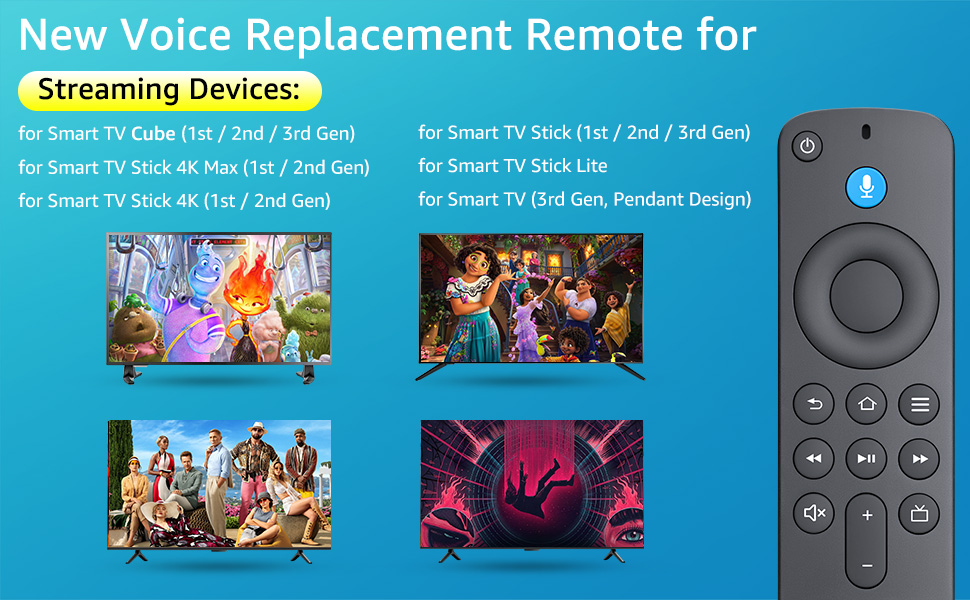
【Applicable Models】New replacement voice remote compatible with Smart TV Stick 4K Max(1st / 2nd Gen), Smart TV Stick 4K(1st / 2nd Gen), Smart TV Stick(1st / 2nd / 3rd Gen), Smart TV Cube(1st / 2nd / 3rd Gen), for Series Smart TVs, 2/4 Series Smart TVs, for Smart TVs:LF711/LF621U/LF421U/LF221U/C350/A810U/A710U/M550/V35 series, for Smart TVs:F30/F20/F50/DF710/DF711/DF310/DF510/DF311/DF620 series, for Smart TVs PN450/PN651/PN851/PN951 series etc.
【One Replaced More Remote Control】Replacement remote control for TV Stick Voice Remote(2nd Gen/3rd Gen/Lite/Lite 2nd Gen) and for TV remote control(NS-RCFNA-21, CT-95018, CT-RC1US-21, NS-RCFNA-19,CT-RC1US-19) etc.
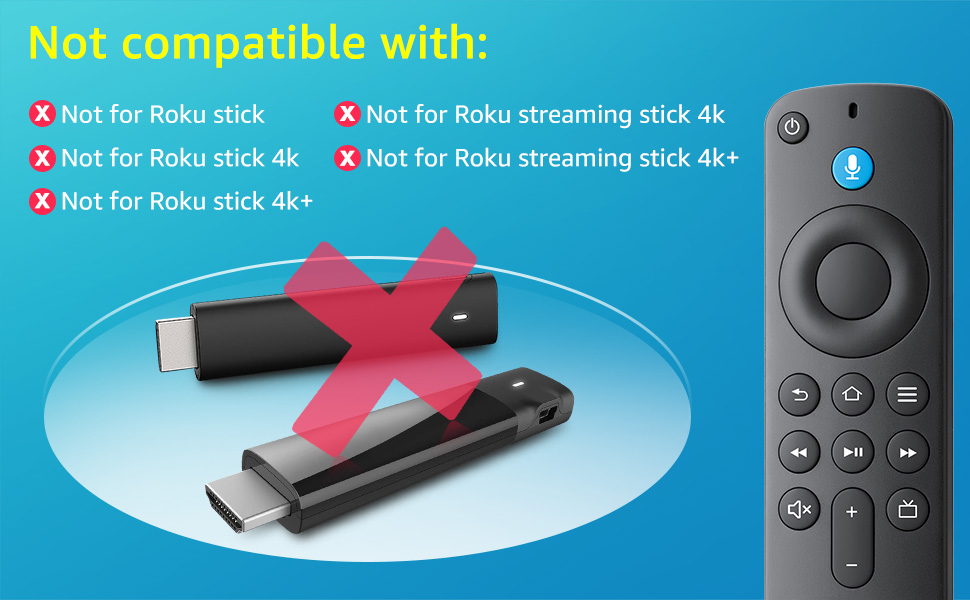
【Not Compatible with】Not compatible with Roku stick, Not for Roku stick 4k, Not for Roku stick 4k+, Not for Roku streaming stick 4k, Not for Roku streaming stick 4k+
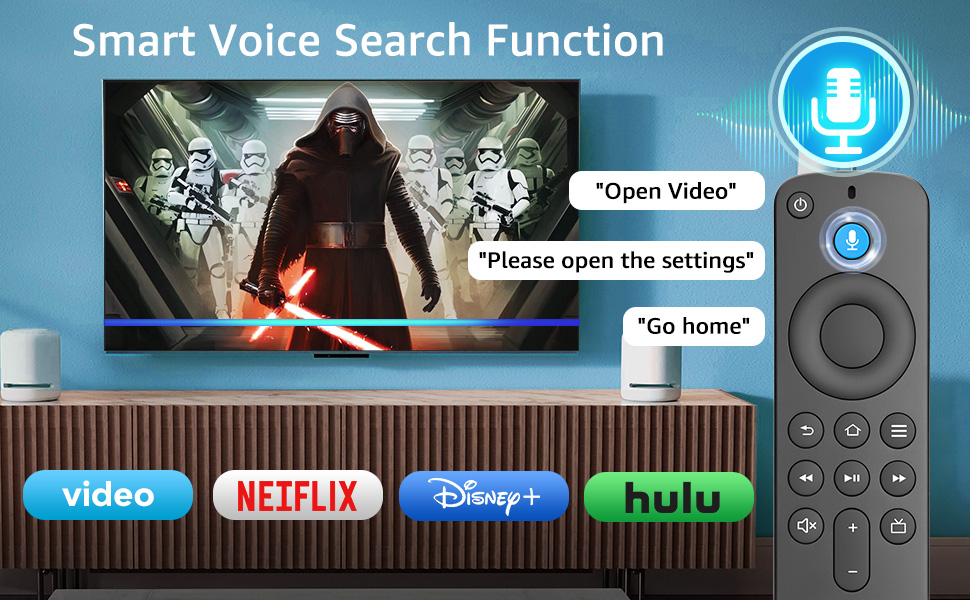
【Activate Voice Function】The remote control comes with manual, please follow the instructions to pair and activate the voice function. Easy and intuitive, the voice remote lets you control your favorite content with your voice.
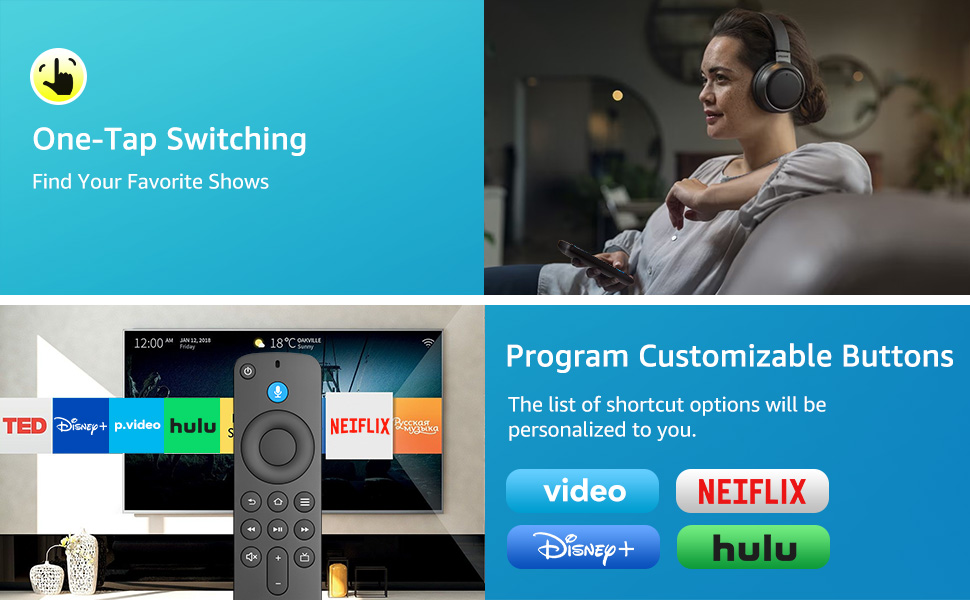
【Customization Buttons】The remote control includes 4 shortcut buttons and 2 customization buttons, press and hold 1 or 2 to program customization buttons, you can instantly access your favorite streaming services, eliminating the need for multiple steps.
【After-sale Service】Package including 1*replacement voice remote control and 1*user manual(batteries not included).We also provide 60 days after sale service, if you have any questions, please contact us directly and we will get back to you within 12 hours.
13 reviews for Replacement Voice Remote Control for TV Stick/Insignia Toshiba TCL Hisense Stick Smart TVs(1st/2nd/3rd Gen)
Add a review

$12.39
Moon –
The Perfect Upgrade for Your TCL Google TV Experience
If you have ever dealt with a lost or malfunctioning TCL remote, this (Pack of 2) Replacement-for-TCL-Google-TV-Remote is a 5-star lifesaver. While many “universal” remotes feel like a compromise, this one actually feels like an upgrade over the original. It offers a much more tactile and responsive button feel, eliminating the “mushy” or delayed clicks that often plague standard factory remotes. Since it comes in a two-pack, it’s an incredible value—you can have one for daily use and a spare ready to go, or simply keep one on each side of the room.Setting these up is incredibly simple and requires almost no technical effort. Because they are specifically designed as replacements for TCL Google TVs, they often work right out of the box with no complex programming codes needed. Once paired via Bluetooth, you get full access to the Google Assistant voice control features, which is often the first thing to fail on cheaper third-party alternatives. The layout is intuitive, featuring dedicated shortcut buttons for popular streaming services that allow you to jump into your favorite shows with a single press.The build quality is surprisingly robust. It feels sturdy in the hand and has a balanced weight that doesn’t feel “hollow” or cheap. The infrared (IR) range is also excellent, meaning you don’t have to point the remote precisely at the bottom of the TV to get it to respond. For those who frequently misplace their remotes, having two identical, high-functioning units for such an affordable price provides a level of convenience that’s hard to beat.Overall, this is more than just a replacement; it’s a genuine improvement to your TV setup. It’s rare to find a third-party accessory that performs more reliably than the original equipment, but this remote manages to do exactly that. If you need a new remote for your TCL Google TV, don’t hesitate—this 2-pack is the most cost-effective and functional solution on the market.
Audrey –
Perfect replacement option
Honestly didn’t expect this to work but felt like it was low enough risk to try it out and imagine my surprise when it immediately linked to my Apple TV and worked perfectly! Perfect replacement remote at a very reasonable price.
SLSREP7850 –
Works Perfectly with Your Roky TV
What a deal these were – a pack of 2 for under $10.00. I put one next to the remote that came with the tv & I could not tell one iota of difference. Everything works perfectly. Drop in your batteries and the remote works … EASY! the volume control works great, the buttons function as they should. I do not use the voice control option so I cannot tell you about that feature, but otherwise these are great.
celso c demendonca –
Works good.
It works fine. Quality is OK
Amazon Customer –
No issues
Did not have to program. Worked right out the pack. I had to return others because the buttons got stuck. Inexpensive. No issues
kabrophy –
Wow! This one works!
I tried a different “brand” with the same specs. The other one worked poorly, with difficulty controlling the tv at most angles. I only mentioned the other one because it might be similar to a replacement you purchased. This one, however, functions like the original. It works without having to point it directly at the receiving sensor on the tv. It works like the OEM remote controller. I even like that it’s just about a quarter of an inch thicker at the sides, and maybe an eighth of an inch thicker along the middle. It fits very well in the hand. Also, the back plastic cover has a matte finish, and is less slick than the OEM, but certainly not a rough texture.
Eidan –
Recommended.
After programming it to the TV I eliminated 2 controls. Very good. Works very well. Good value for the money.
Tracy –
Fire TV replacement remote controller
Remote is as expected and per other reviews, the buttons are a ‘bit off’. Some work on 1st push; others have to be pushed a couple/few times to get action. All in all the remote works, price is good; shipped quickly.
Jader Santos de Carvalho –
Muito bom produto
Vivi –
Es igual q el original, casi no los distingo
DEEMA –
الازرار لا تعمل
Sunny –
Good value for money
Michele –
Ottimo acquisto per un telecomando che risulta leggero , a buon prezzo e soprattutto funziona benissimo.