

Redragon K725LBY Wireless Mechanical Keyboard with Screen and Knob, Tri-Mode BT5.0/2.4G/USB-C Gasket Computer Gaming Keyboard, 95 Keys Hot Swappable, RGB Backlit, Infinite Mirrors for PC/Mac, Purple
$39.99
Related Products






Product description
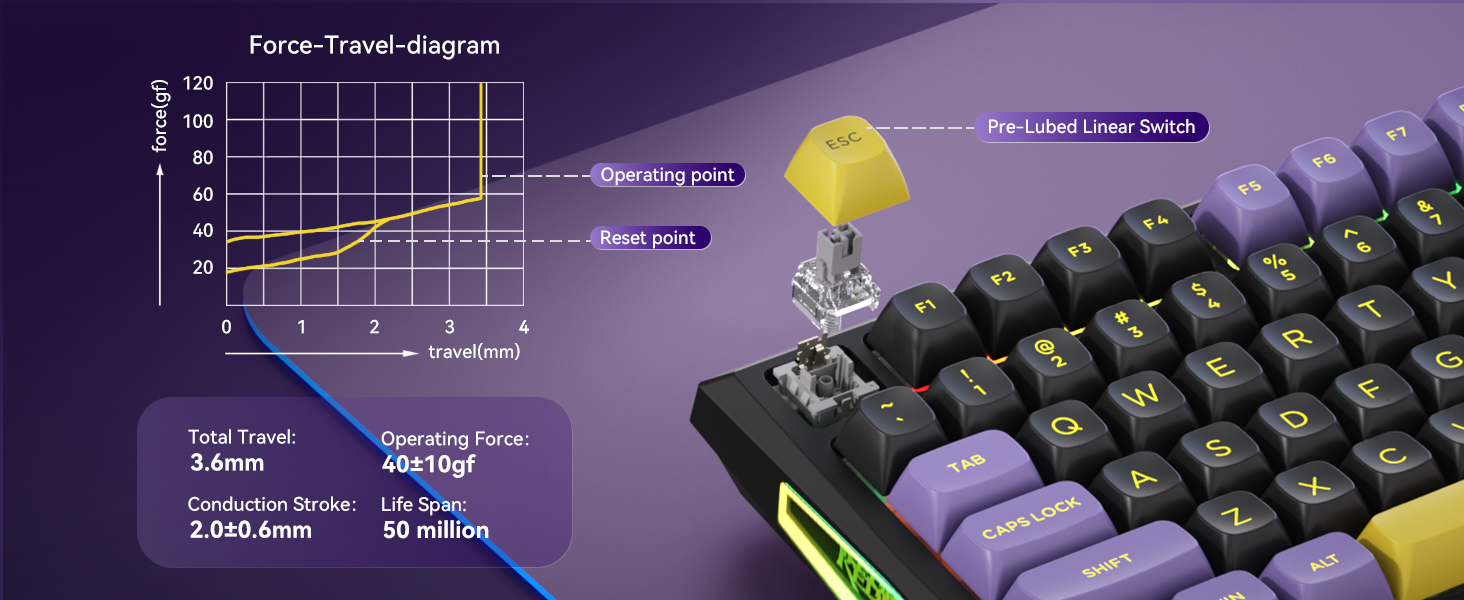
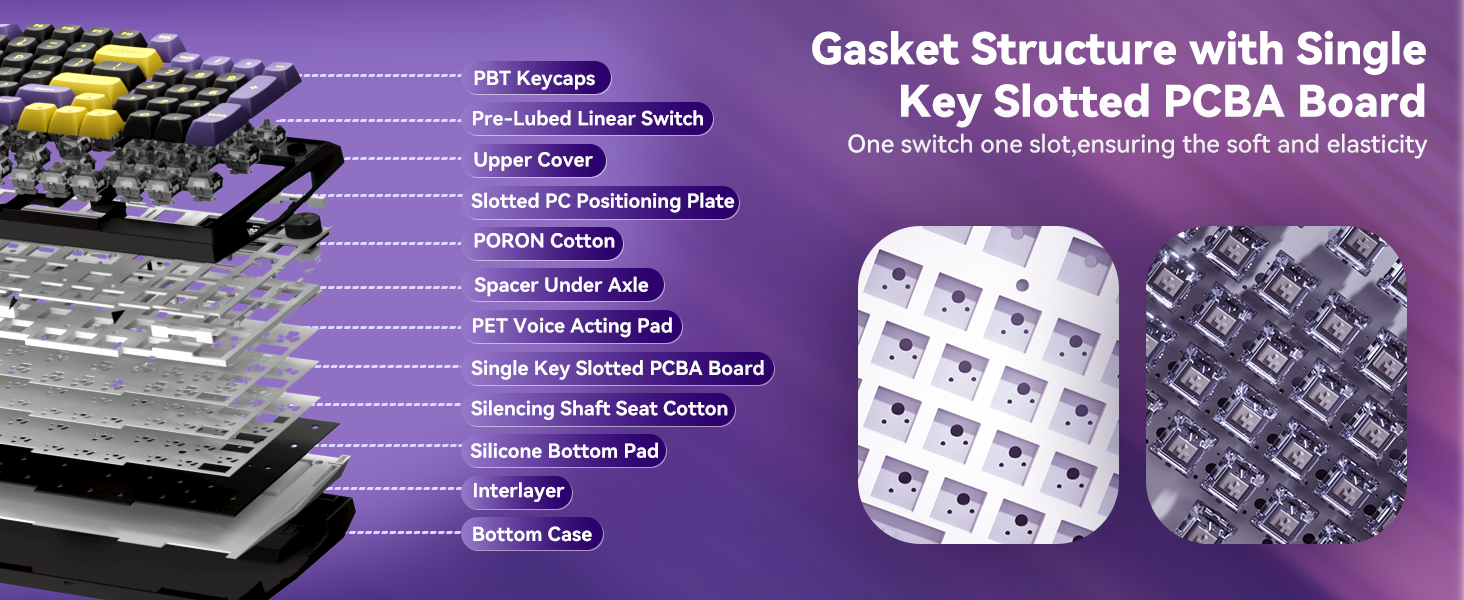
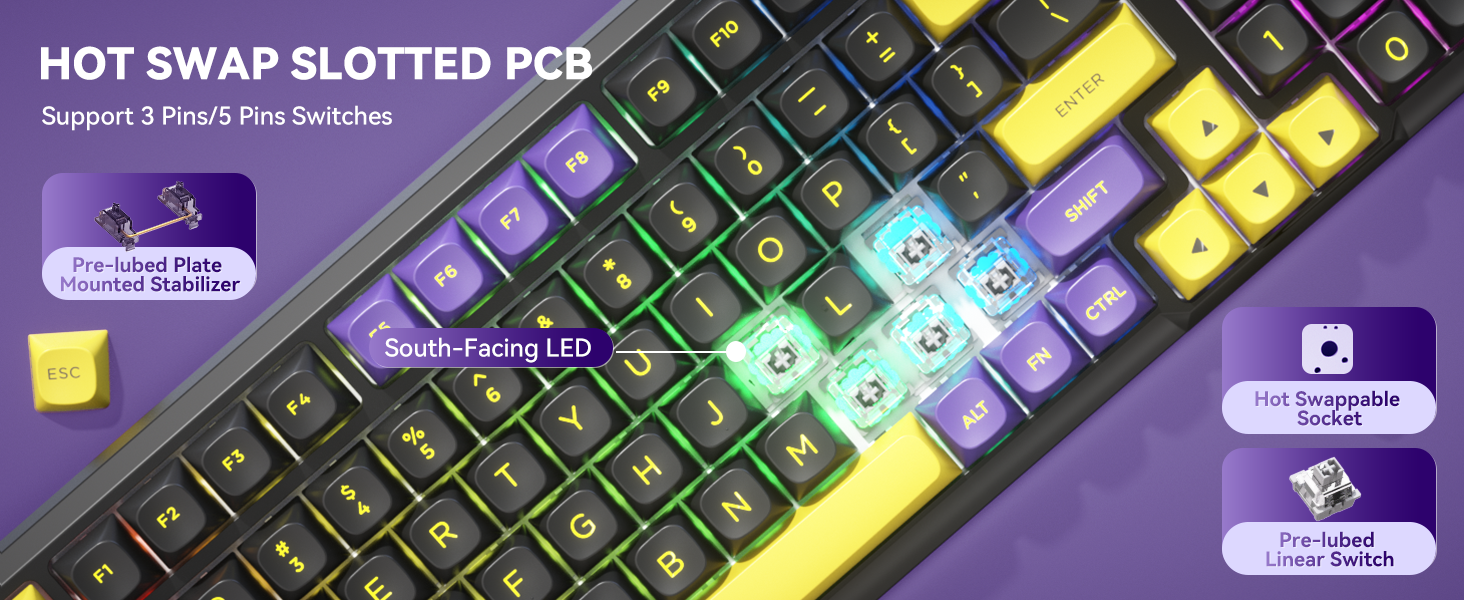
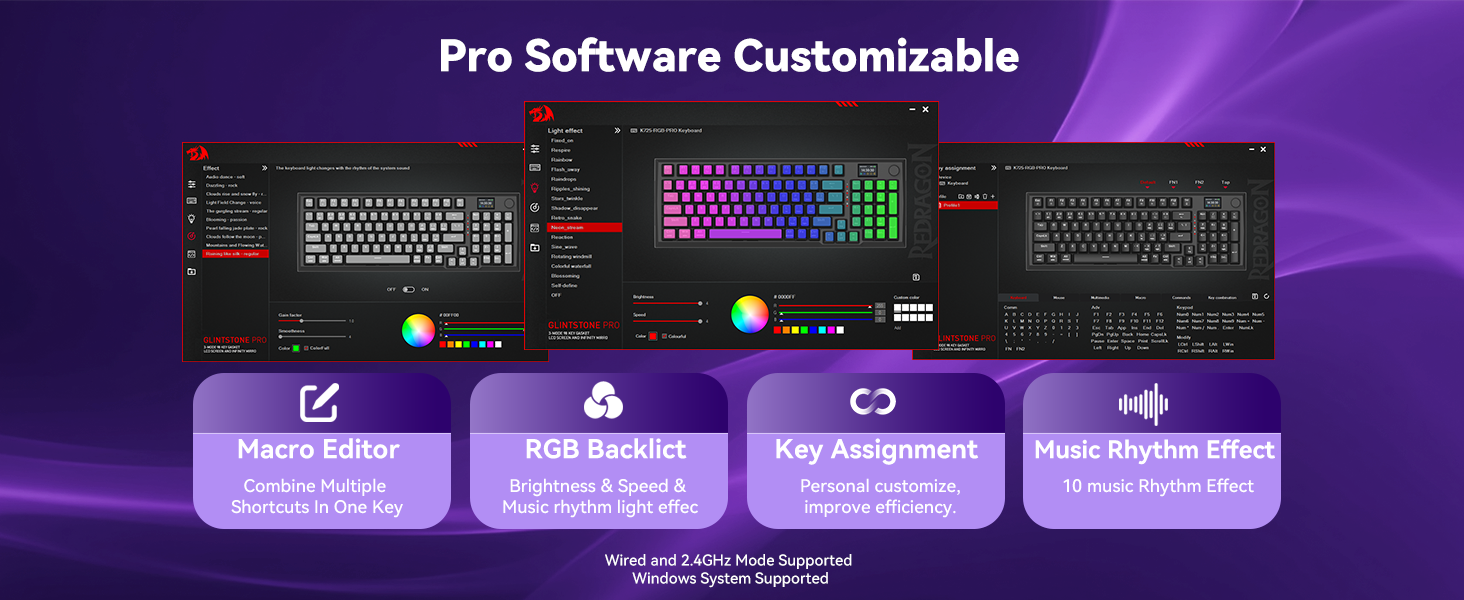
Does K725 keyboard support software programming?
YES. Please download the driver from the official Redragon website (redragon.com).
Is the software compatible with both Windows and Mac systems?
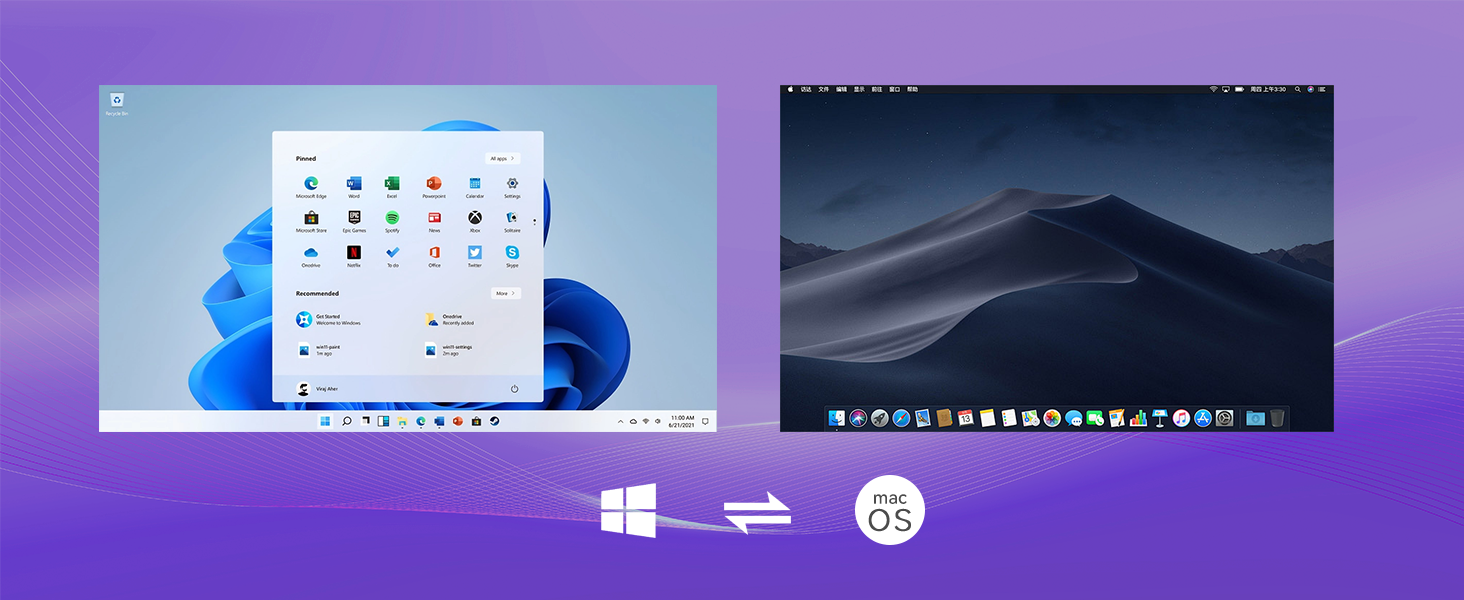
The software is not compatible with MAC systems. Please use it on Windows in wired or 2.4G mode. MAC users can set up the keyboard on Windows first.
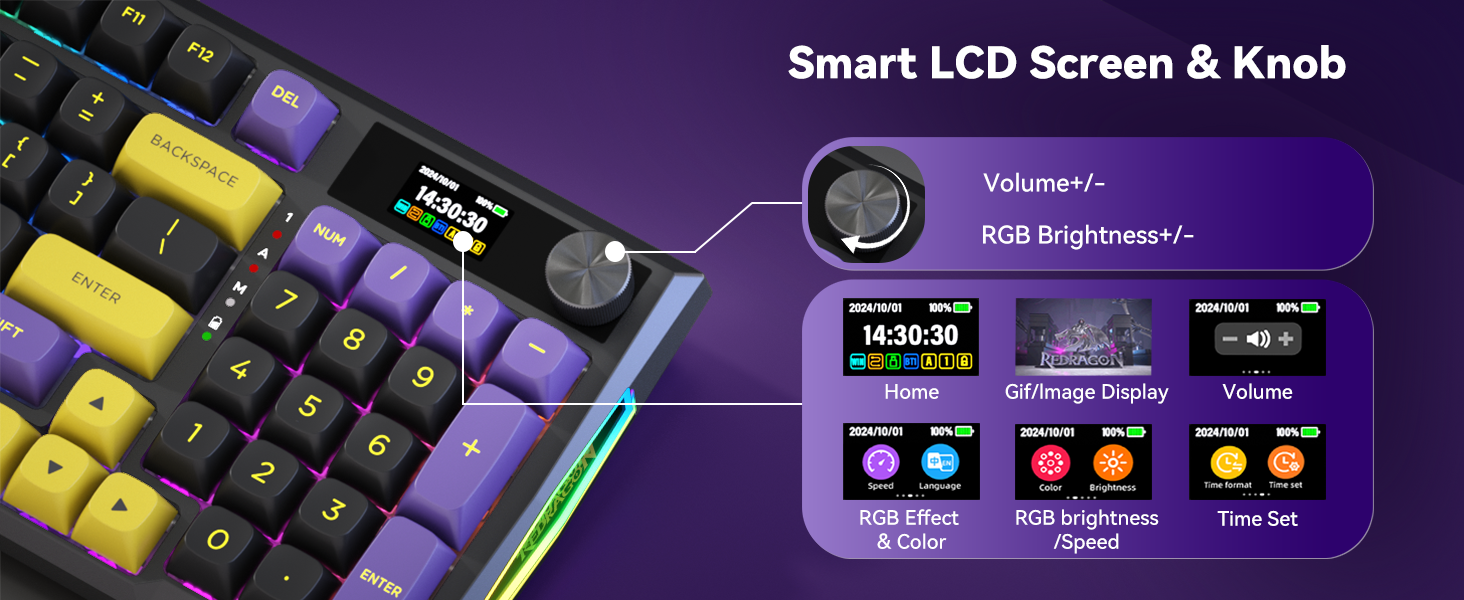
How to adjust animations on the screen?
Please upload your image/gif. via the K725 software in wired mode.
The always-on screen ensures you can see it at all times.
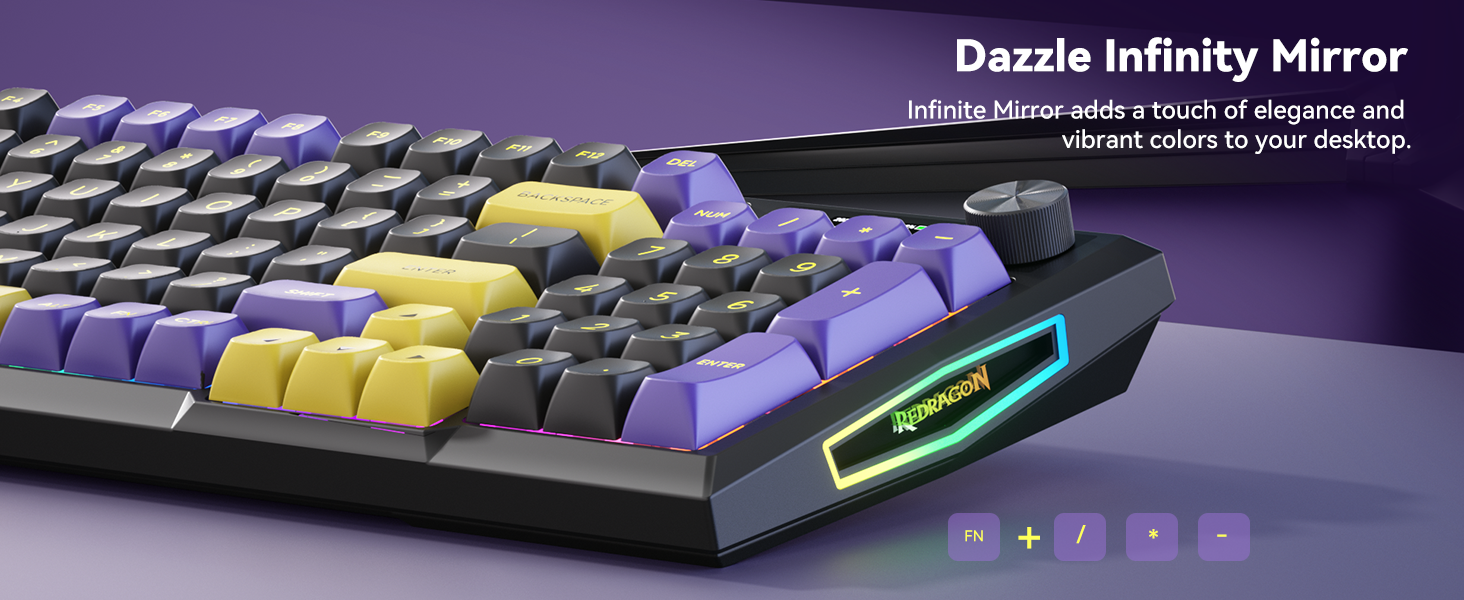
How to adjust the color of the infinity mirror?
Please press the FN + the “/ * -” key on the numeric keypad to adjust the lighting mode.
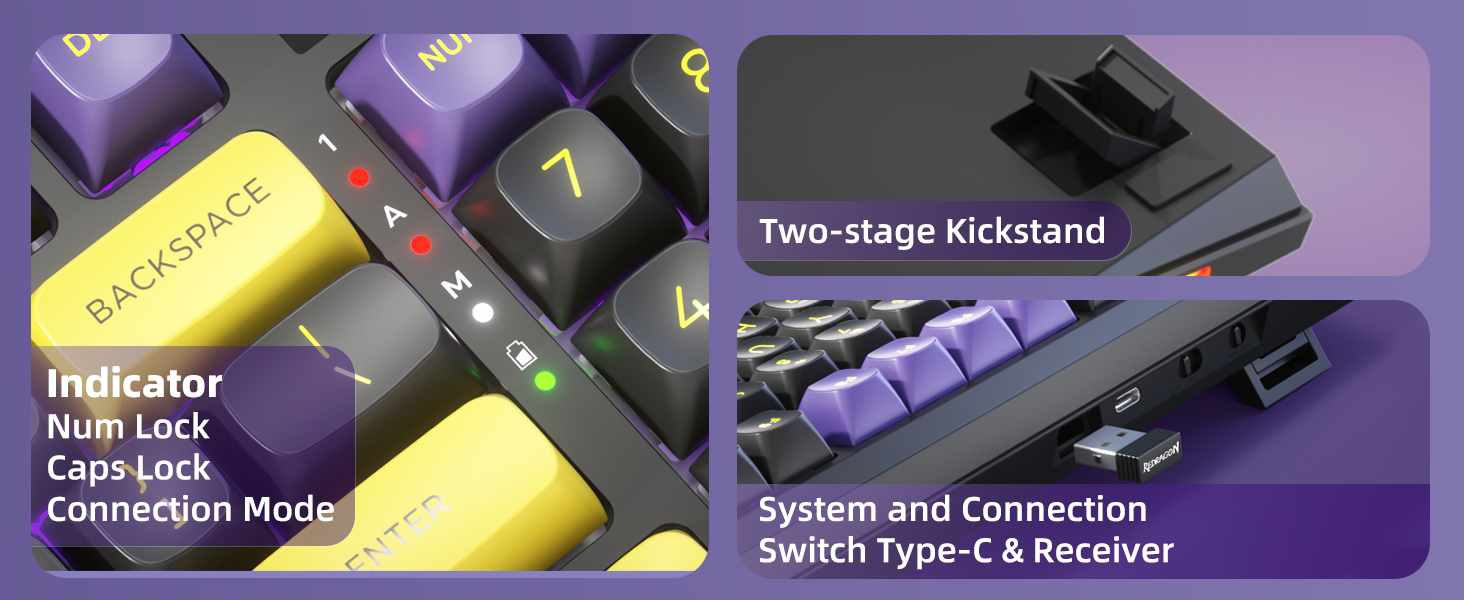
【Smart LCD Screen】K725 Smart Screen gathers gifs, date, link mode, WIN/MAC layout, battery status and more. Dive into the fun of big features meet small screens.
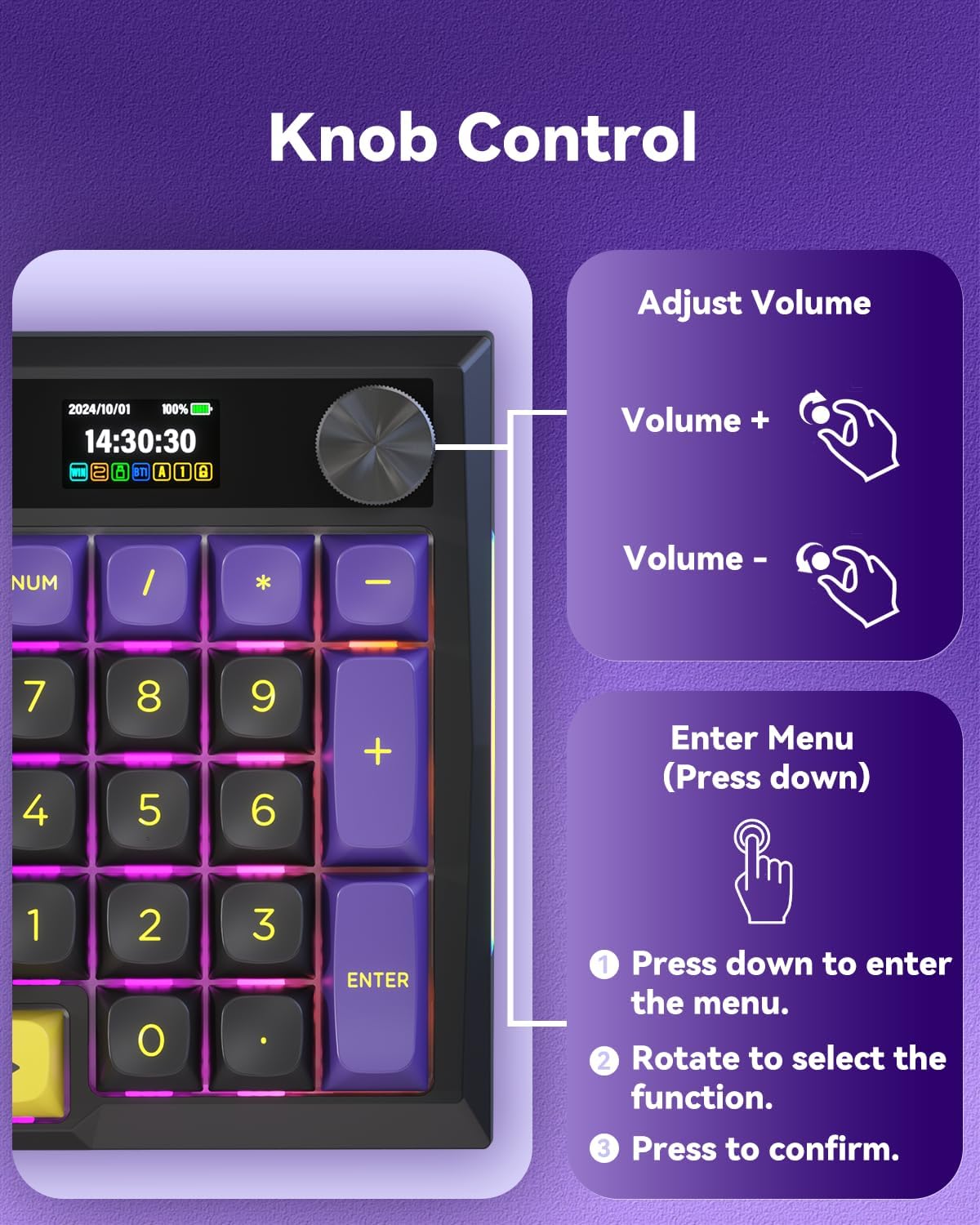
【Knob Design】Easily adjust volume, connection mode, backlit brightness and speed, as well as RGB mode and color, all with a simple twist or click!
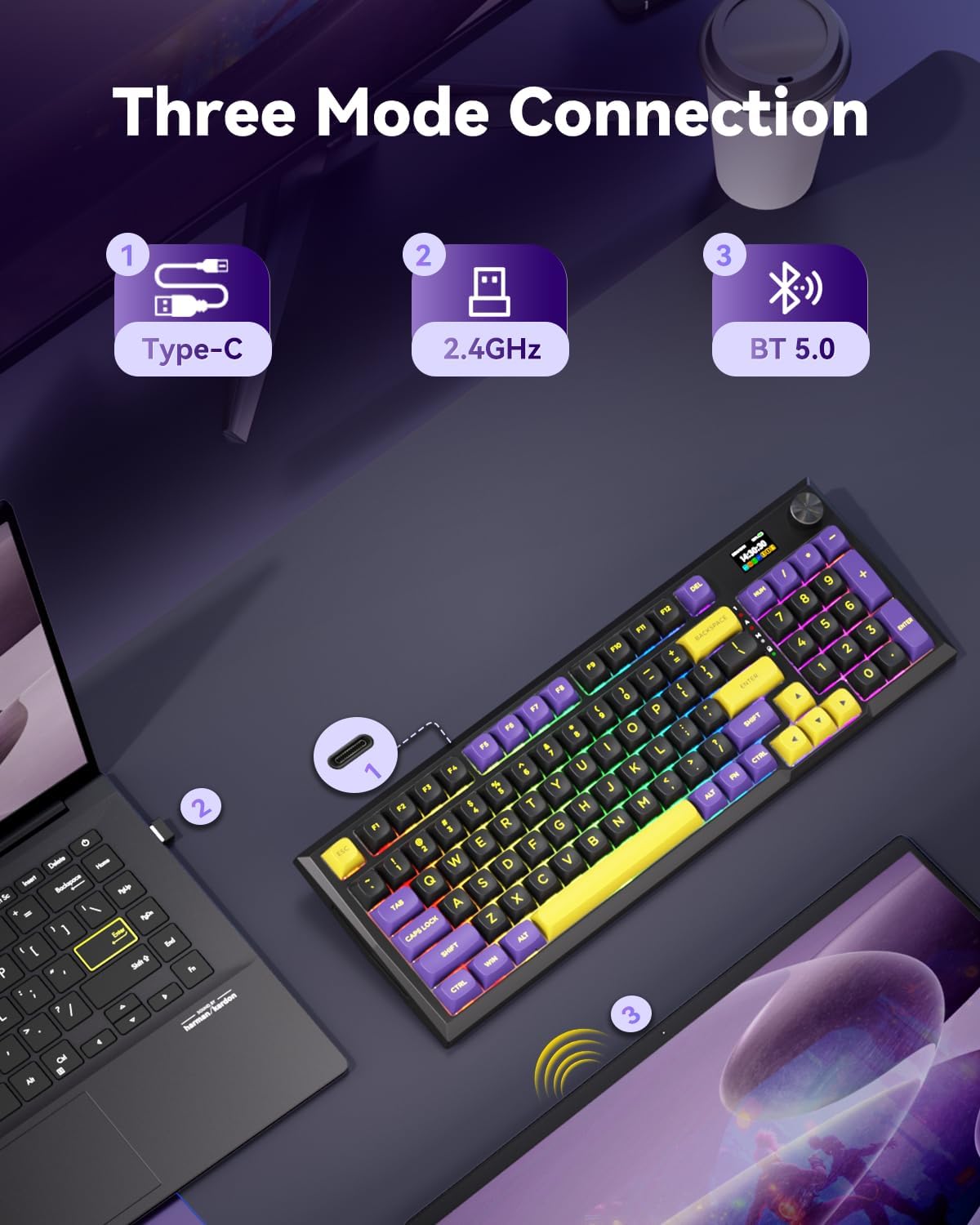
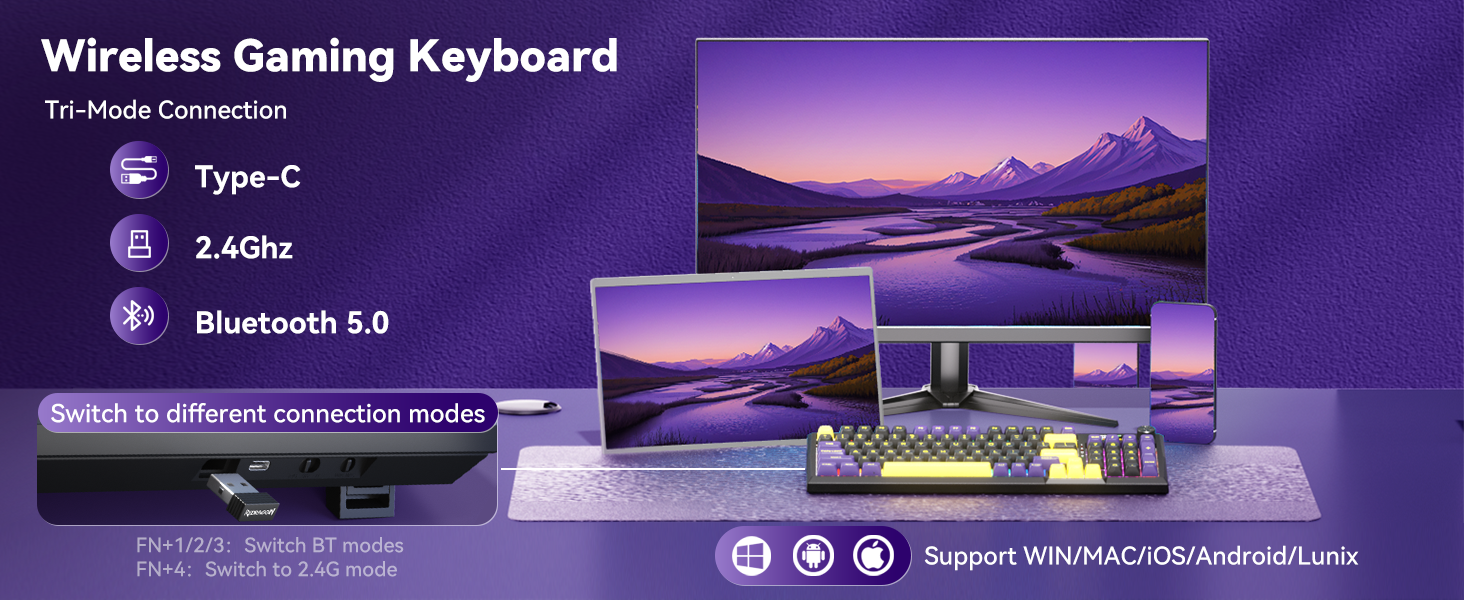
【Tri-Mode】 Connect via Type-C wired, Bluetooth (3.0/5.0), or 2.4GHz. Enjoy seamless connectivity up to 10 meters and easily switch between modes with top-side buttons for efficient multitasking.
【Pro Software Supported】Utilize available software to create custom modes and effects from redragon website. Upload GIFs and set macros with varying keybindings or shortcuts for improved work and gaming efficiency.
【Gasket Structure】The K725LBY has a five-layer noise cancellation system with a gasket design for a custom experience. Its single-piece slotted PC board and PCBA enhance rigidity and softness, reducing resonance noise and hollow sound for better consistency.
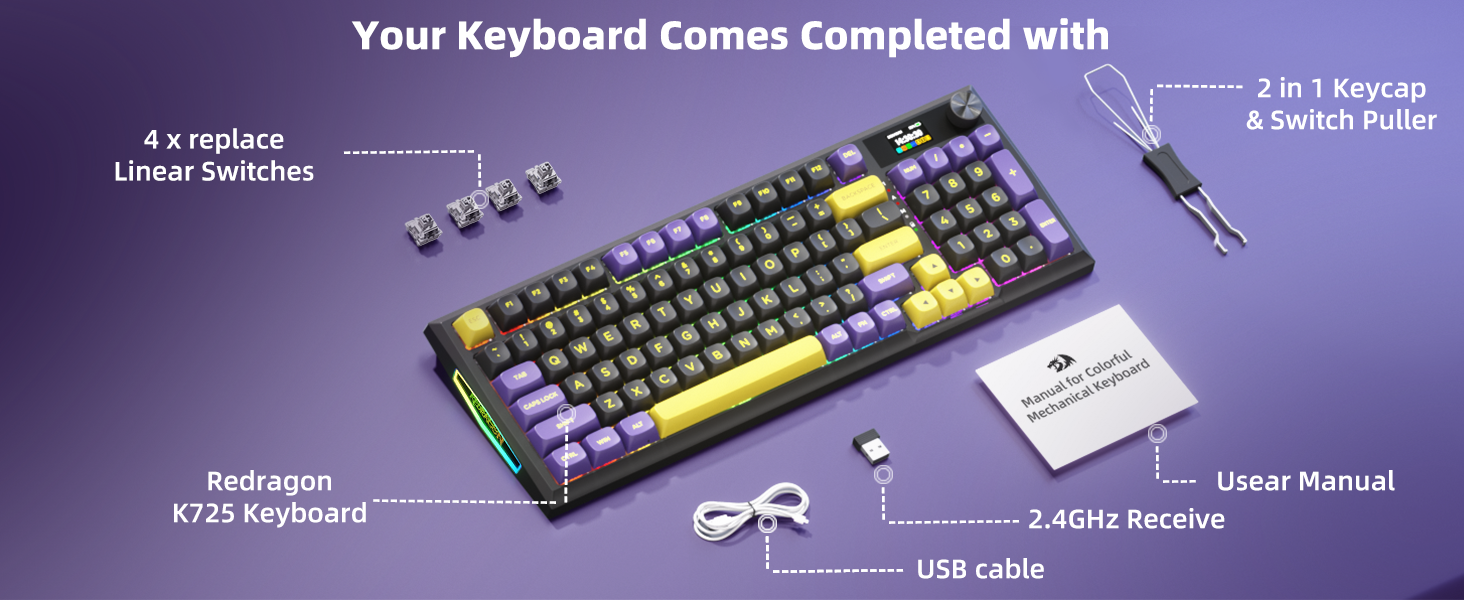
【Hot-Swappable Mechanical Keyboard】 Enjoy effortless customization with hot-swap PCB to replace 3/5-pin switches without any soldering fuss. Unleash your creativity and build the perfect unique keyboard!
【New Color Scheme】Bright yellow, purple, and black add a stunning touch to your desktop, while the black background provides plenty of room for your creativity to thrive.
7 reviews for Redragon K725LBY Wireless Mechanical Keyboard with Screen and Knob, Tri-Mode BT5.0/2.4G/USB-C Gasket Computer Gaming Keyboard, 95 Keys Hot Swappable, RGB Backlit, Infinite Mirrors for PC/Mac, Purple
Add a review

$39.99
shoediva999 –
she’s beautiful, melodic, and apple-compatible (yes, even the customization)
it’s a hit. a genuine knock out of the park.this keyboard has a nice heavier weight to it that makes it feel more expensive than it was. the pink color is soft, and not that shade of acidic pink that so much gaming-related tech has. it’s blush-toned without feeling too pale, and the black highlights make it look elegant rather than incongruous like other pieces of similar hardware. the volume knob is metal, not plastic. this keyboard just feels GOOD.i use it for daily tasks on my iMac. you can use it straight out of the box. i connected it via wire for the first time and had no issues, just followed the instructions that popped up on my screen when it connected. bluetooth works great. holds battery like a dream.the gif on the screen is so cute and doesn’t lag! it’s bright but not too bright. having a custom gif doesn’t seem to present any significant battery drain. i have gone 2 weeks now without needing to charge it.you can also do some customization via just the keyboard. if you just press down on the volume knob, options will come up. just spin the wheel to scroll through them, and press down to select.you CAN customize the lcd screen even if you have a mac, but not out of the box. first, make sure you have the right software downloaded for your specific keyboard. there are tons of reviews that say it’s hard to find. just email redragon support directly! they sent me the exact software i needed, rather than me having to sift through 3 diff websites and even online forums. they got back to me within hours.if you have access to a windows computer, just download the keyboard software there and connect your board to that. if you set your customizations and upload whatever gif you want there, it will still be set up that way when you disconnect from the pc and connect it to your mac.if not, you need to download some kind of software of your choice for running windows programs on mac. this is a lot easier than it sounds and there are free options, it only takes a min or two. note that crossover, the app that’s already on mac, will NOT work for this.this keyboard was an amazing purchase. i got it on a random sale for under fifty, but I would probably pay more. also note that i added keycaps i bought separately, but saved the keycaps they came with because they are genuinely cute.functional, fashionable, customizable. what more could i want?
Billium –
Flexibility, style, and options
Love this keyboard. I have the options to connect in different formats and 2 OS types. My Windows 11, Mac, and Linux computers, and use the switch to toggle between OS usage. Switching between devices gets annoying if you switch frequently. However, there is a cost-benefit. I have time-oriented tasks, so switching is not a problem for me since the lengths of tasks vary by hours.Connecting was easy, especially with the 3 options cord, bt and 2.4 ghz. The build quality is nicely weighted, and the buttons feel and sound nice. The lighting is nice, the small screen with a panel to switch color effects and speed is nice.I appreciate the Volume type button that was implemented, as it’s something different that I can appreciate. The color layout for the buttons is nice, which helps if you have a desk with a dark surface. Adds character from afar.Price caught and keyboard button colors are what caught my attention. I like this so much that I am considering replacing keyboards for other devices with their other style.
DumisoSIW –
Great keyboard if you get under $50
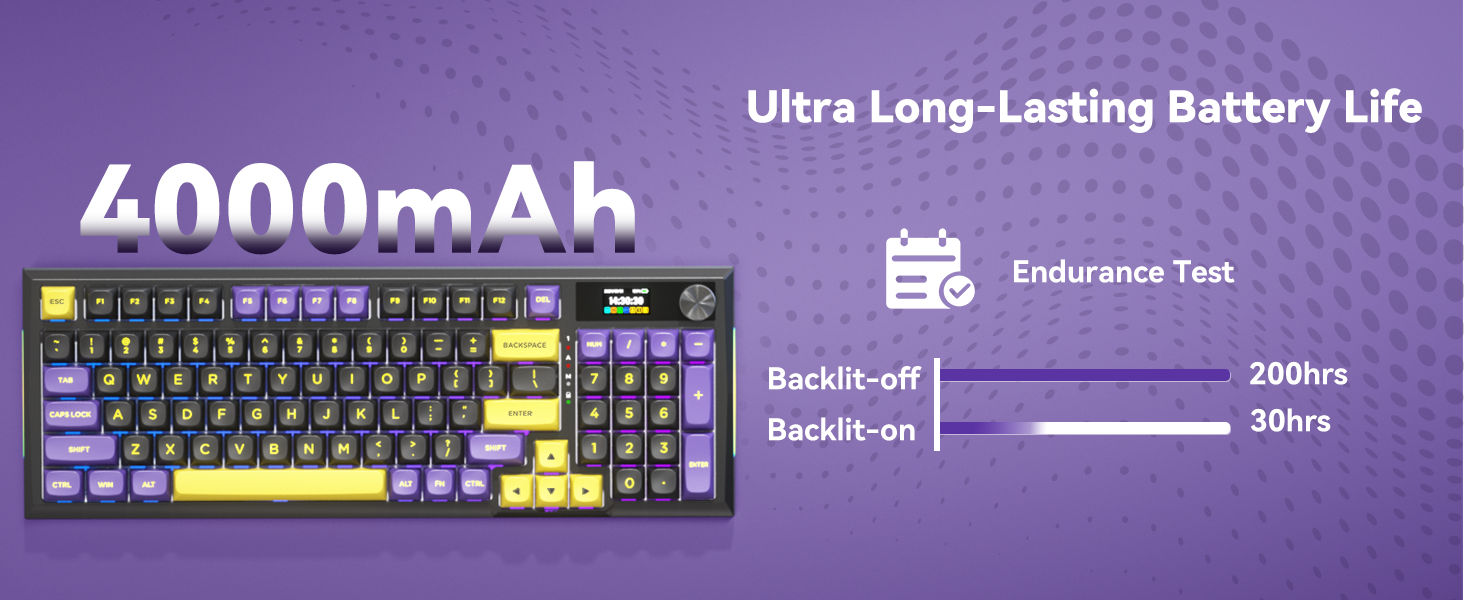
Got this on sale for $40, and I honestly don’t have too many complaints. The typing experience is great, and the keyboard is not too loud. The RGB lights are quite vibrant, and the display screen is a nice feature to have. Battery life is decent and lasts me the entire week, even with the RGB lights turned on, albeit at 50% brightness.I mainly use the keyboard for work and, on rare occasions, gaming, and it excels pretty well in both use cases. I don’t think you’ll find a better keyboard for the money I paid (I could be proven wrong).The only gripe I have is that the keys are a bit too small compared to my previous keyboard. I don’t have big hands/fingers, but every once in a while, I do find myself accidentally pressing the wrong keys. I can see it being a big problem for people with above-average fingers.
Jim –
Impeccable Quality for Price
Incredible keyboard for the price! So much customizability with the knob and screen, also app for full color and key mapping customization. Lots of brightness for the colors as well, and you can change it however you desire. Switches sound and feel superb for pre-lubed and the dampening of the board itself is elite for what it’s worth. Overall, you can’t beat the price for the insane quality!
Juanita –
Good keyboard, wish BT worked better
Bluetooth is a little wonky but the 2.4ghz dangle works just fine. The battery life is great though. Can’t complain about anything.
Lex Butera –
Not Mac Compatible
Is listed as compatible for Mac, but no Mac drivers are available for download, and the drivers that were available were extremely hard to find. The win/mac switch also made no discernable difference in functionality.Otherwise looked and felt nice, but it’s missing significant functionality without Mac drivers.
GrymReaper –
Outstanding Keyboard
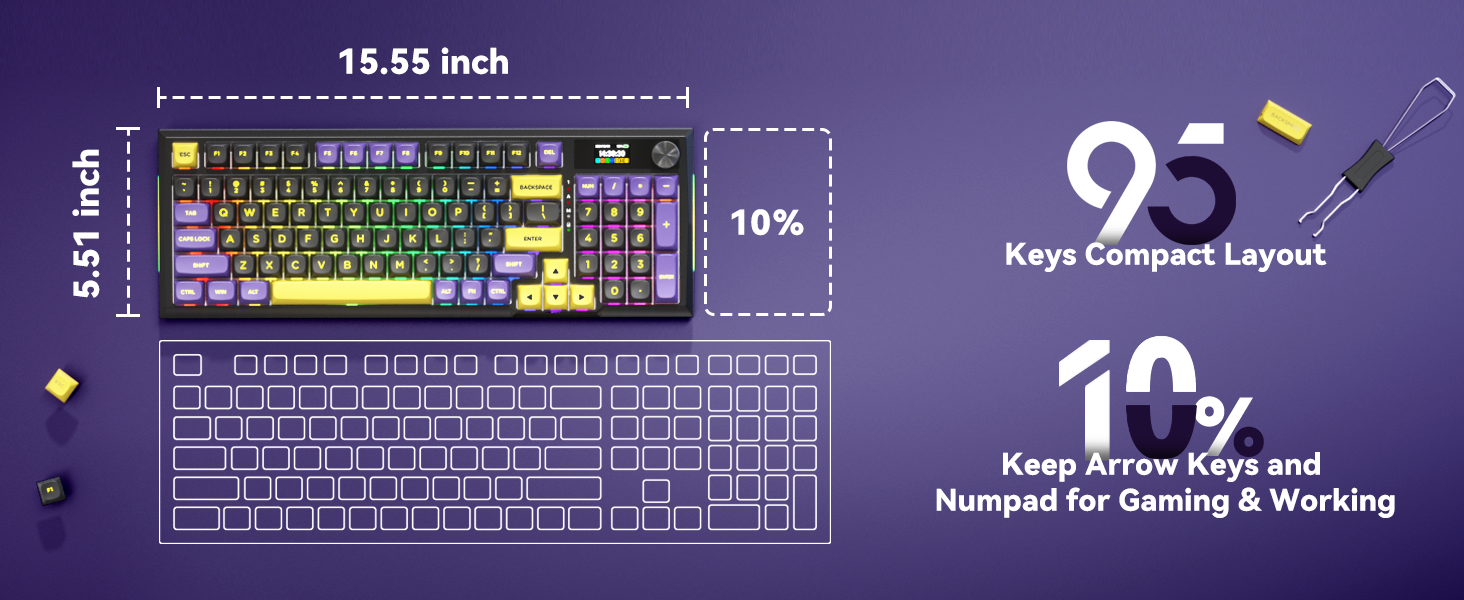
I don’t know where to begin. I own Epomaker, Royal Kludge, Razer, you name it I either own it or have owned it. This keyboard is my new daily driver.I’m no stranger to Red Dragon products (keyboards, mice, headsets, etc.) and this board takes the cake. The construction, sounds, lighting are all top notch. The switches give off that “creamy-marbly” sound. The board is tri-mode and the keycaps are some of the best out of the box caps I’ve ever owned.The board comes factory lubed and tuned. The stabilizers have no rattle and the gaskets are premium. I can’t stop using it nor do I want to. The board is I believe 96% so you get all your function keys and number pad. For some the board may be too big but as I play MechWarrior games, etc. I find the need for a bigger board. I don’t like pushing a function key plus another key to achieve what I can on this board with a single key press.In short get this board. For the price your getting a great quality board. I love it.