

Logitech Brio 500 Full HD Webcam with Auto Light Correction, show Mode, Dual Noise Reduction Mics, Webcam Privacy Cover, Works with Microsoft Teams, Google Meet, Zoom, USB-C Cable, Streaming -Graphite
$129.99
Related Products


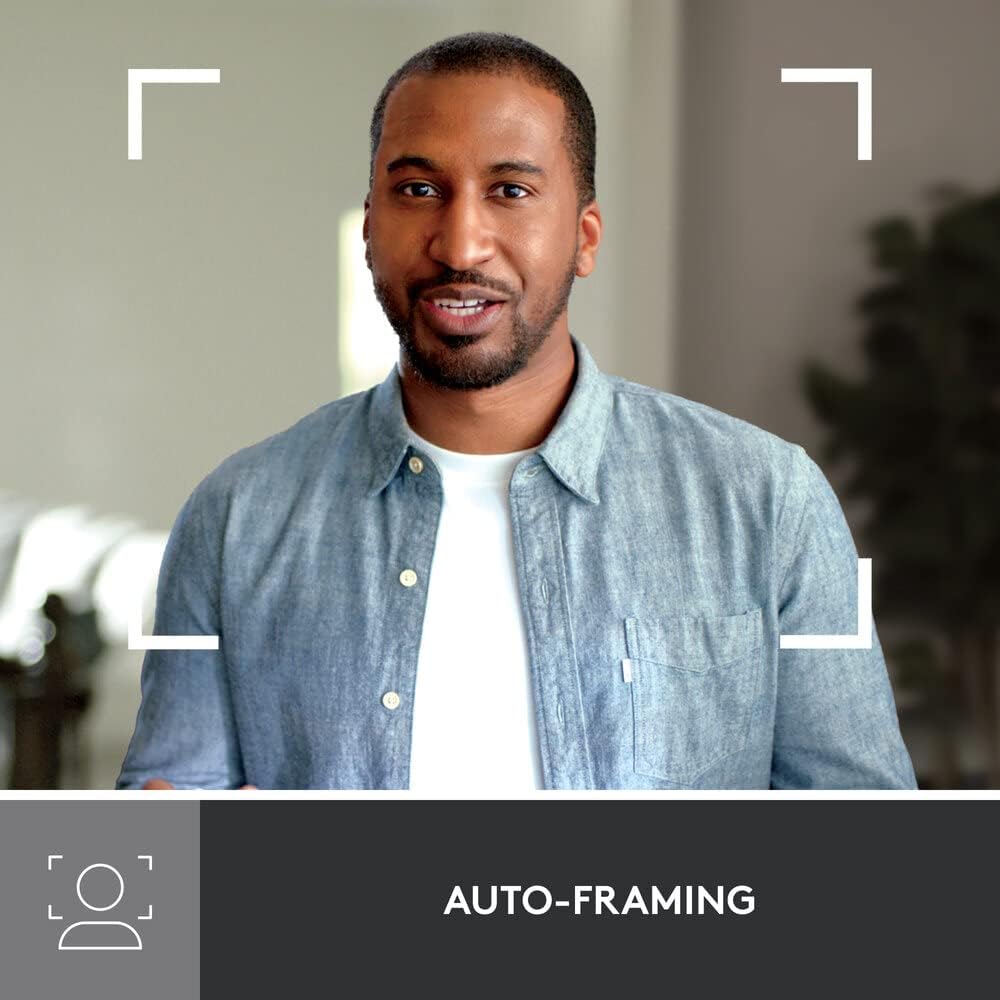
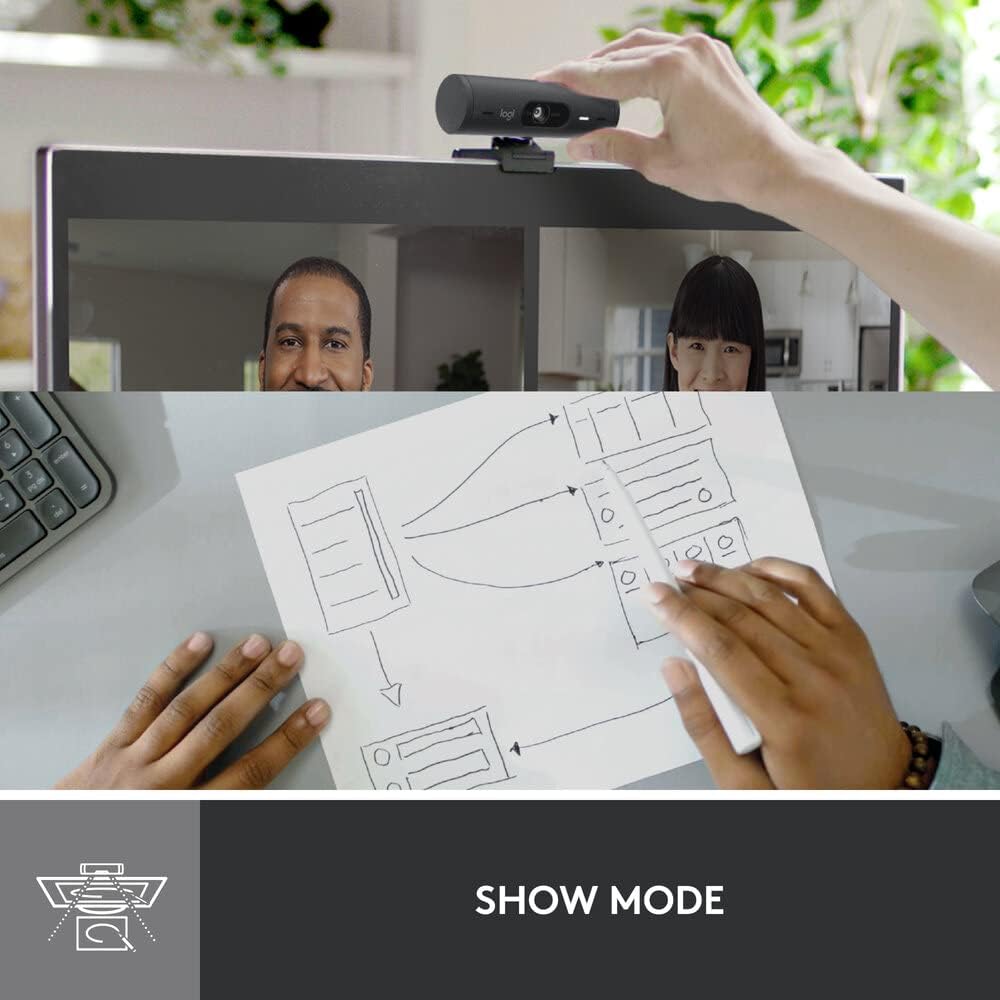


Show up to every video call feeling confident, seen, and heard. Logitech Brio 500 includes features like auto light correction for low-lighting conditions, auto-framing so you can move during calls, and Show Mode for presenting objects on your desk. Brio 500 Webcam creates a more authentic Google, Teams, or Zoom meeting experience, allowing you to connect genuinely with others.
Advanced Image Quality: Full HD 1080p webcam resolution provides outstanding image quality so everyone can see you clearly during meetings
Auto Light Correction (RightLight 4): RightLight 4 video lighting technology automatically adjusts to the lighting in your environment, so you can be seen clearly even in low light
Auto-Framing (RightSight): Auto-framing (1)(3) centres the video camera on you, allowing you to stand and move during meetings without leaving the frame
Show Mode: Present your work or other objects on your desk with Show Mode, which lets you tilt the web camera up or down with one hand
Dual Noise Reduction Microphones: Be heard clearly in noisy environments thanks to noise-cancelling mics that filter out background sound during calls
Webcam with Privacy Cover: To protect your privacy between meetings, simply rotate the integrated webcam privacy shutter to completely block the camera
90-Degree Field of View: A wider-than-normal FOV gives you extra space to move around or have a second person on the camera with you; use Logi Tune to zoom in or out to a full 90º width
Logi Tune: Pair with Logi Tune to customise your Logitech Webcam experience; zoom in or out, mute the microphone, adjust colour and image resolution, manage auto-frame, and set automatic updates
13 reviews for Logitech Brio 500 Full HD Webcam with Auto Light Correction, show Mode, Dual Noise Reduction Mics, Webcam Privacy Cover, Works with Microsoft Teams, Google Meet, Zoom, USB-C Cable, Streaming -Graphite
Add a review

$129.99
Sixiron –
Incredible product
Incredible product, been using for many months.
Brandon L –
Works well, picture is good
This was the Wirecutter choice at the time of purchase. Use it on my WFH desk setup with a Chromebook, so no special software installed.Has worked fine with Google Meet and Zoom at 1080p.I use a separate mic setup, so no comments on the sound quality.Mounting on top of the monitor was straightforward, no issues, though I don’t really shake my desk a lot.
Ismael Vargas –
Low volume when recording
It has been a while that I bought this camera and I keep it because it was not cheap. However, when recording, I have to use my table mike, since the volume of this camera is very low. Also I have to reposition it constantly, since it does not stay in place.
Bruce S. Weinberg –
Oris really well and sharp
This camera easily adjusts right/left or up/down. Excellent video quality.
NPK –
The best I’ve found for the price
I am extremely unphotogenic and have struggled to find a webcam that doesn’t make me look horrible. I’ve tried several of the Logitech lower-end cameras, as well as Nexigo, Amcrest, Microsoft, etc., and wasn’t impressed with any of them so I just continued using the default camera on my older Dell laptop because it was better than all of them. But then, I had to get a new computer, and the default camera was beyond horrible. I decided to spend a little more money to see if the Brio was better than the others I had tried…and I LOVE it. I look like me. I’m sure there are better cameras out there for more money, but this is quite good for the cost. I’m able to make some minimal adjustments with the LogiTune app, and I haven’t had to go back and resave any of those changes, as some reviewers mentioned. A few people also mentioned that the camera swivels too easily, and they are right, you have to be really careful to keep it from flying around. However, it attaches to the base with a magnet, so I lifted it out of the base and wrapped a small rubber band around the post and placed it back on the base. It no longer flies around, and because it has just enough resistance, I can adjust it, and it stays put. I’m very happy with this purchase and even though it was more than I wanted to spend on a camera, it was worth it to me.
Dmitry Grinberg –
Can not focus
Can no focus, unusable.
Long time customer –
Good camera, BUT……
+ Camera works well, better than my built-in laptop camera,+ I like that the camera easily detaches from the mount and can be used to show other things in the roomBUT- The “sticky” on the back did not hold after a few months, and I had to secure it with duct tape!- over a day, the camera itself starts to droop and I have to keep adjusting it upwards. Also, for some reason, it now seems to be skewed so that I have to point it a bit to the left. Don’t know if that’s the software of or the camera- You have to download the LogiTune software for it to work well. I put my Windows laptop to “hibernate” at night, and whenever I do that, I must unplug and re-insert the type-C connector for the software to recognize the camera again! I have Googled it and have not found a solution to the problem. What a pain!I would not buy this again.
Austin –
Top down streamers and artists read this first!!
The quality of this camera is great don’t get me wrong. However, something that is not advertised or talked about in any of the product listings for this camera is the fact that it has an internal gyroscope that flips the image when it is tilted down more than 45 degrees. I wanted to use this camera for conference calls and also as a camera to record drawing sessions, but the internal gyroscope makes this an annoying task. What’s worse is that there is no way to turn off the auto-flip function, so I have to open Windows settings and flip the image back and forth every time I want to tilt the camera or change its orientation. Forget trying to teach a drawing class online or show a technical process by hand with the camera while also streaming as it will keep flipping 180 over and over as the gyroscope moves internally. I know this is a bit niche and most people will not have to deal with this issue, but I still found it kind of irritating so I will give this webcam 3 stars. Logitech, please include something in your software that disables the internal gyroscope!
Mahmoud Khaled –
Camera crashes whenever it starts
Gpa –
Very good camera. I replaced all the camera I had with this model.It still need some light setting to get the maximum and avoid graining.The cable is rather a bit short, but I plugged it on an Hub and it works well.
Victor Colmenares –
Logi por lo general siempre lo hace bien. Esta no es la exepcion, he instalado la camara sin problemas, las funcionalidades estan muy bien. La resolucion para reuniones no esta nada mal. Si ya tienes otros dispositivos Logi, la configuracion la haces desde la misma app.
montes –
La Logitech Brio 500 è una webcam eccellente che offre un’esperienza di videoconferenza di alto livello. Acquistata ad un prezzo super scontato di 89€ invece che le circa 120€ di listino, un investimento che vale sicuramente la pena per chi cerca qualità, prestazioni e affidabilità.La qualità video Full HD è nitida e dettagliata, e la correzione della luce automatica assicura un’immagine sempre perfetta, anche in condizioni di illuminazione non ottimali. Il microfono integrato con riduzione del rumore è un altro punto di forza: la voce è chiara e cristallina, senza fastidiosi rumori di fondo. Un’altra piccola chicca è lo shutter meccanico che si attiva dalla manopola laterale e che consente di oscurare l’obiettivo senza intervenire da applicativo, veramente molto utile.Con il supporto del software Logi Options, che si può scaricare gratuitamente dal sito della Logitech, è possibile regolare tantissimi parametri aggiuntivi, compresi zoom, luminosità, effetti di background e tanto altro.La consiglio assolutamente, i prodotti Logitech sono sempre una garanzia.
Arthur Nycael –
Simplesmente compacta, versátil. Recomendo. O potencial máximo da webcam é explorado no software com diversas configurações e parâmetros importantes.