
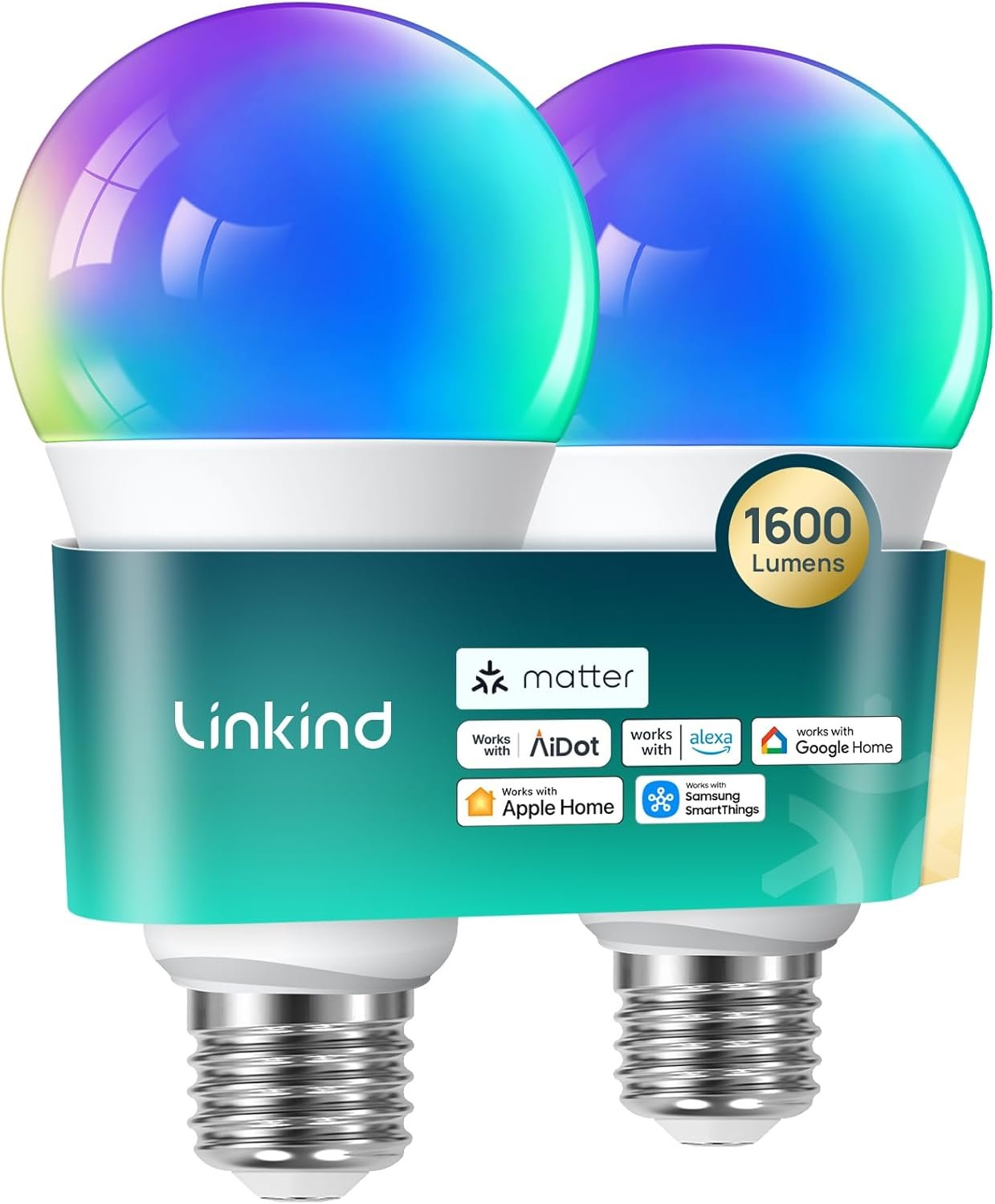
Linkind Matter Smart Light Bulb,1600LM 100W Smart Bulbs Work with Alexa/Apple Home/Google Home/SmartThings, RGBTW LED Color Changing Bulbs Music Sync, 2.4GHz Wi-Fi Light Bulbs LED 11W, A21 E26, 2Pack
$22.03
Related Products




From the brand

Swipe left to learn more
Customer Favorites
Latest Releases
Tunable White Edison & A19
Smart Yard

Smart Home

Light Bulbs

Solar Lighting

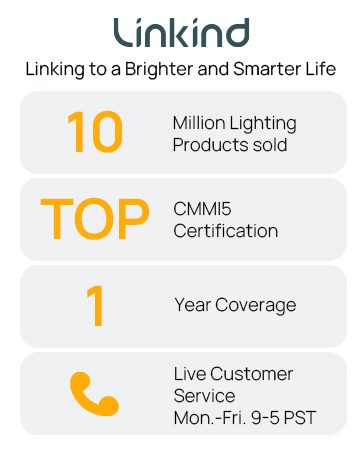
Linkind, a brand of AiDot, is passionate about lighting your spaces in intelligent and meaningful ways, all while adopting the dedication to innovation and eco-conscious design instilled by its parent company, and overall ecosystem, AiDot. These tenants have guided Linkind from the start and are why they are now able to proudly offer solutions to match any and all residential scenes. Linkind is lighting the way to a brighter tomorrow.
【Matter-enabled】With Matter, Skip the step of downloading and registering multiple manufacturers’ apps every time you buy a new device. Instead, head straight to certified smart home platforms like Apple Home, Alexa, Google Home, or AiDot to control all your Matter devices.【TIP】Matter-certified hub or controller (HomePod, Echo Dot, Nest) is required for Apple Home/Alexa/Google Home platforms. Alternatively, the AiDot app can be used without hub
【Brighten Your Home with 1600LM】 Linkind smart light bulbs deliver a powerful 1600 lumens (equivalent to 100W) to illuminate even large spaces. Enjoy vibrant colors and energy savings with just 14W consumption.
【Voice Control】Smart Bulbs That Work with Alexa, Apple Home, Google Home. Enjoy easy control using simple voice commands. Amazon smart bulbs turn lights on/off, adjust brightness, and change color temperature with compatible alexa devices for home or Google Assistant devices.
【Music Sycn & Preset Scenes】Linkind wifi light bulbs dance to the rhythm of your music, creating the perfect ambiance for any occasion. Choose from Party, Dynamic, Calm, or Auto Rhythm modes via the AiDot App. Plus, preset scenes let you decorate your home for any festival. (Microphone required, download AiDot App and grant permissions.)
【16 Million Colors & Tunable white】Experience a wider range of vibrant colors with a high Color Rendering Index (CRI). See true colors in every corner of your home. Tune your lights to warm white (1800K) for a relaxing evening or cool white (6500K) for focused work or an energetic morning.
【Out-of-Home & Group Control】Linkind AiDot smart lights manage your lights from anywhere with the AiDot App, even when you’re not at home. Create groups of lights for simultaneous control.
【Time Schedule & Smart Dimming】Set up automated schedules for your led light bulbs to turn on/off at specific times, creating a convenient smart home experience. Smooth dimming from 1% to 100% lets you find the ideal brightness for any activity. NOTE: NOT COMPATIBLE WITH TRADITIONAL DIMMER SWITCHES (MAY CAUSE FLICKER/BUZZ). DIMMING CONTROL VIA AIDOT APP, ALEXA/GOOGLE HOME SMART SPEAKER VOICE CONTROL, OR LINKIND REMOTE BUTTON (SOLD SEPARATELY).
10 reviews for Linkind Matter Smart Light Bulb,1600LM 100W Smart Bulbs Work with Alexa/Apple Home/Google Home/SmartThings, RGBTW LED Color Changing Bulbs Music Sync, 2.4GHz Wi-Fi Light Bulbs LED 11W, A21 E26, 2Pack
Add a review

$22.03
LOLA –
Best lights
One of the easiest bulbs you can connect to your Alexa or Google home devices seamless and quickly. Energy efficient. Comes with all colors and dimming options. Quality and long lasting. Highly recommended. This will be the only bulbs I’ll be purchasing from now on.
NEGuy –
Easy to install!
Wow! I have used multiple smart bulbs over the years including Magic Home, Hue and Smart Home bulbs, but so far these Linkind Matter bulbs are the best! They were super easy to set up, the app is intuitive and linking them to Alexa was easy as pie. They’re nice and bright when at 100% brightness and the colors are spot on. HIGHLY RECOMMENDED.
Arun Gupta –
Excellent Matter device
Very easy to connect to Home Assistant as a Matter device. No need for a separate app, they work so well with Home Assistant. There is no delay when changing colors. I have grouped two of these bulbs in a lamp and they work wonderfully. The light output is great. No flickering even with brightness level set to 1%. No noise.
NextCircuit –
Seamless Setup & Smart Control – Great Value for a 6-Pack!
I installed this 6-pack of smart bulbs in both my bedroom and living room lamps, and I’m impressed with how easy the setup was. The key is to start with the AiDot app, which is the base app for these bulbs. Once installed, you can either scan the Matter QR code on each bulb or use the “search nearby” feature — I found the latter very simple and effective.After linking the bulbs to AiDot, customization is straightforward: you can name each bulb, assign it to a room, and adjust light settings. My Alexa app automatically detected the AiDot skill and added the bulbs without any extra steps. I created groups for my bedroom and living room, allowing me to control all lamps with a single voice command, while still having the flexibility to control individual bulbs.The color and theme options in the AiDot app are extensive — maybe even too many! I tend to keep it simple, but there’s definitely a theme for every mood or occasion.One feature I was excited about was music sync, which uses your phone’s microphone. While it works, I’d rate it 5/10 — it’s fun but not very precise, and it picks up background noise unless your phone is placed close to the sound source.Overall, I’m happy with the purchase. The bulbs are responsive, easy to control via Alexa, and my wife loves the ability to dim and change tones effortlessly. Great value and functionality for smart home beginners or enthusiasts!
DavidsGirl –
Works w/Apple HomeKit. Easy and fast setup using AiDot app first then HomeKit. Highly recommended!
We have had smart bulbs before and have had varying experiences with getting them setup and with ongoing ease of use–or lack of it. We now use Apple Home exclusively as our home automation. Many smart devices say they work with HomeKit, but we have had issues with setup and ongoing reliability. So far, these are perfect.These bulbs don’t appear to come with any instructions so you have to utilize everything they give you on the outside of the box. You can scan the QR code on the outside of the box which will take you to your App Store to download the AiDot app. Or you can just open your App Store and search for “AiDot”. That is the first step. Don’t skip it! Before you can add these to Apple Home you have to set them up in AiDot. I don’t love having to install these apps, but if I want automation it is necessary. Take a quick look at their privacy policy by clicking the link to it when you’re installing the app. At the time I installed it, their stated use of my personal information is acceptable. They stated they don’t sell it or use it to advertise to me and also stated their privacy policy would transfer to the buyer if the company is sold. We never know what they’re really doing, but this is about as good as it gets in terms of disclosing how they use my personal info. You need to setup a login for the app which only requires name, email address, and a password. I use “hide my email” and disposable email addresses for these apps.Once you have the app installed, the rest is pretty intuitive. Have a plan and be armed with what you need to do the setup start to finish before you start!Know:What you will name each room that has a bulb.What you will name each bulb (be logical and plan to use the same names for the bulbs in the AiDot app and in your preferred AI app (Alexa, Apple Home, etc.) I bought a box of 4 and named them Smart Bulb 1, Smart Bulb 2, etc.Your network name (the SSID-what network name you choose when you’re connecting to your home wi-fi)Your network password.Know if your wi-fi broadcasts the 2.4 Ghz and 5 Ghz bands under the same name or separate names. Example, you might have “MyWiFi 5” and “MyWiFi 2.4 ” as choices (Replace the “MyWiFi” part with whatever yours is named). Or you might only have “MyWiFi” without a number after it so that both your 5 Ghz and 2.4 Ghz bands are broadcast under one network name.Smart bulbs can’t use the 5 Ghz wi-fi band so if yours broadcasts two names, only the one that is 2.4 Ghz will show up during setup.**Very important–If you don’t see your Wi-Fi broadcast twice, one for 5 Ghz and a separate one for 2.4, you won’t see your Wi-Fi as a choice during AiDot bulb setup. Don’t despair! In AiDot select “other networks” at the bottom of the list of Wi-Fi choices. By doing that you will be given the option to type in the name of your Wi-Fi (the exact SSID) and the password. The app will then find your 2.4 Ghz band, connect to it, and remember it so that after you setup one bulb your Wi-Fi network will be there as a choice for all subsequent bulbs. Just be sure you type it EXACTLY as it is broadcast or it won’t be found.If this applies to you, first go into your phone’s Wi-Fi settings and note the exact name of the Wi-Fi you’re using including Capital letters, lower case, etc. Type that exactly in the network name field in AiDot after choosing “Other networks” during setup. Also, your phone must be connected to the same network you’re connecting the bulbs to during setup. If you have more than one Wi-Fi network near you, make sure your phone is connected to the right one or the setup will fail and you won’t know why. You can’t be off of Wi-Fi and just using your cell phone data either. Be sure you’re connected to Wi-Fi correctly before you start setup.Right after I setup each bulb in AiDot, the latest firmware for the bulbs was installed automatically. Keep the bulbs on and your phone near the bulbs while this is happening. I was installing in bedroom ceiling fixtures so I laid my phone on the bed under the light fixture and left it until the install and update was complete in AiDot. The lights flicker a little when the update is finishing. It only took a few minutes.For Apple HomeKit setup, there is a QR code on the the base of each bulb. You will need to use that to set them up and the bulbs need to powered on the entire time. Don’t bypass installing in AiDot first!I had to unscrew my bulbs just slightly so that my phone camera could capture the QR code on the bulb. If I was careful I could unscrew it just enough for Apple Home to see the code but not enough to cut the power to bulb. Hold your phone really close to the bulb while HomeKit is finding it and setting it up. I think many people who had trouble with HomeKit setup probably moved their phone away from the bulb before setup was complete. The one time I laid my phone down on the bed under the light fixture during Apple HomeKit setup, it failed to setup. I immediately started again but held my phone right up to the light and it setup in about 30 seconds.I will update this review if we experience problems. For now, I highly recommend these bulbs especially if you’ve been struggling to find bulbs that work with Apple HomeKit.
MK7 –
Halten lange und geben ein sehr schönes Licht ab!
Aminadab Santana –
Solo funcionaron bien un mes, después simplemente dejaron de funcionar, prenden pero solo la luz blanca, ya no puedes usarlas desde Alexa. No las recomiendo
Francisco Javier Chevez Alvarado –
Eficientes y buena calidad en pocas palabras
Nanou –
blanc froid très puissant avec un large angle d’éclairage
stef 049 –
voir dans le temps