

j5create ScreenCast 4K Max Wireless Display Adapter with Enhanced Antenna, Streaming Video & Audio from Mobile/Tablet/Laptop, Supports AirPlay/Miracast/Chromecast on Windows/MacOS/Android (JVAW76MAX)
$106.15
Related Products






Product description


1 Stay Connected Wherever
2 Multi-Devices Compatible
3 Mirror or Extend
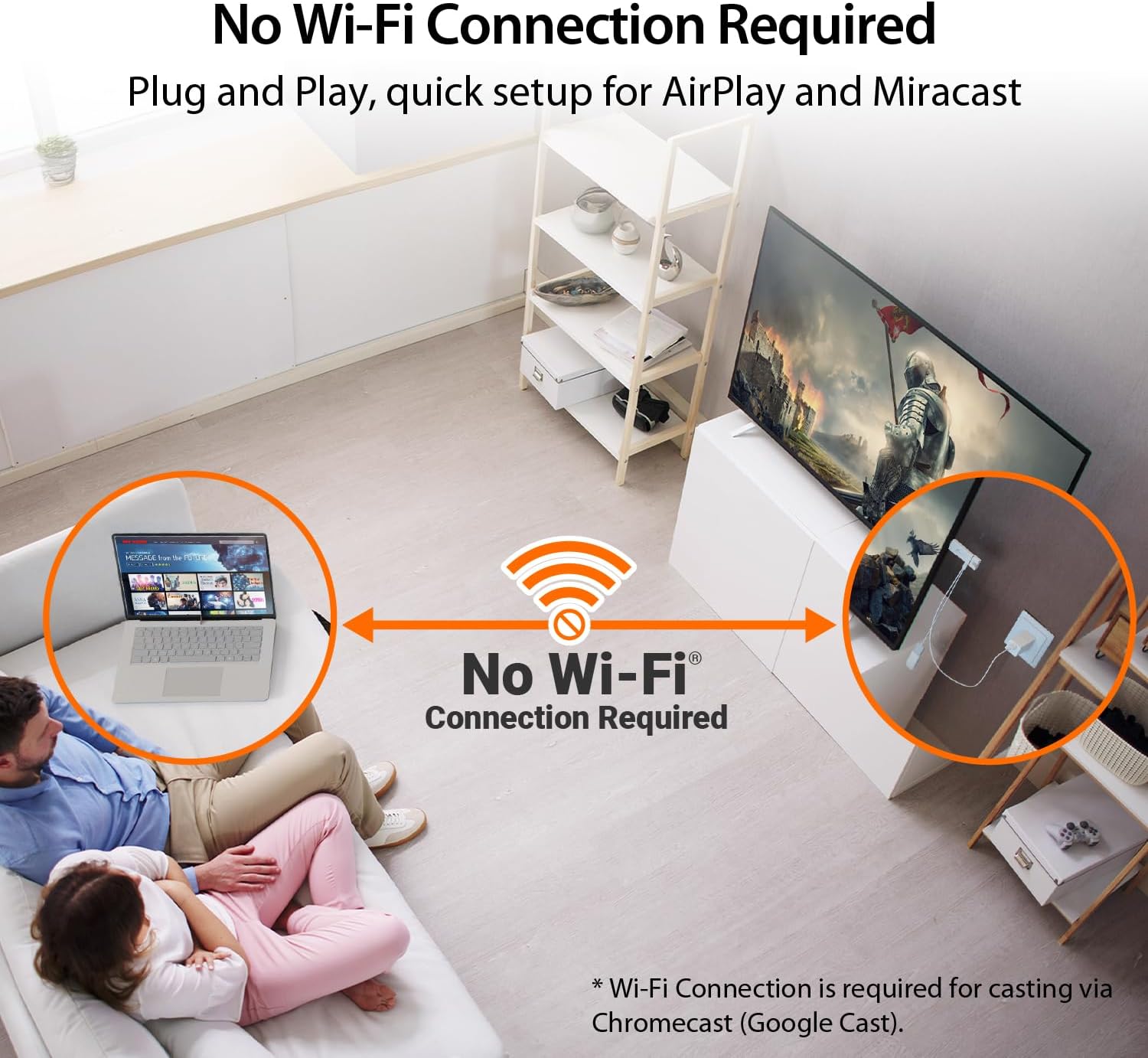
4 No Wi-Fi Needed
Efficient Wireless Casting Solution-Suitable for office, school, and home.


【 The Smarter, Simpler Way to Share Your Screen 】 Easily mirror or extend your screen from your phone, tablet, or laptop to any TV, projector, or monitor with the ScreenCast 4K Max Wireless Display Adapter. With its universal compatibility, superior signal strength, direct connection mode, and professional security features, the ScreenCast 4K Max is the versatile and reliable choice on the market. It’s the one device that does it all, for both work and play.
【 Universal Compatibility with Major Standards 】 Whether you’re using AirPlay, Miracast, or Chromecast, this adapter supports it all. Compatible with Windows, macOS, iOS, Android, and other cast-enabled devices, it’s ready to work with the gear you already own.
【 Stronger Signal, Smoother Streaming 】 Equipped with an external high-gain antenna and dual-band (2.4/5GHz) support, the ScreenCast 4K Max ensures stable, high-quality streaming – up to 50 feet (15 meters) away.
【 No Wi-Fi? No Problem. Point-to-Point Mode Ready 】 Cast directly from your Windows, Mac, iPad, or iPhone without needing to connect to a Wi-Fi network. Ideal for secure environments, classrooms, and quick on-the-fly presentations.
【 Business-Ready Security and Customization 】 Enhance your professional setup with features like customizable splash screens, Miracast PIN code protection, and admin gateway password controls—ideal for corporate or education use.
7 reviews for j5create ScreenCast 4K Max Wireless Display Adapter with Enhanced Antenna, Streaming Video & Audio from Mobile/Tablet/Laptop, Supports AirPlay/Miracast/Chromecast on Windows/MacOS/Android (JVAW76MAX)
Add a review

$106.15
McCoy –
Works great for casting Dex without needing WiFi
I’ve gone through a bunch of streaming sticks and little casting adapters over the years and this is the only one I’ve used that doesn’t need to be on the same WiFi as my phone. It actually doesn’t connect to WiFi at all, which is exactly what I wanted. I can run Dex off my regular cell data and cast straight to the TV without messing with a hotspot or dealing with hotel or campground WiFi. For my camper this is perfect since I don’t have unlimited hotspot data but I do have plenty of cell data. Dex runs smooth on it and I can still use my phone normally while it’s casting, which is a huge part of why this setup works so well for me.The picture quality is sharp and clean and there’s very little delay. Everything feels responsive enough that I forget it’s even casting half the time. It’s been great at home and it’s something I’m planning to toss in my bag when I’m traveling since hotel WiFi always seems like a pain. Being able to cast without worrying about any network connection makes this thing way more useful than the usual sticks.
WillP –
Works as advertised, but overly complicated.
This screencaster works as advertised, but its difficult and cumbersome to install. One of the weirdest things is it still uses micro usb connections for one of its pieces, that seems a bit dated to me. Additionally, it tells you in the instructions to use the USB port on your TV for a power source for the device. I have ready many other sources that tell you never to do this with any type of casting or streaming device, so I am worried about is this puts your TV (presumably a more expensive asset) at risk. You do have the option to use a wall outlet as a power source, but this does not come with a way to connect to a wall outlet, nor are the cords included anywhere long enough to reach to an outlet unless there is an outlet directly behind your tv.Once connected, we measured the usaeable distance, and for use it was about 37′. The box says it can reach 50′, but that thideal distance is 23′. Maybe 50′ could be reached in a specifc environment, but we doubt it could be achieved in any realistic set up.Our final verdict is we’re not going to use it, mostly because of the power soucre concerns. We’ll happily exist with the internal screencasting features of our television and a spare HDMI cable tucked away in the back.This may work for you, but I’d spend some time considering your power options before you decide what device to purchase.
The Traveling Engineer –
Easy to use, reliable, low latency. A little unwieldy and bulky.
Works well. Pretty easy to use. Simply plug it into the HDMI port on a TV (or monitor), plug in power, and plug in the wireless module. Instructions come up automatically on the TV when you select the appropriate input port.I tested Android and MacOS. Both worked flawlessly and with low latency. I have a Sony TV that doesn’t support Miracast and/or MacOS display sharing. This device will allow me to use that TV with my phone and Mac.What I DON’T like is that the wireless module is separate and hangs from the main unit. The net total is kinda unwieldy and a bit ugly. However, the separate wireless module allows better reception and can be positioned somewhat apart from the main unit, so it has utility, but the whole unit is a bit big. Lastly, it should be USB C, but it is Micro USB instead. Not a huge issue, as it comes with a cable, but newer devices should use USB C.Not enough negatives to knock a star, as I definitely will be using this.
TTWWIINN –
Very impressive, reliable, connection.
I use this ScreenCast 4K Max at home to mirror my phone and laptop to the TV, and it’s been very convenient. Unlike casting directly from my device to a smart TV, which can be hit or miss depending on the app or TV, this adapter creates a more consistent connection and works the same way every time.Setup was quick, the picture is clear, and I haven’t noticed much lag when streaming videos or sharing photos. I like that it doesn’t tie up my TV’s built-in casting features or depend on them working properly. For home use, especially if you want something simple and reliable, this has been a solid device.
Amazon Customer –
Plug-And-Play Device That Connects Easily, Works Instantly, And Shares Content With Effortless Style
This device is wonderfully simple to use. The plug-and-play design makes setup quick and hassle-free.Connections are smooth and reliable, letting you broadcast without interruptions or complicated steps. It’s truly user-friendly.The white color gives it a clean, modern look that blends well with any setup.Performance is consistent, delivering strong results every time you use it. It’s dependable and efficient.Overall, I highly recommend this broadcast device. Easy, stylish, and effective it’s the perfect tool for seamless sharing. Good quality speed and sound quality and stable operation.
maggies mom –
High Quality, reliable connection
This j5create ScreenCast 4K Max made streaming from my devices ridiculously easy. It connects quickly, the signal stays steady thanks to the upgraded antenna, and everything—video and audio—comes through clean. AirPlay, Miracast, Chromecast… it all just works. The functionality feels top-tier without the top-tier price, making it a great value for anyone who wants simple, reliable wireless casting.
Client d’Amazon –
mise en oeuvre très simple et fonctionne très bien