

EIGHTREE Smart Plug, WiFi Outlet Works with Alexa & Google Home, Smart Home Socket with Remote Control & Timer Function, 2.4GHz WiFi Only, 4 Packs
$5.25
Related Products


Product description

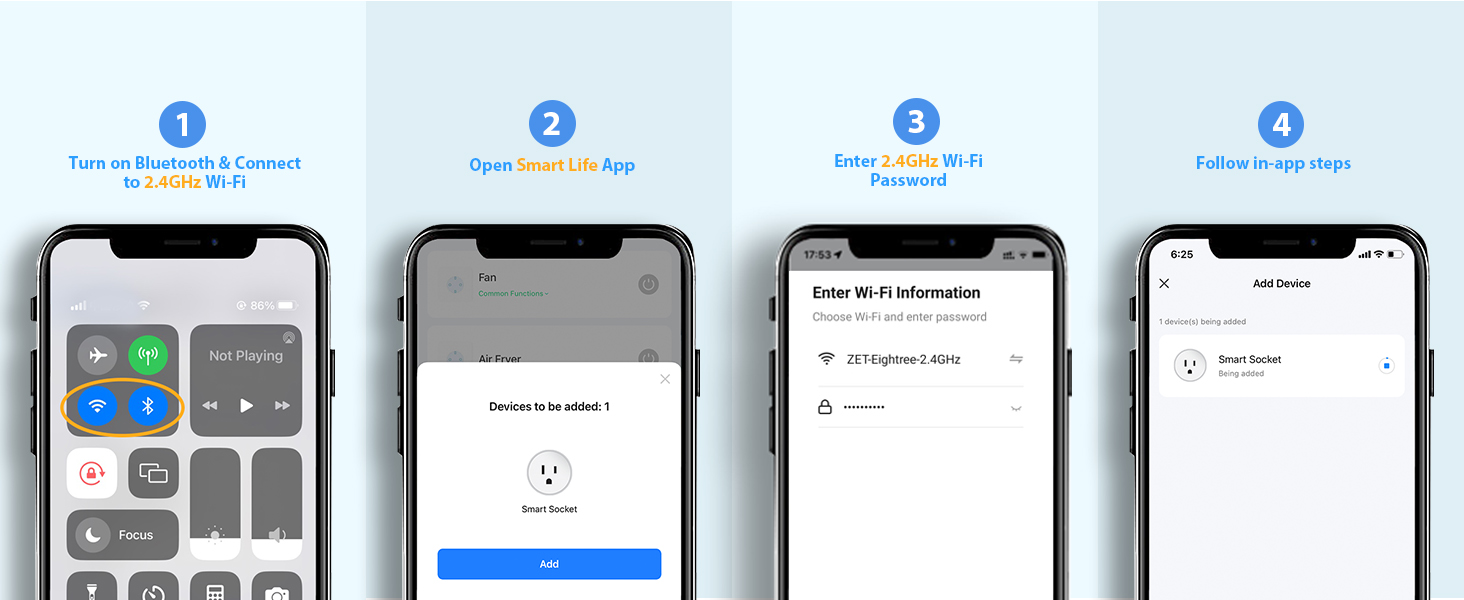
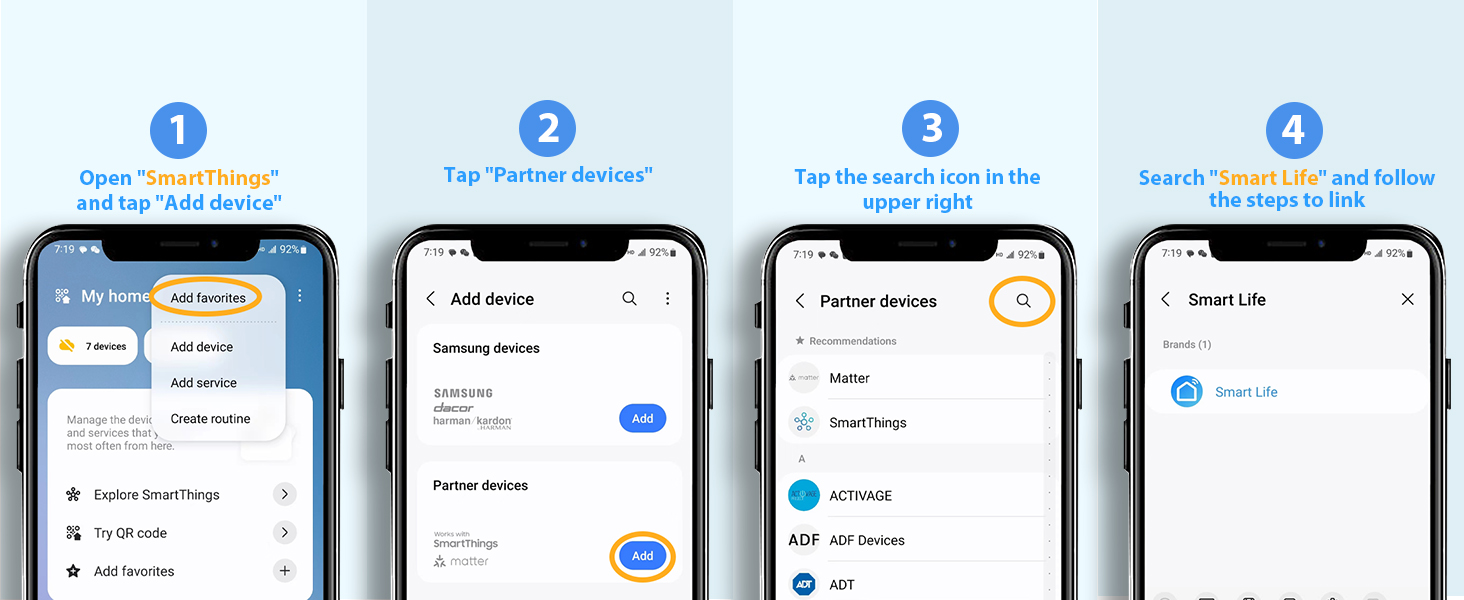
1 Link to Smart Life
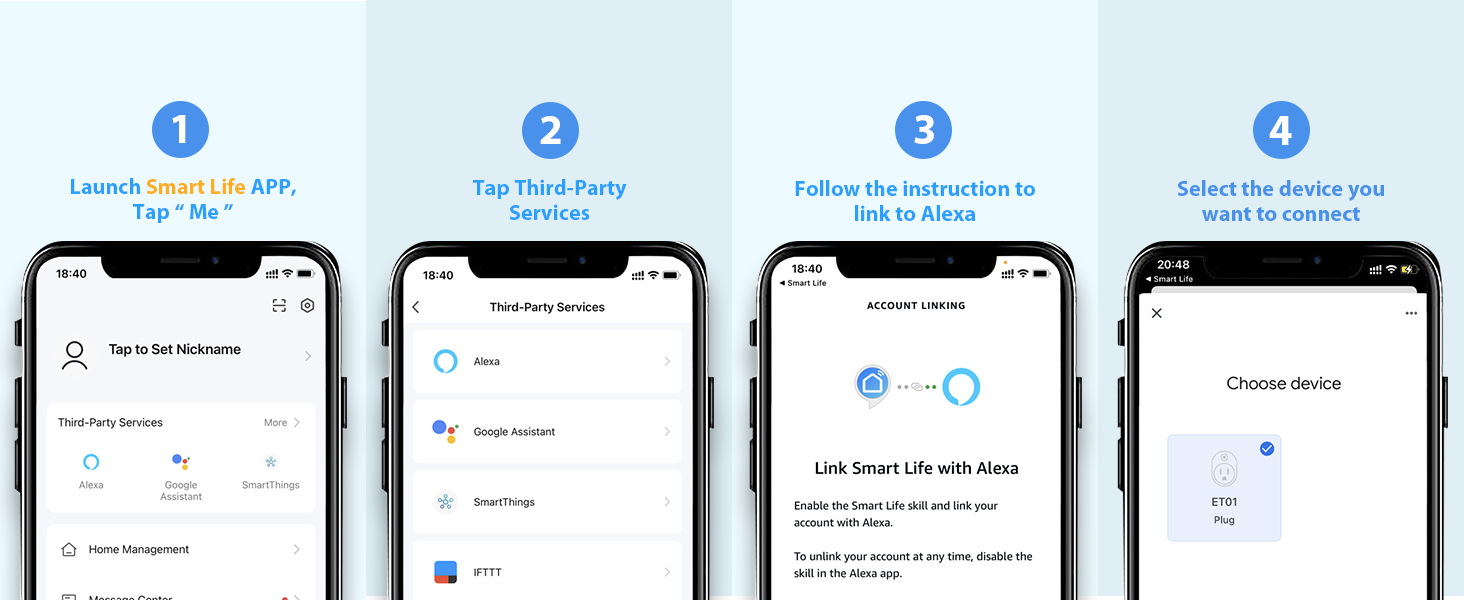
2 Link to Alexa
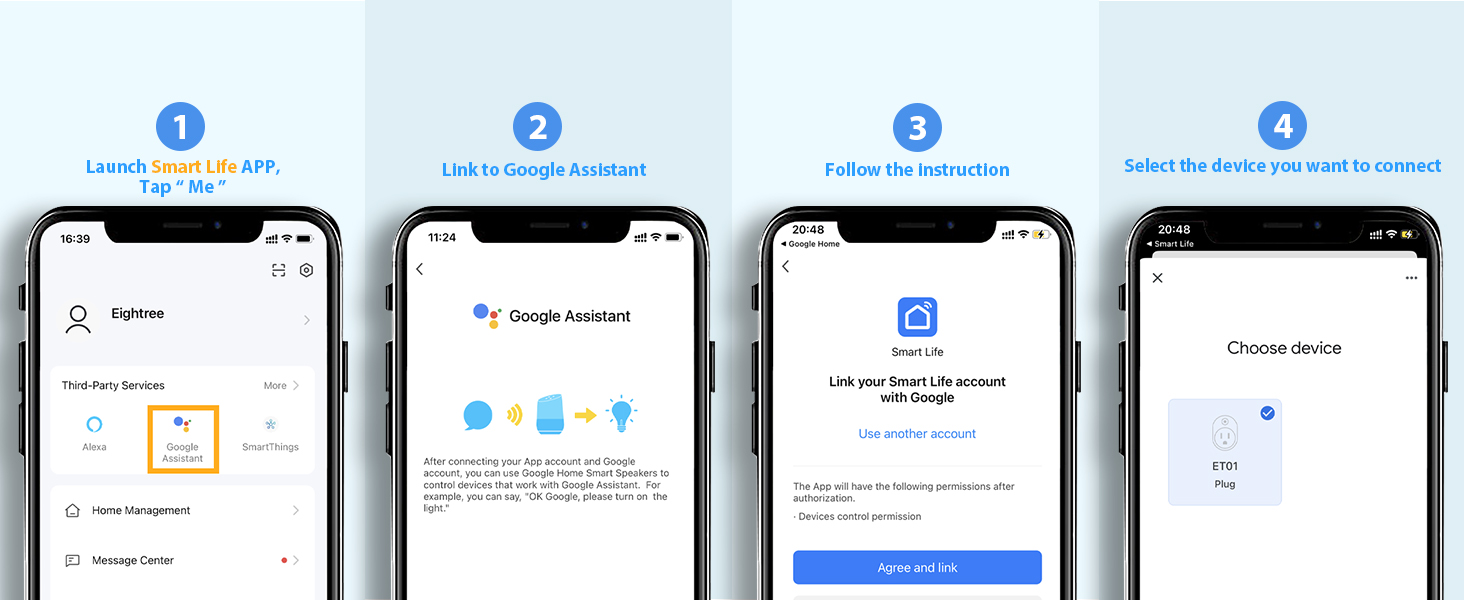
3 Link to Google Home
4 Link to SmartThings
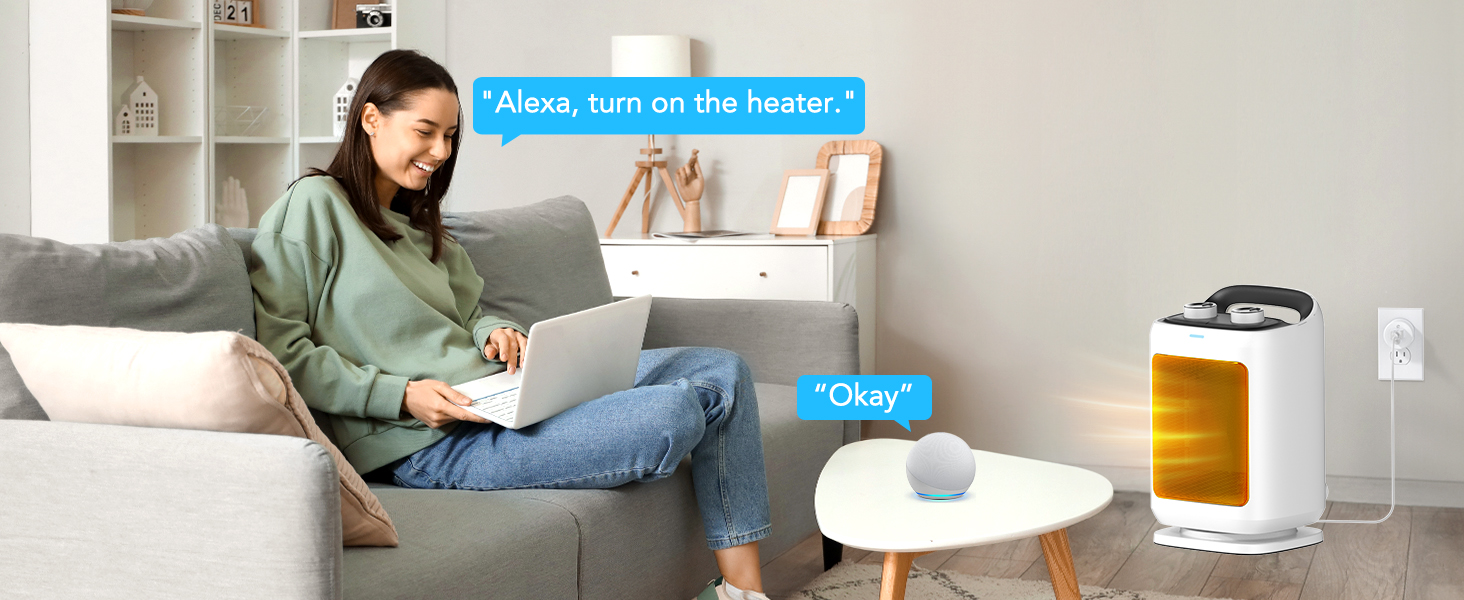 Voice Control Made Easy
Connect the plug to the Smart Life app first, then link it with Alexa to enjoy hands-free control.
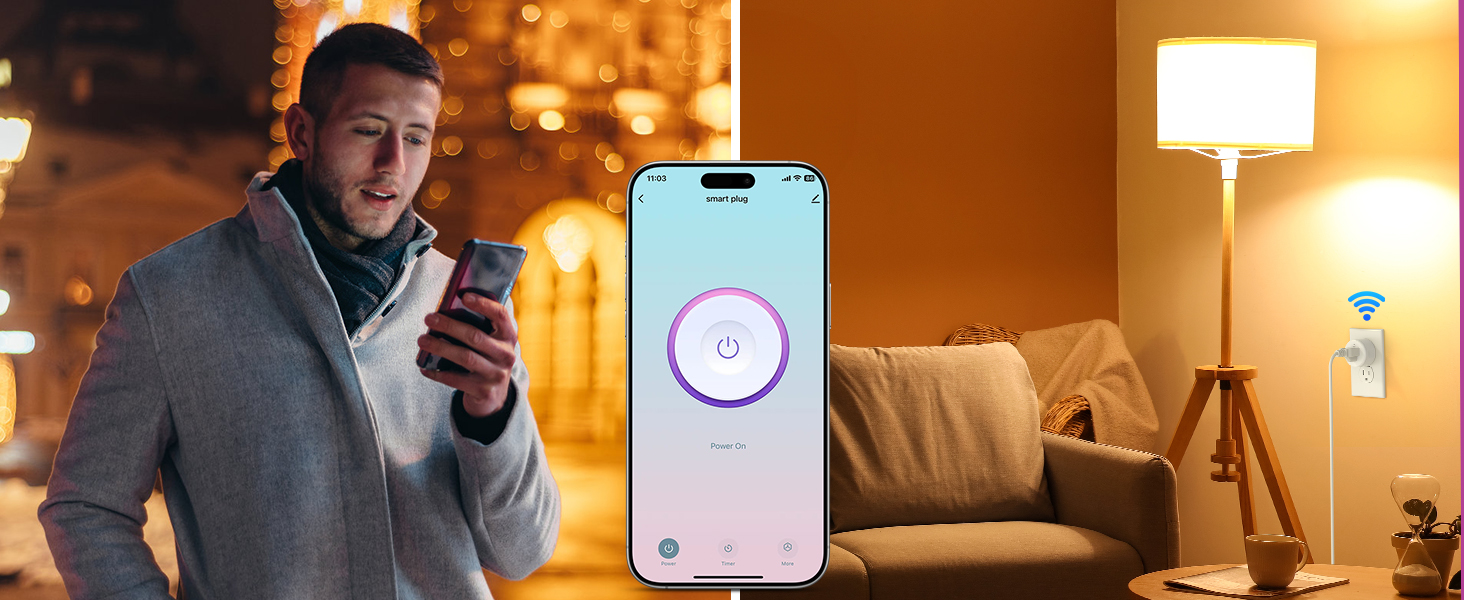 Control from Anywhere
Turn devices on/off anytime, anywhere via the Smart Life App.
1 Voice Control
2 Remote Control
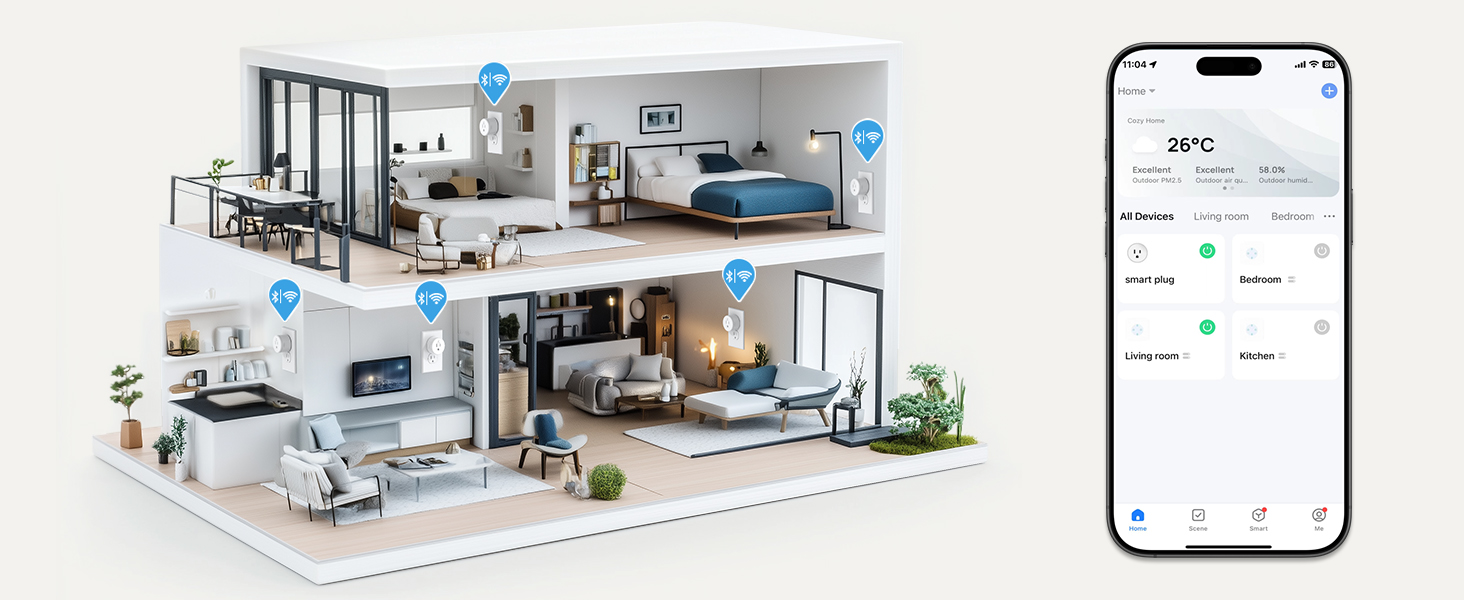 Control Multiple Devices with One Tap
Simplify your smart life by managing your devices in sync with your needs
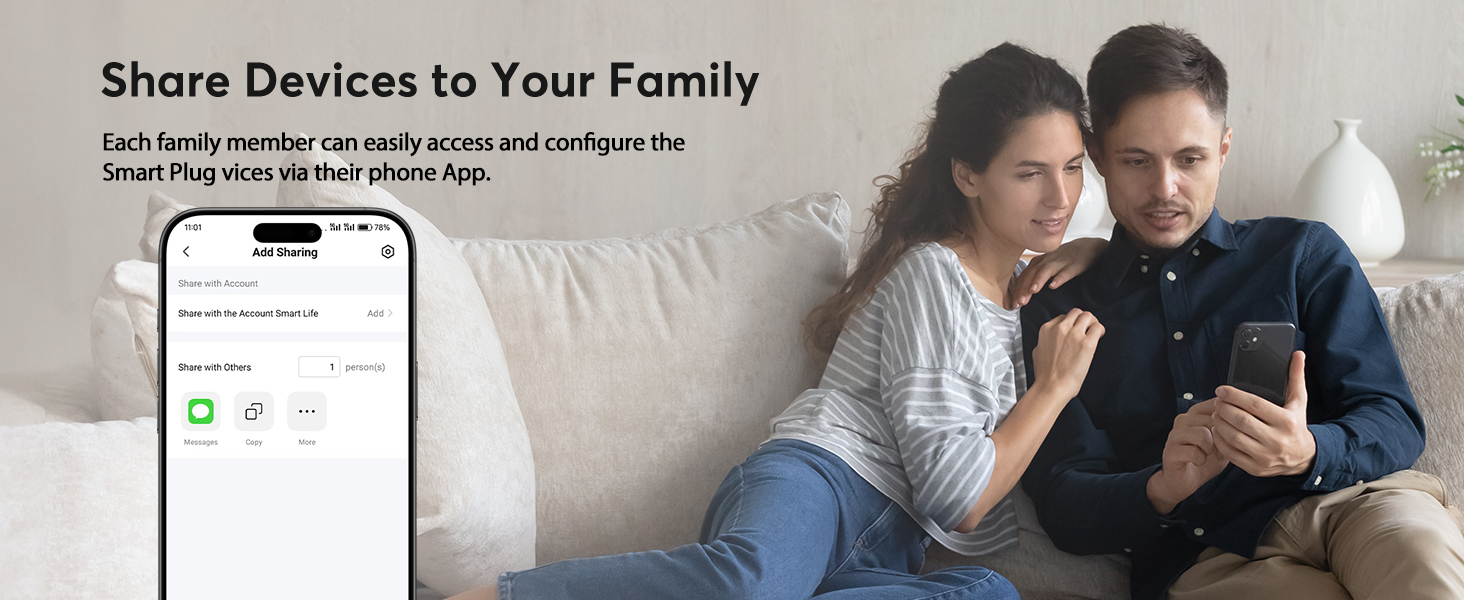

How to connect smart plug?
1. Download the Smart Life App and register for an account.
2. Power on the plug and ensure that the indicator is flashing.
3. The Smart Life App will automatically detect the plug.
4. Follow the on-screen prompts to complete the connection process.
What to do when connection fails?
1. Unplug & hold 5s to reset.
2. Reconnect via AP mode (watch the video guide).
3. If not connecting, check for “SmartLife-xx” hotspot in AP-Mode. If not found, please reach out to the support team for a new one. If found, check your router settings.
How do I use the plug to work with third-party voice assistants?
1. Open the Smart Life App and connect your plug.
2. In the Smart Life App, go to “Me” > “Third-Party Services”, and select Alexa/Google.
3. Or, open the Alexa App, go to “Skills & Games”, search for “Smart Life”, and enable the skill.
What should I do if my smart hom plug is broken?
No need to worry! We’ve got you covered with a 2-year replacement service. If you encounter any problems, just reach out to us through Amazon or our official email, and we’ll be more than happy to help!
My plug is connected to Smart Life, but Alexa still doesn’t work. What should I do?
1. Make sure your Alexa device and smart plug are on the same 2.4GHz Wi-Fi network.
2. Confirm that the Smart Life skill is enabled in the Alexa App and properly linked.
3. Try saying “Alexa, discover devices” to refresh the connection.
Eightree Smart Plug
Add to Cart
Add to Cart
Customer Reviews
4.5 out of 5 stars 6,177
4.6 out of 5 stars 148
4.3 out of 5 stars 462
4.5 out of 5 stars 829
4.5 out of 5 stars 829
4.5 out of 5 stars 784
4.5 out of 5 stars 450
Price
$20.89$20.89
—
$17.99$17.99
$29.99$29.99
$20.99$20.99
$35.99$35.99
$13.99$13.99
Model No.
ET01
RP10
ET08
ET12
ET10
ET15
ET77
Rated Voltage
AC 100-240V
AC 100-240V
AC 100-240V
AC 100-240V
AC 100-240V
AC 100-240V
AC 100-240V
Max Current
15A
15A
10A
15A
15A
15A
15A
Wi-Fi Band
2.4GHz Only
No Need
No Requirement
2.4GHz Only
2.4GHz Only
2.4GHz & 5GHz
2.4GHz Only
Connection Method
WiFi & Bluetooth
No Need
Bluetooth
Zigbee
WiFi & Bluetooth
WiFi & Bluetooth
WiFi & Bluetooth
Works with Alexa
✔
✘
✔
✔
✔
✔
✔
Compatible with Google Home
✔
✘
✘
✔
✔
✔
✔
Compatible with SmartThings
✔
✘
✘
✔
✔
✔
✔
Specialty
High Quality-Price
Plug-and-Play
Plugin Direct Connect to Alexa
Low Power Consumption
Easily Exist Side-by-Side
Compact & Energy Monitoring
IP44 Waterproof
Requirements
With Other Apps via Smart Life
No Wi-Fi, No App
Need An Alexa Device as a Hub
Need A Zigbee Gateway
With Other Apps via Smart Life
With Other Apps via Smart Life
With Other Apps via Smart Life
Number of Packages
1 Pack, 2 Packs, 4 Packs
3 Packs, 5 Packs
1 Pack, 2 Packs, 4 Packs
1 Pack, 2 Packs, 4 Packs
1 Pack, 2 Packs, 4 Packs
1 Pack, 2 Packs, 4 Packs
1 Pack
Product Status
In Stock
In Stock
In Stock
In Stock
In Stock
In Stock
In Stock
Warm Tips: To use Alexa and Google Home for voice control, please connect the plug with the “Smart Life” app first. Then go to Me > Third-Party Services to link with Alexa/Google. Note: Direct connection to Alexa is not supported.
Simplified Setup: Our upgraded smart plug makes connecting a breeze. Just open the Smart Life App, and your phone’s Bluetooth will automatically find the plug. No more worrying about complicated setups.
Voice Control: Works with Alexa and Google Assistant, but requires setup through the Smart Life App. Once connected, just say “Alexa, turn on the fan” to control your device hands-free.
Remote Control: Use your smartphone to turn home devices on and off from anywhere, anytime. Grab an Alexa smart plug for those electronics you sometimes forget, saving energy and ensuring safe power usage.
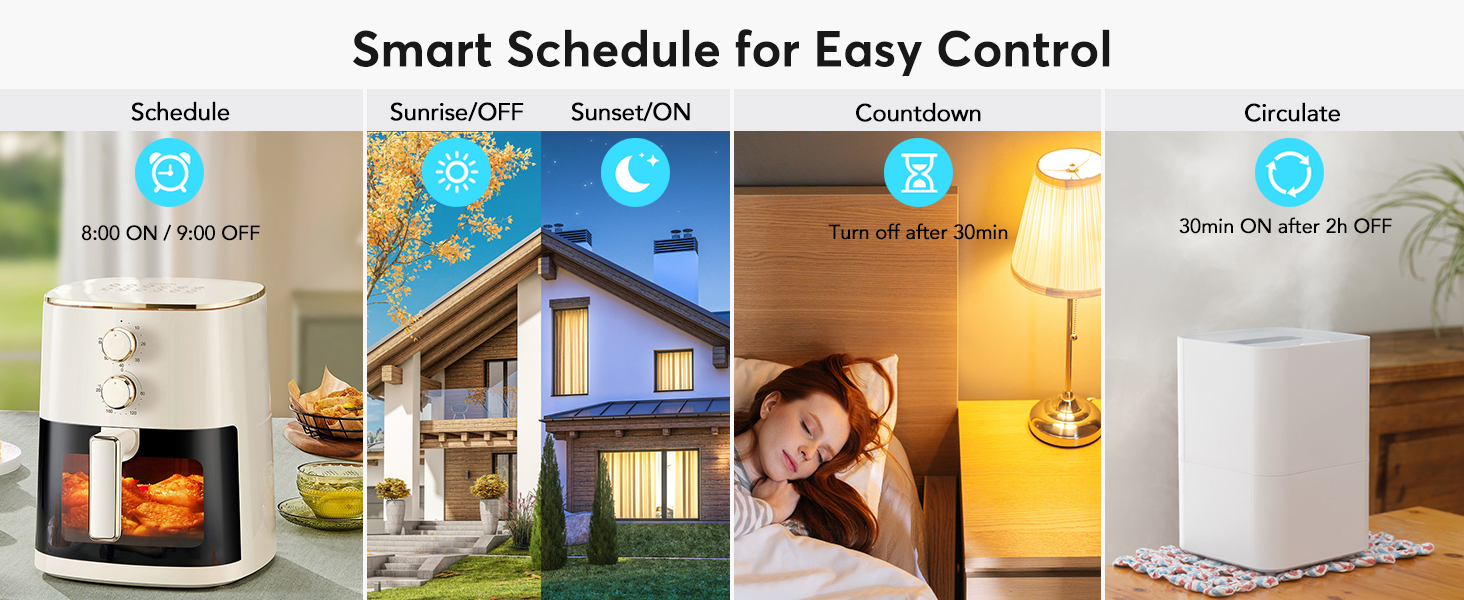
Schedule & Timer Function: You can easily set timers, countdowns, cycles, or random schedules. For example, schedule the coffee maker to turn on automatically at 8 a.m. and the lights to turn off at 10 p.m.
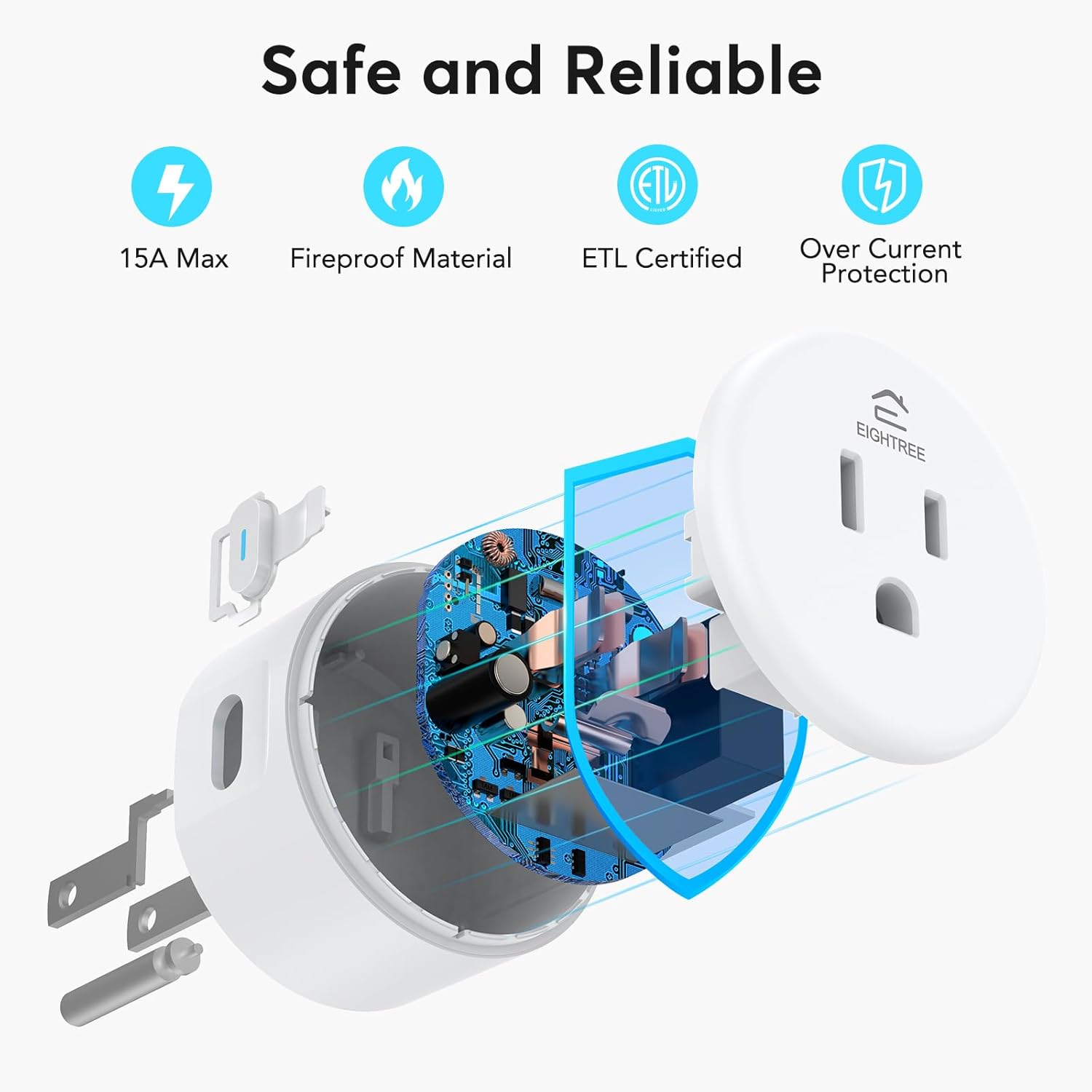
Reliable & Compact: The mini round design fits neatly in tight spaces without blocking the second outlet. ETL and FCC certifications help ensure safe use and consistent performance in everyday scenarios.
Warm Tips: This smart outlet supports SmartThings for flexible smart-home integration. For a smoother setup, follow the connection instruction video provided in the app and product guide.
13 reviews for EIGHTREE Smart Plug, WiFi Outlet Works with Alexa & Google Home, Smart Home Socket with Remote Control & Timer Function, 2.4GHz WiFi Only, 4 Packs
Add a review

$5.25
Hankster –
Can you say Easy to Install?
Have used for over 1 year now. Haven’t had any issues with those installed. Recently installed the last of the group of 4 that I had purchased, and the app must have been upgraded as it’s by far the easiest of any to get working. First off, with the app running, as soon as I plugged the smart plug in, the app acknowledged the added plug. The best part was the Alexa Skill being already used, immediately responded to the named plug when told to turn on or off. Great product.
Mandy –
Easy Setup & Perfect for Holiday Decorations
This EIGHTREE Smart Plug was incredibly easy to set up and worked perfectly right out of the box. I used it for my Christmas tree lights and other powered decorations, and it made turning everything on and off so convenient.The WiFi connection was quick, the app was simple to use, and it performed exactly as expected. It’s a great solution for managing lights and decorations without having to unplug anything. I’ll definitely be using these for future holidays and other household needs!
Antonio Nieves Torres –
Flawless operation
Amazingly simple and were extre6 fast to connect to my router. Operate very well with Alexa and my control app Smartlife
MNman –
Functional smart plugs, still working after almost a year
These smart plugs were easy to set up, easy to use, and they work well. Mine came with all 4 plugs and an instruction manual. The app was intuitive and user friendly so I had no problem creating an account and connecting to the smart plug over Wifi. Just follow the instructions. One thing to note is that you need the 2.4 Ghz Wifi. The Wifi will not connect if you only have 5 Ghz.The circular plug size is good but it’s a bit bulky. If I have one on top the outlet, I cannot put another one on the bottom. Also doesn’t work if my secondary plug is L-shaped and pointing upwards. I have a 3-prong adapter that I use in my living room so I can have more space. In my bedroom, I have the plug on a schedule to run my fan for an hour every night. The white noise helps me sleep and the wind regulates my body temperature (I get very warm at night). So far, I’ve had them for almost a year and they’re still functional so the quality is good and durable. I recommend it and if I need more smart plugs, I’d buy these again.
Brian E. –
The best smart outlets
These things do not disappoint! I’ve been buying these exact smart outlets for years and only 1 has failed. They get used hard and put away wet (sometimes literally), and they never have any issues. If you’re looking to get into the smart outlet game, these are the outlets for you. I personally use the “Smartlife” app to control all of my smart outlets. To connect these outlets, it’s as simple as turning outlet on after it’s been powered off for 5 seconds, and then holding the button on the side until the light blinks quickly. The app does the rest for you. I have these located all over my house and have never had a connectivity issue. If you have a wifi router somewhere within your residence, you’ll have no issues.
Karli S. –
Great product!!
I absolutely love these smart plugs. The plug itself is smaller than some that I have had in the past and makes it seem less bulky. They were very easy to set up in the app and were ready to use within minutes. After set up I was able to easily create a routine for the plugs so that I could use them with my Christmas lights inside. Now all of my lights are automated and I don’t have to worry about turning them off and one in weird places in my house. I can’t wait to get more and use them in all areas of my home.
David Poplar –
easiest plugs to set up by far
Just wanted to say that in terms of setting these up, these were the easiest smart plugs I’ve ever had. And I’ve have an embarrassing number of them. (I’ve never been unable to set up a smart device, but some have taken much more time, and required many more steps than others.)I set these up using the Tuya app. I plugged in the plug, then hit ‘add device’ on the app and the plug showed up almost instantly. Then it took like 10-15 seconds to fully set itself up, and that was it. It was automatically imported into Alexa after that, and showed up as a device in the Alexa app like 30 seconds later. (I also have the Tuya skill enabled in Alexa.)So far, the smart plugs seem to work as well as any others I’ve had. I’ve only had these for a day though, so I can’t comment on durability, etc.Anyway, that’s just my experience. Just wanted to share because this stood out as being so much easier and quicker.
Keva Taylor –
Great product.. difficult instructions.
Love the product! It’s simple to program on the cell phone. Only problem is filling the instructions given (I had to watch a YouTube tutorial)… they didn’t make much sense with the three options that were provided. Past that, it works wonderfully!
Amazon Customer –
Très bon produit Très facile d’utilisation et très rapide
Todd McGowan –
They work great and are easy to set up.
HUMAN NOT AI –
Bluetooth and WiFi. Only work on 2.5GHz
Kim R –
Plugs came quickly and worked awesome. Pairing was super easy with the smart app that I had.
Bertin Laplante –
Bon produit selon l’ulilisation