

Chromecast with Google TV (4K)- Streaming Stick Entertainment on Your TV with Voice Search – Watch Movies, Shows, and Live TV in 4K HDR – Sky Blue with Accessories
$79.99
Related Products



Chromecast with Google TV brings you the entertainment you love, in up to 4K HDR.[3] Get personal recommendations based on your subscriptions, viewing history, and content you own, all in one place. No more switching between apps to decide what to watch. And use the remote to search with your voice.[4] LEGAL[1]Chromecast with Google TV requires a TV with an HDMI port, a Wi-Fi network, a Google Account, a nearby electrical outlet, and a compatible mobile device. Minimum OS requirements are available at g.co/cast/req.[2]Subscription services may be required.[3]To view content in 4K, a 4K-capable TV and reliable broadband internet connection are also required.[4]Google Assistant may be required for full functionality.[5]Requires Google Home app for device setup. Speakers and displays sold separately.[6]Subscription(s) are required to access certain content. Casting optimized for selected services only. Available services and content will vary by country. Additional terms, conditions, and/or charges may apply.[7]Performance of certain Chromecast features, services, and applications depends on the device you use with Chromecast and your internet connection.[8]Feed display on TV only compatible with Nest Cam Indoor (1st generation), Nest Cam Outdoor, and Nest Cam IQ. Some features, including mobile notifications, remote control, video streaming, and video recording, require working internet and Wi-Fi.[9]Requires compatible smart devices.[10]Requires Google Home app for device setup.
Watch the entertainment you love, including live TV, in up to 4K HDR[1,2,3]; discover over 700,000 movies and TV episodes, plus millions of songs[2]
Get fast streaming, and enjoy a crystal clear picture up to 4K and brighter colors with HDR[3]
Your home screen displays movies and TV shows from all your services in one place; get personal recommendations based on your subscriptions, viewing habits, and content you own
Press the Google Assistant[4] button on the remote and use voice search to find specific shows, or search by mood, genre, actress, and more; control the volume, switch inputs, play music, and get answers, hands-free
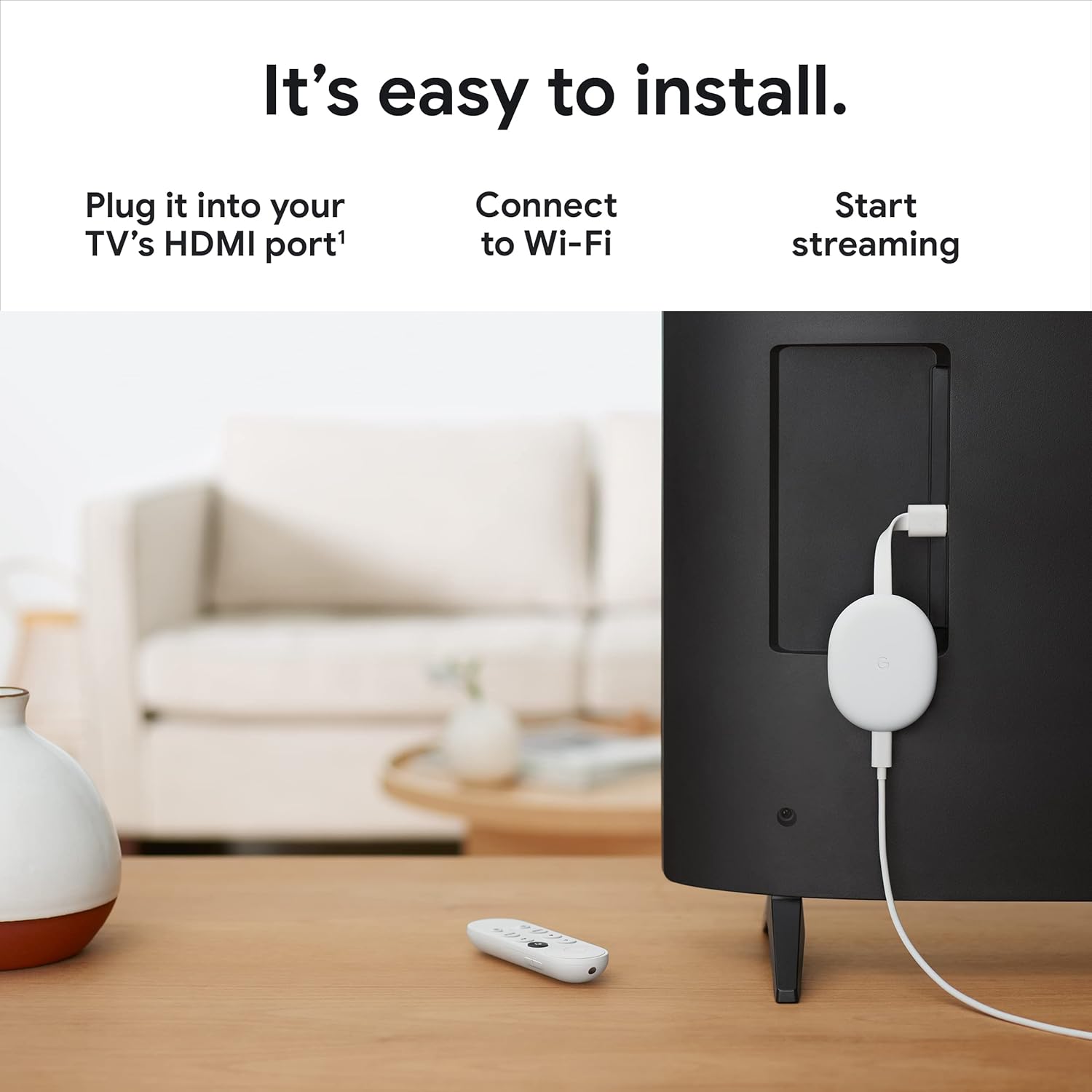
Chromecast is easy to install and compatible with almost any TV that has an HDMI port; to get started, just plug it into your TV’s HDMI port, connect to Wi-Fi, and start streaming[1]
Use other Google speakers and displays to control your TV with your voice; or group them with Chromecast to fill your home with sound[5]
Create a kids profile to access movies and shows for the family; pick a playful avatar and theme, set parental controls to restrict what streaming services are shown, limit watching time, and set a bedtime
Use your phone or tablet to cast movies, shows, and more directly to your TV[5,6,7]
Check out what’s going on around your home by watching the feed of your compatible Nest Cam feed on TV[8], and control other connected devices like the lights or thermostat, without even pausing[9]
Please refer to the product description section below for all applicable legal disclaimers denoted by the bracketed numbers in the preceding bullet points (e.g., [1], [2], etc.)
10 reviews for Chromecast with Google TV (4K)- Streaming Stick Entertainment on Your TV with Voice Search – Watch Movies, Shows, and Live TV in 4K HDR – Sky Blue with Accessories
Add a review

$79.99
Mark Urso –
One of the Best Devices for Streaming
I do recommend this device. I was using my Xbox for TV viewing for years. There were a few issues, but the Xbox is very much overbuilt for just watching TV, so things went generally smoothly. Previously, quite a few years ago, I used an Amazon fire device. That device just got slower and slower until I got so frustrated I threw it away. Had about four Rokus, same deal – just like the Fire cube, the Rokus seem to get their brains full and they start to act like they’re reacting to everything in slow motion. You get what you pay for, I guess, and the Xbox was the greatest solution for a long time. I do recommend using an Xbox, except setup is typical Microsoft, very confusing and management is aggravating, as you have to decide on “plans” to pay Microsoft in various ways.Now I have this. I got it because I had one in the bedroom. The NUMBER ONE best thing about this device, after confirming it is NOT a piece of junk (in the bedroom there have been no slowing down over time issues at all), the thing my Xbox did TERRIBLY, was the content and design of the home page. I’m currently watching a free movie I had NO IDEA was available. It was easy to find on the Chromecast home page, which shows you lots of great content (UNLIKE the Xbox, which is NOT helpful in ANY way with it’s after-thought-inspired home page. The other thing, the actual motivation for me to ditch the Xbox for the Chromecast, is that you can not get the Roku Channel on Microsoft devices.I’m glad to be off the Xbox, and might end up selling it.The remote control is great – it’s sensitive and every button press works, even with obstructions.I highly recommend this device, as well as setting up the Roku Channel (TRC) when you get it. You may find you can cancel three or four other channels and watch even better stuff on the Roku channel for free. The content is quite excellent, and you can find shows like “Pawn Stars” that are simply not otherwise available, or cost money … but on TRC they are free.Best wishes and happy TVing!
BADER –
Good for my tv
Small, fast response, and Easy to use plug and play with out issues and I do recommend this one for best choice
Clem May –
Fantastic Streaming Experience in 4K
The Google Chromecast with Google TV (4K) is a game-changer for my home entertainment setup! The streaming quality in 4K HDR is absolutely stunning, offering vivid colors and sharp details. Setup was super easy, and I love the voice search feature – it’s incredibly convenient to just ask for shows or movies without having to scroll through menus.The interface is smooth, and the ability to access a variety of streaming apps makes it versatile. The remote is easy to use, and I appreciate the minimalist design. Whether I’m watching movies, shows, or live TV, this device delivers a seamless and high-quality viewing experience.Highly recommend for anyone looking to enhance their TV watching with a smart, simple, and powerful streaming device.
Bill Kavvathas –
A necessity for all who have a TV
Having all streaming services plus other Google Play apps all in one area, with voice command that can easily understand your voice and immediately open where to watch the movie or TV show you said is so nice. It’s incredibly convenient and is high quality in terms of its image quality. Had it for months now and the only issue I had sometimes is lag when clicking around which doesn’t happen often at all, and it’s no big deal either. If you’re considering buying it, just know that the Chromecast will need a wall socket and HDMI port to connect to. Installation is very easy, and updating it before use didn’t take long either.
Eric –
High highs and low lows.
This thing is excellent. This thing sucks. As a video device, it works wonders. As a product from Google, it suffers horribly. First-world problems? Yes, absolutely. I live in a first-world country so it won’t get a pass.Parental controls, specifically time limits, pick and choose when to work. Worse, it doesn’t integrate into Family Link (Google’s Parental Control app for Android devices). You can see what a child is using but not limit it. One does not know how much time was used on another, so switching TVs is a viable workaround.Our primary app, YouTube, will log out our child randomly. This is a minor inconvenience that happens only to my child’s account. Our secondary app, Crunchyroll, is terrible. This is likely Crunchyroll’s fault, but the apps only seem to have issues on this device, not on something like one of a thousand possible Android phones. Google oversees Android and the Play Store, so, at a bare minimum, their apps should work properly and consistently across devices.The device lets you put all sorts of apps on it, though many do not work, and there isn’t enough storage for any of the ‘supported’ games. It seems to be getting active development. Recently, free channels were added, though I haven’t tried them. I love my Chromecast with Google TV, but Google is a trillion-dollar company, and it feels like no part of Google works with any other when they develop products.The UI wants to remind me of every show I’ve ever watched, regardless if I tell it I finished it or removed it. Is this an app problem or an OS problem? I don’t know. I had to switch my profile to Apps-only mode. Also, I don’t need content recommendations, and I don’t want advertisements. I pay Google enough money now that I shouldn’t have more junk thrown in my face.Google voice recognition has become atrocious across all their devices. Phones, Hubs, Homes, TV. They need to unify it and make it stable.Overall, this is a massive improvement over the original Chromecasts and keeps that functionality, which I love. But it is 100% a first-gen Google product. I do not look forward to replacing these with an upgraded version, but I probably will. It sure beats using a game console, minus the lack of a disk drive, but at even this higher price point, it’s a fair trade-off.
Were Hma –
هو صراحة جميل جداً لكن يحتاج نت قويء إذا ماعندكم لاتشترونه لكنه حلو والله .
CLAUHM –
Funciona Perfecto, excelente opción
W –
Great item for a rather low price for a product from Google. It does lag a bit sometimes, but its not too noticable.
Indrajit Adhya –
The packaging and the quality of the product is excellent
Sean Knight –
I am all set up with Google so I found this to be a good choice and very easy to use compared to other devices..