
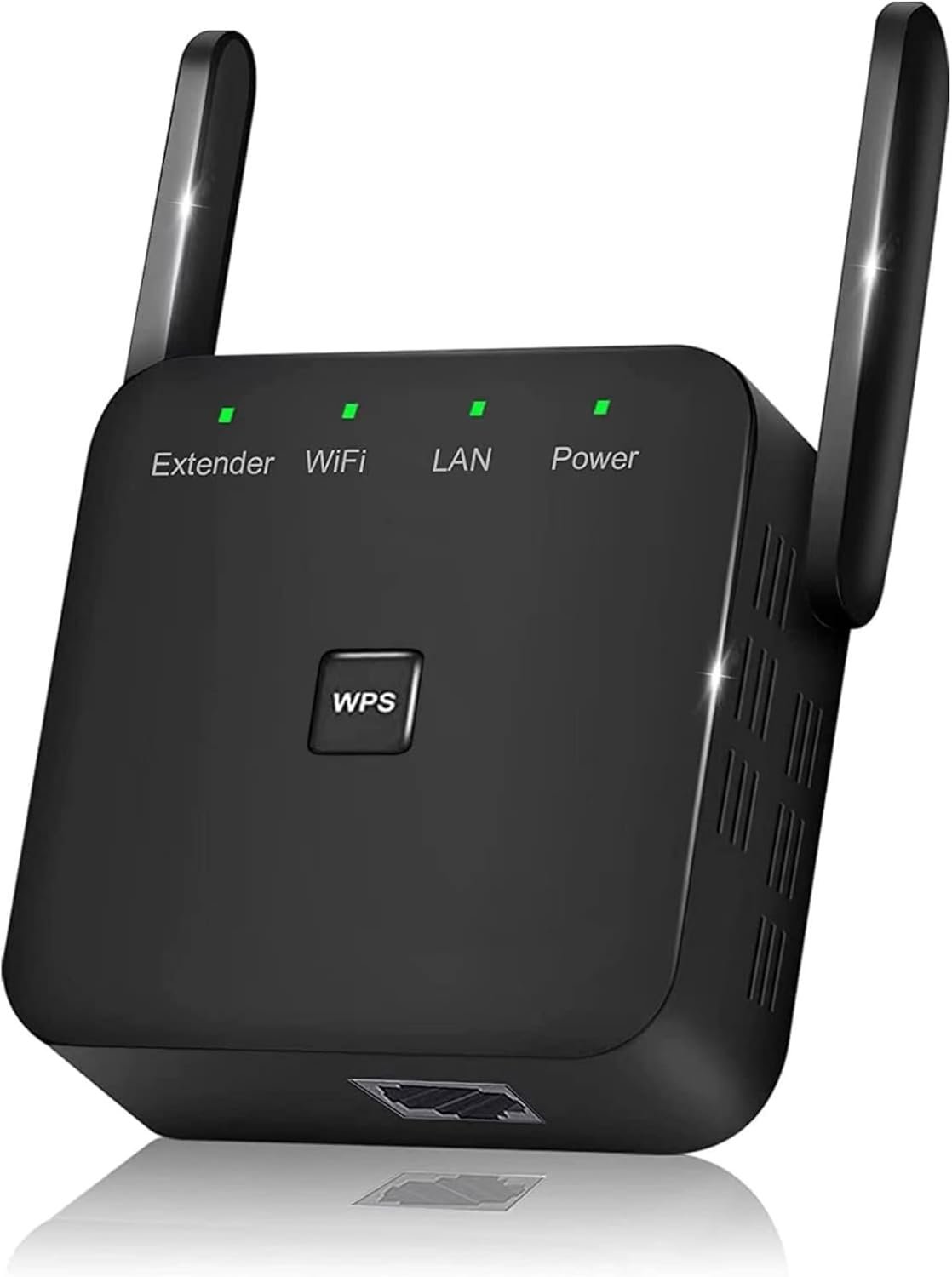
2026 Fastest WiFi Extender Signal Booster Covers 10000 Sq.ft and 80 Devices | 2.4GHz High Speed WiFi Repeater with Ethernet Port – Eliminate Dead Zones with Wireless Internet Booster for Home
$16.58
Related Products




Product description
UPGRADE YOUR WIFI TO ELIMINATE DEAD ZONES IN SECONDS
Powerful Single-Band WiFi Extender for Home & Outdoor Coverage
Enjoy stronger, more stable connectivity with our advanced WiFi extender, designed to eliminate dead zones and boost coverage across your entire home. Whether you need a wifi booster, a wifi repeater, or a full internet extender wifi-booster solution, this single-band device delivers fast and reliable performance for everyday browsing:
HD streaming Smart home devicesSmall office connectivity.
With broad compatibility, it works seamlessly like a wireless access point, wifi mesh system for home, or wifi range extender—all in one compact device.
KEY FEATURES
ADVANCED 2.4GHZ FEATURES FOR RELIABLE CONNECTIVITY
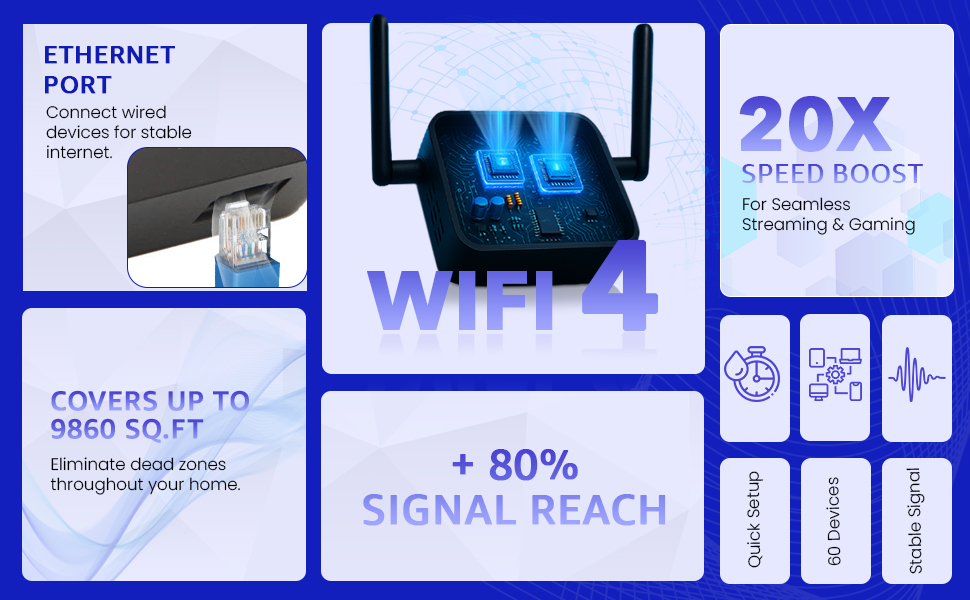
Long-Range Single-Band CoverageGet extended 2.4GHz range for home wifi, outdoor wifi extender long range, and multi-room coverage. Strong enough to act as a wifi extenders signal booster for home, point to point wireless bridge, or wireless bridge for larger spaces.Seamless Device CompatibilityConnect multiple devices including smart TVs, laptops, phones, gaming consoles, security cameras, and more. Functions as a wifi adapter for pc, wireless ethernet adapter, wifi to ethernet adapter, or powerline ethernet adapter alternativePlug-and-Play Setup (WPS)Set up in seconds with the WPS button. No complicated steps. Works with all routers including mesh systems like Deco mesh WiFi, Google Mesh, Ring Chime Pro, Asus WiFi Extender, and Linksys.Versatile Home & Office ApplicationUse it as a direct wireless access point, wifi bridge, internet extender, router wifi, or powerline wifi extender alternative. It boosts signal strength in large homes, offices, backyards, and outdoor environments
HOW IT WORKS / EASY SETUP

Simple 3-Step Setup with Any Router
1. Plug the extender into a standard wall outlet. 2. Press the WPS button on your router and the extender to initiate connection. 3. After pairing, the extender expands your WiFi coverage throughout your home.
Compatible with most routers and home network setups, including mesh systems and point-to-point wireless configurations.
CONNECT YOUR HOME LIKE NEVER BEFORE

Upgrade Your Home WiFi Today — Faster, Stronger, Smarter
Boost your signal, remove dead zones, and enjoy smooth WiFi throughout your entire space. Perfect for all users who need a reliable wifi extender, internet booster, wifi repeater, repetidor de señal wifi, or répéteur wifi.Strong enough for home, powerful enough for office, simple enough for anyone
TECHNICAL SPECIFICATIONS

Advanced Single-Band Technology — Built for Stability
Band: 2.4GHzApplications: indoor + outdoor wifi extenderModes: repeater, router, access pointPorts: LAN / EthernetSecurity: WPA/WPA2Ideal for: home WiFi, offices, shops, smart cameras, gaming consoles
Replaces or enhances devices like powerline network adapters, powerline wifi extender, wireless bridge, and more.
EVERY ROOM. EVERY DEVICE. BETTER WIFI

Smooth, Stable Internet for Every Room & Device
Whether you’re streaming movies in the living room, working from your home office, gaming online, or extending coverage outdoors, this wifi booster ensures a reliable and uninterrupted experience. Ideal for apartments, homes, cafés, shops, and small businesses.Works flawlessly as an access point, wifi repeater wireless signal booster, or wireless access point for expanded coverage.
Add to Cart
Add to Cart
Customer Reviews
4.0 out of 5 stars 7,502
4.0 out of 5 stars 7
Brand
HIMALU HIMALU
Wireless Communication Standard
802.11n, 802.11b, 802.11g 802.11a/b/g/n/ac
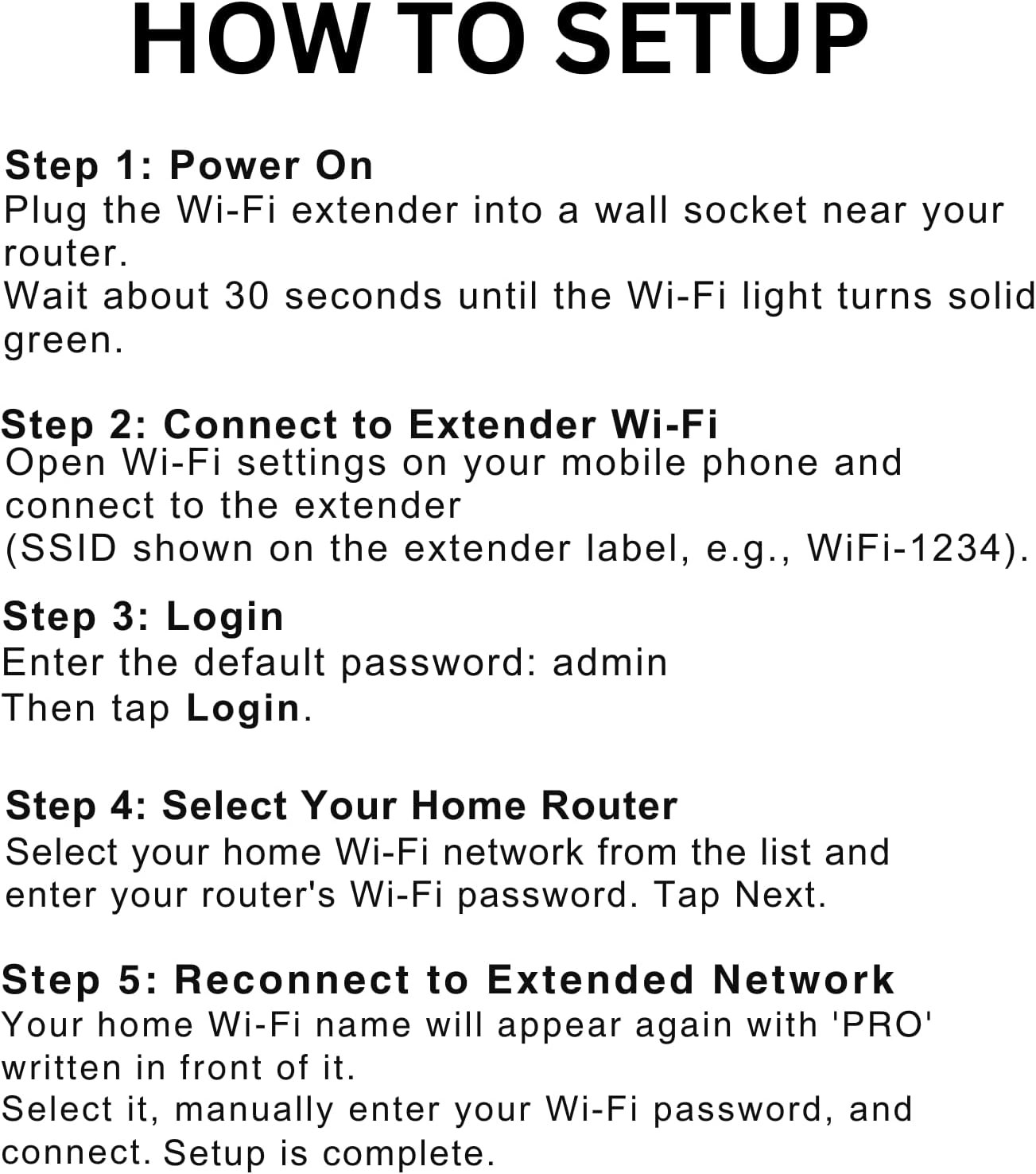
HOW TO SETUP :✅Step 1: Plug the Wi-Fi extender into a wall socket near your router and wait about 30 seconds until the Wi-Fi light turns solid green. ✅Step 2: On your mobile phone, open Wi-Fi settings and connect to the extender’s network e.g (WiFi-1234). ✅Step 3: When the login page opens, enter the default password *admin* and tap Login. ✅Step 4: Select your home Wi-Fi network from the list and enter your home router’s Wi-Fi password, then tap Next. ✅Step 5: After setup, your home Wi-Fi name will appear again with “PRO” added in front, then open the wifi setting in your phone. Select it, manually enter your Wi-Fi password, and connect. Setup is complete
[ Seamless High-Speed Connectivity ]: Enjoy smooth and stable 2.4GHz WiFi (singal band) with up to 300 Mbps speeds using this 2.4 GHz WiFi extender. Ideal for streaming 4K videos, lag-free gaming, or connecting multiple smart devices, this WiFi repeater wireless signal booster ensures reliable performance across your home.
[ Plug, Play, and Dominate the Web ]: Set up in minutes—just plug in and follow the quick guide. This plug-and-play internet booster for WiFi works with any router. Whether you need a router extender or WiFi booster extender, this device expands your signal for fast and reliable internet anywhere.
[ Compact Design, Mighty Performance ]: Small enough to fit any outlet yet powerful enough to cover every corner of your home, this WiFi extender signal booster outdoor delivers strong signals even in basements, garages, or patios. Ideal as a Wi-Fi extender for home or network booster in larger spaces.
[ Built for Every Device You Love ]: Compatible with all routers and supports over 60 devices at once, this WiFi router extender is perfect for phones, laptops, TVs, and more. Use it as a signal booster or internet extender WiFi booster for stable connectivity throughout your smart home.
[ Eliminate Dead Zones Instantly ] : Transform your entire home into a WiFi paradise with unmatched signal strength using this WiFi extender with Ethernet port. Say goodbye to weak zones and buffering—this long range Wi-Fi extender is perfect for streaming, gaming, and working in any room, from garages to upstairs offices.
5 reviews for 2026 Fastest WiFi Extender Signal Booster Covers 10000 Sq.ft and 80 Devices | 2.4GHz High Speed WiFi Repeater with Ethernet Port – Eliminate Dead Zones with Wireless Internet Booster for Home
Add a review

$16.58
Ofbengal –
Works very well, Easy Set Up, Great Price
We live outside of town, not many options for internet, so we have a router that has to be in the corner of the back of the house. Problem was getting signal up to the front room and front porch where we spend a lot of time. Looked through so many extenders and found this gem. Price is amazing for this powerful little device. Setup took less than 5 minutes on my boyfriend’s phone. I took notes from the comments that made the setup easier (will share below). No lagging anywhere outside or inside the house now, strong signal, device leaves outlet open for another to still be used. Had to play around with the location of the extender, but got it in a great place that’s not too far from the router and doesn’t have to send the signal through too much to get to the front of the house. Highly recommend this extender.For setup and best function, here’s what helped me after reading other comments and from my experience with this extender so far:This extender gives you a second WiFi network. You have your original network and this one so they will have two different names.We’ll call the original Wi-Fi just “Router” and the extender “Extender” for further explanation, so pretend those are the names of your networks when you open any device like a phone or tablet or PC and connect to a Wi-Fi network available.You have Router already, that’s your main one, and you have a password for that usually. Before setting up this new device, you pick a name and password, so in this case, you picked Extender as your network name and for the password, I just used the same one as Router to make it easy. You will be asked for your SSID. Router is your SSID number as well, unless they want the original, which is located on the back of your actual router. Have your desired network name and password and current SSID available. (So instead of Extender, pick a name you want, and a password, have that ready)Follow the prompts on your phone or tablet or PC to set all the above up (the instructions are a bit roughly written, but easy to figure out what they’re trying to say)When you plug in the device, find a spot not too far from your original router while accounting for anything the router has to go through to get signal out that could interfere (a cement wall, two rooms, behind a couch in the corner, etc-all not very good places). We have a fairly strong signal from our original router to the front room, so we put it in there on the wall closest to the main router. We may have to move it to the hallway, but it works very well now so we think it’s a good spot. We did have it in the room behind the front room to be closer to the router, but going through another room and a cement outer wall made using the internet a tiny bit glitchy, but it still worked. You may have to play with where it goes depending on your house setup and where you need your signal, just don’t go too far from the main router.If you unplug the extender and plug it back in, it goes right back on, but if your devices are set up to default to your original network, you may have to go back into your devices and click back onto the extender network if that’s the one you want to use. To help with this, we kept all devices that worked fine on the original network on that network, like our game consoles and tv streaming devices, thermostat, etc, and only changed the ones we travel around the house with to the extender network, like our phones and tablets.So far those are the key things that made this extender worth every penny and more. We get to enjoy our porch now at night while we watch our shows on our tablet! Hope this helps anyone looking through the countless extenders out there!
Grace W. –
WORTH IT! Buy it!
I have purchased much more expensive extenders in the past and this one worked better, and faster than they did. There is a comment on here I read where the person told you the steps. Which made it so I knew I was getting into. Make sure you know your WiFi password and name. I did not change the name of the extendor I just know it’s “wifi XXXX” with the same password as my network. If you mess up just “Forget Network” on your phone and start over.This made the WiFi go to the basement and not be so glitchy. Purchased to allow a Roku device I got for a non Roku tv work. Where it wouldn’t pick it up at all before. This showed up immediately. I don’t know how well it works through multiple walls. Play around with the location. It’s actually pretty far from the router but it’s only going through one wall technically here.Follow the instructions and you’ll be fine. Find the long comment I referred to. They really made it easier than the I instructions.I’m very pleased. For the price it’s more than I expected honestly.It’s super easy to install.I see a lot of comments not understanding or have lost the original set up.If you need to press the reset button and wait a few seconds for “wifi XXXX” to show up under settings>wifilook under settings >WiFi options for “wifi XXXX” not literally “XXXX” it will be specific numbers to your extender.It will take you to the website you need to be on.You’ll need the name of your regular WiFi and the password before you get to this site.(If you try to swipe away you’ll need to go back to WiFi connection and “Forget Network” for the “wifi XXXX” and start over. )After what you just repeat and extend the device with your original WiFi network. Fill in the blacks it asks.I’ve got pictures of the instructions. They are VERY tiny. Hopefully this will help someone.
Amazon Customer –
Disappointing Performance, No Improvement in WiFi Range
I purchased this WiFi extender with high hopes of improving the WiFi coverage in my home, but unfortunately, it fell short of my expectations. Despite the promising product description and positive reviews, this device did not deliver the results I was hoping for.The setup process was relatively straightforward, and I had no issues connecting the extender to my existing network. However, the problems started to surface soon after. The extender was supposed to boost my WiFi signal and extend its range, but I noticed no significant improvement in the areas of my home where the WiFi signal was weak.I tried moving the extender to different locations, hoping to find a spot where it could effectively boost the signal, but to no avail. The device consistently failed to extend the WiFi range to the desired areas, and in some cases, the signal was even weaker than before.Moreover, the device seemed to have a negative impact on my internet speed. I ran several speed tests and found that my internet speed was noticeably slower when connected to the extender compared to when I was connected directly to my router. This was a major disappointment, as the whole point of purchasing the extender was to improve my WiFi experience, not hinder it.The product’s build quality and design are decent, but these factors are irrelevant if the device doesn’t perform its primary function effectively. I reached out to customer service hoping they could provide a solution, but their suggestions did not resolve the issue.In conclusion, this WiFi extender did not live up to its claims. It neither improved the range of my WiFi nor the internet speed. I would not recommend this product to anyone looking to enhance their WiFi coverage. It’s a classic case of a product that looks good on paper but fails to deliver in reality.
jack abranovich –
Signal extender
Worked very well,got signal from house out to shop
nathalie –
petit merveille pour un petit prolongateur ,porter très bonne ,pour mon salon qui est 900pi et qui prend sa porter vers la maison