
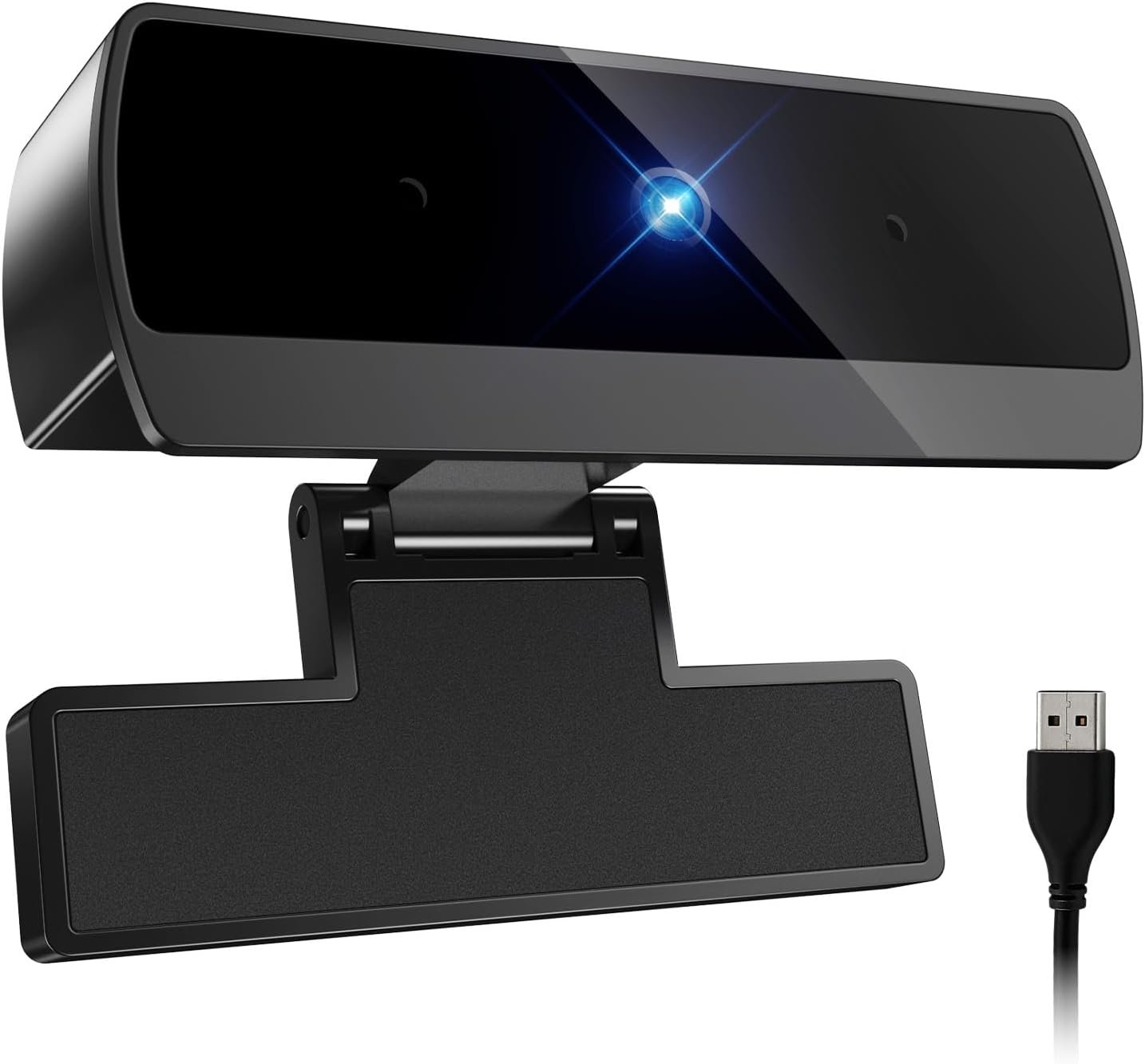
1080P Webcam with Microphone, Full HD Video Calling Web Camera, HD Light Correction Streaming Webcam for Zoom/Skype/Teams, Plug and Play PC Camera Web cam for Windows & Mac
$12.59
Related Products





From the brand

DICCIK Webcam
At DlcClk, we take our products seriously and won’t letyou down. Our mission is to make quality products!

Diccik was founded by a team of engineers passionate about photography and technological security. They are committed to creating webcams that are clear, easy to use, secure, and reliable, making it easy for everyone to capture life’s most beautiful moments.
Webcam for PC


Connect the webcam
Connect the USB port to the computer port
Tips: When using a desktop computer, it is best to connect thewebcam to the USB port on the back of the computer, becauseit will be smoother to use.
No response after the USB head is inserted into the USB slot?
This device is a driver-free plug-and-play product, and there wil be no response when connected.
No image or sound when the camera is turned on?
The screen will not pop up automatically when connected.
You need to open the software you need to use it.
Is there a howling sound during the test call?
If you are testing the product, there may be a signa howling phenomenon in the near-field call.
Please try to talk to a friend who is a certain distance away.
The relationship between the camera imaging effect and the on site light environment?
There is a relationship, especially in the case of backlightside light, and dim light, the video effect is not ideal.
You can achieve the ideal effect by turning on the fill light or adiustingthe direction.
Some instant messaging software, the video effect is not as goodas the local video effect?
There is such a phenomenon, Because some communicatiorsoftware takes into account the bandwidth and call volume, it will compress the pixels of the video image to meet the purpose of smooth call. (For example: the original 1080P imaging, some communication software will compress the video stream to 720P.) So you see that the current video effect is not as good as the local one, which has nothing to do with the hardware of the camera.
【Full HD 1080P & Smooth 30FPS Streaming】Elevate your video quality with this 1080p webcam, delivering crisp Full HD images at a fluid 30fps. It eliminates motion blur and graininess, making it the perfect streaming webcam for gaming, professional video calls, and YouTube content creation. Whether for online school or business meetings, this computer camera ensures a professional presence every time.
【Exceptional Low Light Performance with F2.2】Equipped with an F2.2 large aperture and advanced CMOS technology, this USB computer camera excels in dim environments. It automatically adjusts to low-light conditions, reducing graininess and restoring vibrant colors, so you always look sharp and clear even without extra studio lighting.
【IMX132 & Ultra-Large 1/1.69″ Sensor】Powered by the IMX132 sensor and an industry-leading 1/1.69-inch large sensor size, this 1080p webcam delivers exceptional image depth and color accuracy. Compared to standard small-sensor cameras, it captures more light and detail, ensuring a professional, high-definition presence in every video call.
【Wide Compatibility & Universal Setup】Designed for seamless integration, this usb computer camera is certified to work with Zoom, Microsoft Teams, OBS, Skype, and YouTube. It is fully compatible with Windows 11/10/8/7, macOS, and Linux. Whether you are using a laptop, PC, or Mac, this mac compatible webcam fits all your professional and social communication needs.
【Instant Plug and Play & 5ft Durable Braided Cable】No drivers or software required—truly plug and play. Our usb webcam features a reliable USB 2.0/3.0 connection and an upgraded 5ft (1.5m) braided cable that is more durable and tangle-resistant than standard plastic cables. Enjoy a hassle-free setup and long-lasting performance, backed by our dedicated after-sales worry-free service.
8 reviews for 1080P Webcam with Microphone, Full HD Video Calling Web Camera, HD Light Correction Streaming Webcam for Zoom/Skype/Teams, Plug and Play PC Camera Web cam for Windows & Mac
Add a review

$12.59
Oleg S. –
Great product at good price
Great product, easy to set up, plug and play, works flawless, video quality and sound are great!
Sai –
defiantly a buy
I’m really impressed with the Diccik Webcam! The picture quality is crystal clear — full HD 1080P makes my video calls look sharp and professional. The automatic light correction feature is a big plus; it balances lighting perfectly even when I’m in a dim room. Setup was a breeze — just plug it in and it works instantly with Skype, Zoom, and Teams. The built-in microphone captures clean, natural sound without any background noise.This webcam is easily one of the best values out there for remote work and video chatting. If you want a reliable, plug-and-play camera that delivers professional quality without having to tweak settings, this is it. Highly recommended!
Christopher Nahas –
Great value 4K webcam with solid performance clear image easy setup for clear video calls
I am using the Diccik 4K Webcam and I’m honestly impressed with the quality it delivers, especially for the price. Here’s a quick breakdown of my experience. The 4K resolution is crisp and detailed. It’s a noticeable upgrade from my old 1080p cam, especially on video calls and recordings. The image is sharp, and the colors look natural. The HD light correction works well in most environments. Even in low-light situations, I come through clear without needing extra lighting. It’s not studio level lighting correction, but it gets the job done for everyday use. The built-in microphone is decent . It picks up my voice clearly without too much background noise. Still, if you’re doing professional podcasting or streaming, you might want a dedicated mic. No drivers needed I plugged it in, and it worked instantly with Zoom, Skype, Facetime, and even Google Meet. Compatible with both my Windows OC and MacBook. Super easy it works flawlessly with various devices. I’ve tried it on my laptop, desktop, and even my tablet using an adapter. No issues at all. I recommend the Diccik 4K Webcam
Dee Mc –
Decent cam for the price
Honestly I didn’t expect even a 4-Star item for the price I paid. I needed a camera for Webex/Zoom/Teams meetings because I keep my laptop closed under my monitors. This one fits the bill just fine. I’ve had a few disconnect issues but I think that is Teams being Teams. The autofocus is perfect and doesn’t waver if I get close or back up. I can’t say anything about sound because I use a headset exclusively.
Jennifer K. –
Great webcam!
Great camera for the price! I needed a camera in a hurry for a meeting the next day and this arrived same day. Truly plug and play and worked perfectly with teams. Video quality was better than the laptops factory camera. I can’t say how the mic is since I used a headset. It was also very easy to adjust on the top of my laptop.
Grace Remillard –
Easy setup webcam that gets the job done
I needed an inexpensive webcam quick for online schooling and this one had great reviews. Setup was extremely simple — just place it on top of your monitor, plug it into a USB port, and it worked instantly without any extra software.What I liked:Truly plug and play with no hassle.Solid build quality that feels like it will last.Video quality is clear for 1080p and works well in well lit areas.What could be better:There is no adjustability once on the monitor. With a larger monitor I had to adjust my desk and chair to the right settings for the webcam to see me.Bottom Line:If you need a budget-friendly webcam for school, Zoom meetings, or casual streaming, this is an excellent choice. Just keep in mind the limited adjustment options.
Michael Carlino –
Webcam Review
Great little camera you can’t beat for the price, it serves my purposes perfectly, and clipped onto the back of my desktop screen well. I tested it out and it picture works great for the cheap price. The view is wide enough, and the picture is pretty good. I haven’t tested the zoom yet, but the picture color and detail seems solid.
Melissa A. Davis –
Works just fine!
Daughter says it works fine. Will come in handy with working online. Sleek, easy to use, and great price!