

THIRDREALITY Smart Switch MT1, Matter Over Thread, Retrofit for Toggle/Rocker Switches, No Wiring Needed, Requires Thread Border Router, Works with Apple, SmartThings, Google, Home Assistant
$34.99
Related Products






Product description
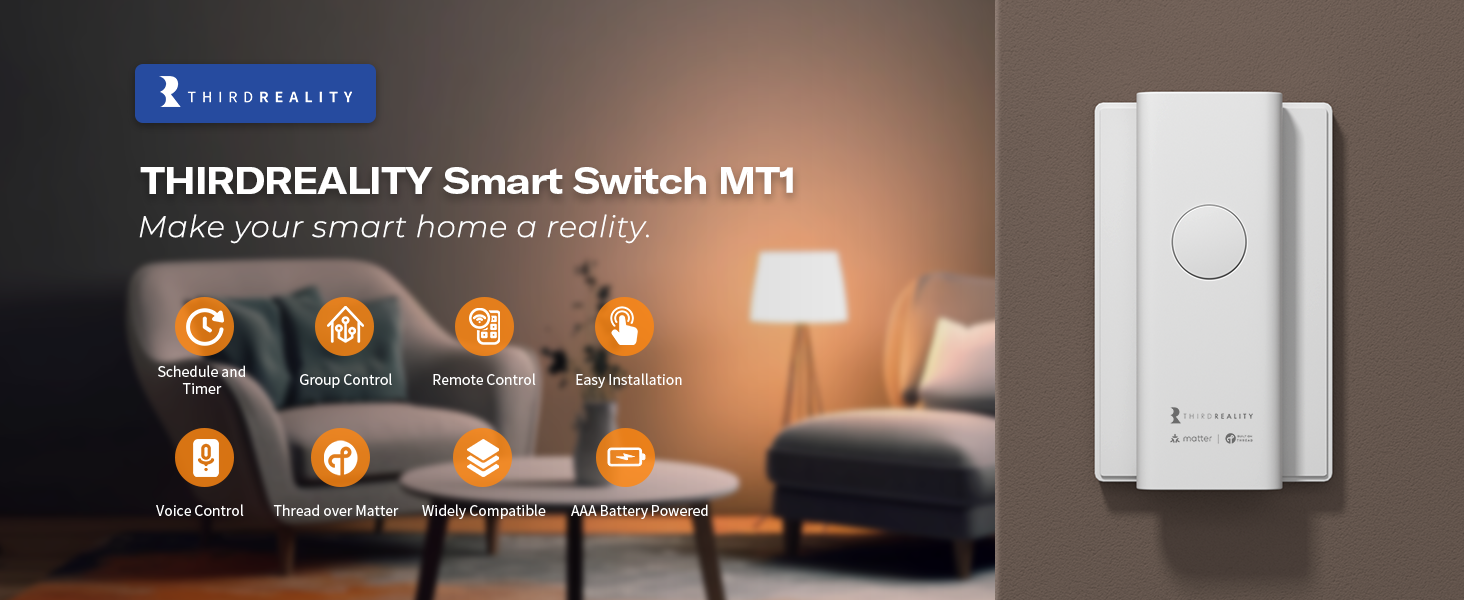
 Timer & Schedule
Set normal timer to turn on/off the light according of your schedules.
E.g. When the sun goes down, the lights will be turned on automatically.
 Group Control
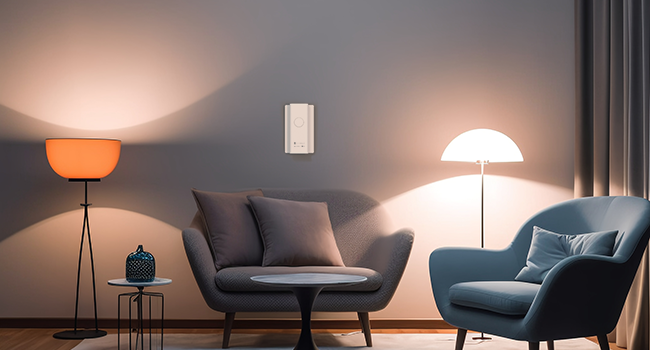
With successful pairing with compatible matter devices, you can combine the Third Reality switches into a group to build your smart home lighting system. Easily turn the the lights all on or off.
 Long Battery Life
Using two AAA standard batteries, the batteries life can last for up to1 years in normal use.
 Easy, No Wire Installation
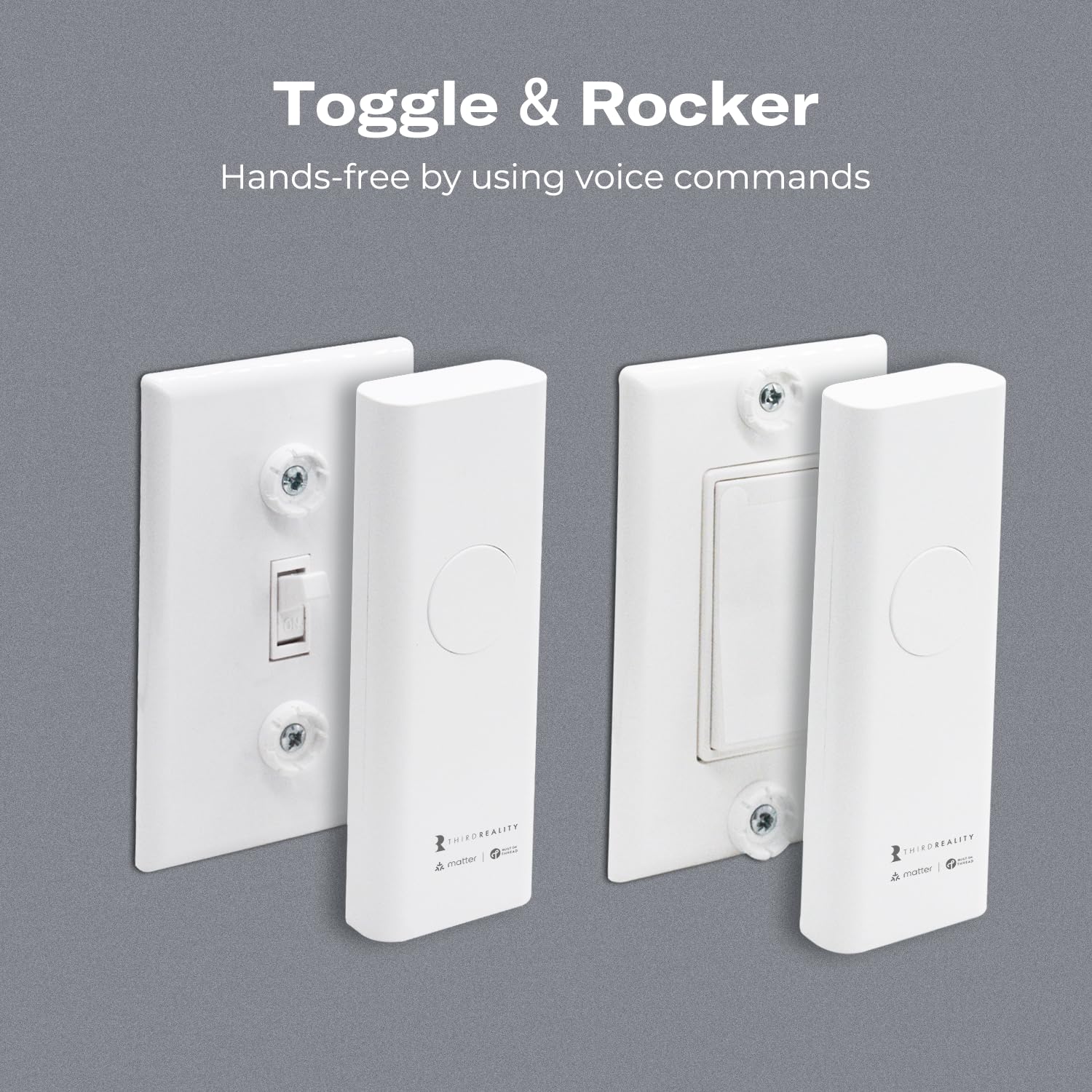
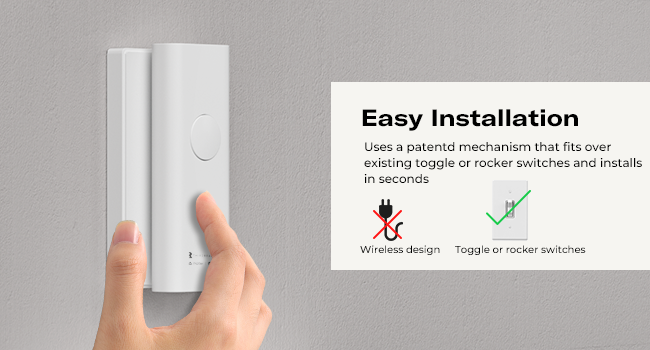
Featuring a mechanism that snaps over existing toggle or rocker switches, our smart switch installs in seconds. There’s no need to replace your old wall switch or perform any electrical work. The safe, simple installation process requires no wiring and leaves your walls completely undamaged.
Home Automation 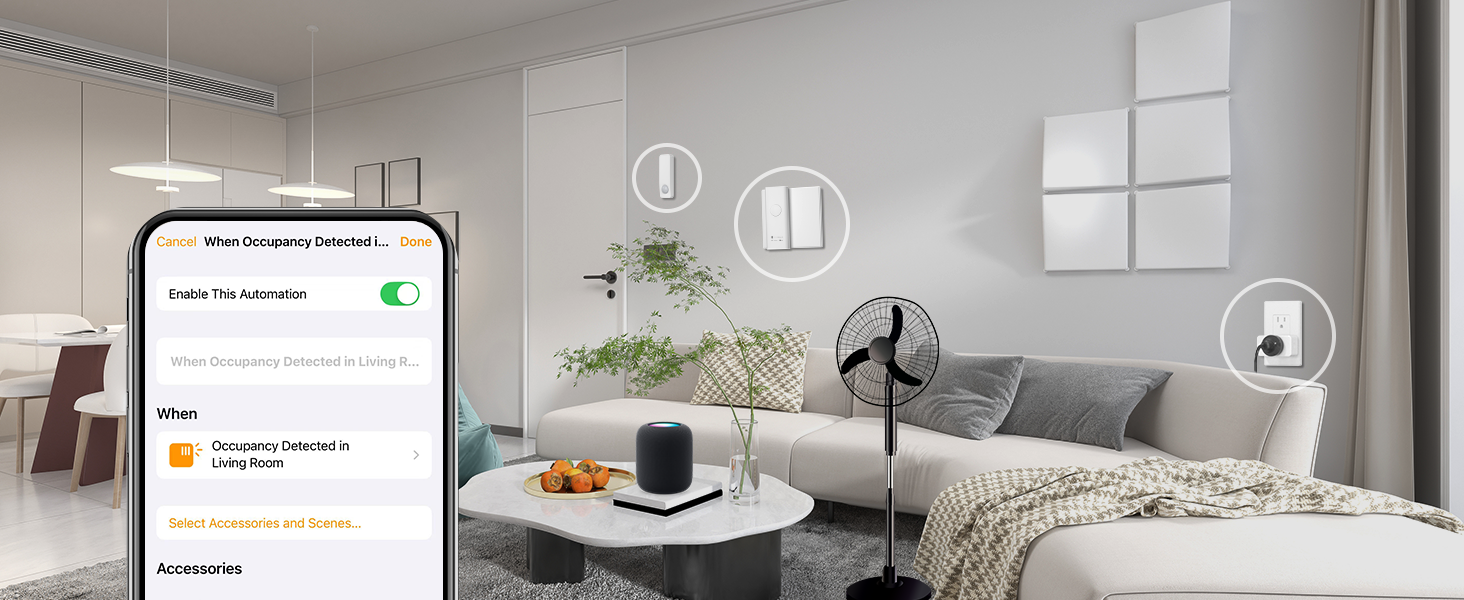
Seamlessly with Apple Home, Google Home, and SmartThings, ensuring effortless control across your ecosystem. With compatible app, you can easily set up custom automation scenes—like scheduling lights, triggering routines, or syncing with other smart devices—for a truly connected home experience.
Which one suit you better?
Protocol
Zigbee 3.0 Standard, Compatible Zigbee Hub or Smart Speaker Required
Protocol
Matter over Thread
Protocol
Matter Certifty, Smart Bridge Included
Compatible Zigbee Hub
Home Assistant(ZHA/Z2M),SmartThings,Aeotec,Homey Bridge&Pro, Hubitat,Eero6&6Pro
Compatible Matter controller
Smartthings2018 /Station,/Aeotec, Homey Pro, HA(Thread Border Router Required)
Compatible Matter System
Samsung SmartThings and Hubitat, for seamless smart home integration
Compatible Smart Speaker
Echo V4,Echo Plus Gen1/Gen2,Echo Studio,Echo Hub,Echo Show8 V3,Echo Show10 V2/V3
Compatible Smart Speaker
Apple Homepod mini, Apple Homepod, Apple TV, Google Nest Hub Gen2, Nest Hub Max
Compatible Smart Speaker
Apple Homepod/TV,compatible Google smart speaker, compatible Alexa Echo devices
Pairing Mode
Add a new device based on the adaptation hub
Pairing Mode
Add a new device based on the adaptation matter devices
Pairing Mode
Follow the 3R-Installer App to add the bridge and smart switch
Support OTA
Only Home Assistant(ZHA/Z2M) and Hubitat support
Support OTA
3R-Installer App supports OTA (only support link from matter platform)
Support OTA
Yes
✅ Easy, Wire-Free Installation: No wiring required! Installs in minutes over your existing toggle or rocker switches. Slim design fits multi-gang switch panels. Compatible with a wide voltage range (12V, 24V, 110V, 220V)—perfect for low-voltage setups like gas fireplaces.
🏠 Smarter Home Automation: Control lights and appliances with voice commands via your favorite smart assistant. Schedule automatic on/off times or mount it to unique switches like fireplaces for smarter, hands-free control.
💡 Energy Saving & Cost Efficient: Automatically turn off lights when no one’s home and reduce unnecessary energy use. Smart scheduling helps cut electricity bills while extending the life of your bulbs and connected devices.
🔋 Long Battery Life & Fast Response: Powered by 2 AAA batteries with up to 1 year of typical use. Enjoy fast, real-time control thanks to low-latency Thread technology—ideal for lights and essential home devices.
🌐 Matter over Thread Compatibility: Seamlessly integrates with Apple Home, Google Home, SmartThings, Homey, and Home Assistant. Thread offers reliable, low-power mesh networking with faster response times and cross-platform Matter support.
📱 OTA Updates via App: Stay up to date with the latest features and improvements. Use the 3R-Installer App to easily upgrade firmware over the air.
7 reviews for THIRDREALITY Smart Switch MT1, Matter Over Thread, Retrofit for Toggle/Rocker Switches, No Wiring Needed, Requires Thread Border Router, Works with Apple, SmartThings, Google, Home Assistant
Add a review

$34.99
FSU1976 –
So easy to install, even I was able to install this smart switch!
It is fantastic! Love it. Definitely a guy thing. I am dangerous with tools! I have tools in my garage so that when I need something fixed, my neighbors, who are great, do not have to bring over their own tools to repair something I screwed up. I can’t tell you how many items I have returned items over the years because I could not get them to work properly,(and didn’t want to hassle the neighbors.) My wife make outstanding home made Chocolate Chip cookies from scratch, so my neighbors work cheaply, – “Will work for chocolate chip cookies.This smart switch was so easy to set up that even I was able to get it working – ON MY OWN, without the neighbors help! My only one piece of advice I might have for anyone is to pair the smart switch first, AND THEN put it over the toggle switch. For some reason, I was able to get it paired, while it was over the switch, but it did not work. It showed up on my Apple Home Kit, but the HomeKit said, “Not responding.” I removed the smart switch from HomeKit, – then turned the smart switch off, went over to my kitchen counter, sat down, and did a factory reset. From there, I then paired it from my kitchen having my cell phone next to the smart switch. Upon have it again properly paired with HomeKit saying “All is well”, I hooked the smart switch over, and hooked it up to my toggle switch. AND IT WORK with my Apple Homekit!!!! YES!!!!!!! Thank you Jesus!I am using it to turn on and off my fireplace. I love it! What a hoot. It is those simple things in life.
Brennan Fehringer –
Not too shabby…
I’ll say this. Your mileage may vary.These work pretty well. I ordered two from Third Reality directly and had no issues. First one I ordered off Amazon was unresponsive in Apple Home or by the button after about 10 minutes. Blue light would illuminate but it would just act dead. The replacement has been working well so far. The motor isn’t too loud. Matter connectivity worked well. They aren’t glamorous like in-wall switches, but for renters, these are a no brainer. Can’t attest to battery life yet but I anticipate they will probably last a year or more based upon usage.
Dave K. –
It works! Matter over Thread Toggle/Rocker Switch Retrofit!
I’ve been waiting patiently for someone to create a toggle switch that supports Matter over Thread, as my entire house uses them. While this isn’t a toggle switch that supports Matter over Thread, this is the next best thing, as it can control one. Snaps on real easy too, no electrical knowledge needed! I can finally control the rest of my house without needing to replace all the switches in my home! The first switch was tested with Apple HomeKit on my gas fireplace, and it set up quickly and worked flawlessly. The installation time was less than 5 minutes. I will be buying a few more after a few weeks of testing. The switch does have a motor that’s a bit loud when operated, and it’s comparable to the sound a Schlage Electric Door Lock, but that doesn’t bother me. Works as fast as any other HomeKit automated device. Since I just installed it, I’m not sure how long the two AAA batteries will last. Will see. Overall, this is a fantastic device!
Tony E. –
Installation manual hidden, in the wrong place. Look down into “Safety Documents”… Huh?
When I buy an electronic device I expect a USER’S MANUAL.Even if I have to download a pdf, that’s fine.I don’t expect having to use Rufus to tell me how to do it.This device is so full of promise. I installed the batteries (mine) and it works but I bought it to integrate it into my homeAssistant. Unfortunately, when I try “product support” I get “troubleshooting” instructions for the Initial Installation.Forget it, I’m returning them.Yet another product where engineering got hosed by the cheap MBAs.BTW, I AM REALLY PISSED OFF.. I wasted six hours of my life researching this… the product looks pretty good and if I spend six more hours I can likely get it to work with my homeAssistant over Matter…BUT… as an R&D firmware engineer, I am constantly ticked off at the cheap Project managers.. you tell me if I spend 35 bucks for a product I shouldn’t at least have a three page User’s manual.Forget it. I’ll figure something out… maybe Amazon will come up with an alternative.. their smart switches were easy to install and well documented.Sight!I am pissed off.+++Update, vendor asked me about my comments… so I spend more time of my own life, here’s my reply (I’m not changing the one star rating, although it was nice of the vendor to reach out ).+++I got the packages, nice, the hardware looked nice, BUT, there were no instructions, not even a note with a printed link where I could find the set up instructions. OK, I’ll look it up, I figured.Hmm, so I got my own batteries (not the included ones so I didn’t rip into the delivered packages ). The front button made the level slide… OK… but, what’s is with all of those attachments?I went into Amazon, selected the available user instructions under the support button… went into the “initial set up” and it took me to troubleshooting, Huh?Looked into the product page, under Product Information, User’ Guide…. Hmm… nothing.So, I tried Rufus, there were some vague comments, but not the actual instructions.Now, as it turns out, tonight I did find the instructions… but they were buried down in the page. Down in the Safety Documents.Don’t you folks pay attention to your product pages in Amazon? Seems like someone didn’t test it.Too late.If you had posted the user’s manual under the instructions instead of taking me directly to troubleshooting and if the User Manual had been linked properly, in the right place, this would not have been a problem.If I pay 30 odd bucks for something, at least I expect some one to PAY ATTENTION…Mind you, I could have figured it out, but I’m paying YOU to tell me how to do it, not for me to do your job.Regards
Tim –
Fantastic product! Very well-engineered! Works great!
Fantastic product! Very well-engineered! Works great!
CSA68 –
Not compatible with Alexa
Worked for HA but not Alexa. Disappointing.
Anna H –
Easy install and great connection
Found this to be very easy to install where getting a smart switch into a cramped electrical box was going to be very difficult. So far it works great and has been very reliable. Definitely a fan of matter over these devices so I like that component. Only thing I would change is that it would be quieter when flipping the switch