
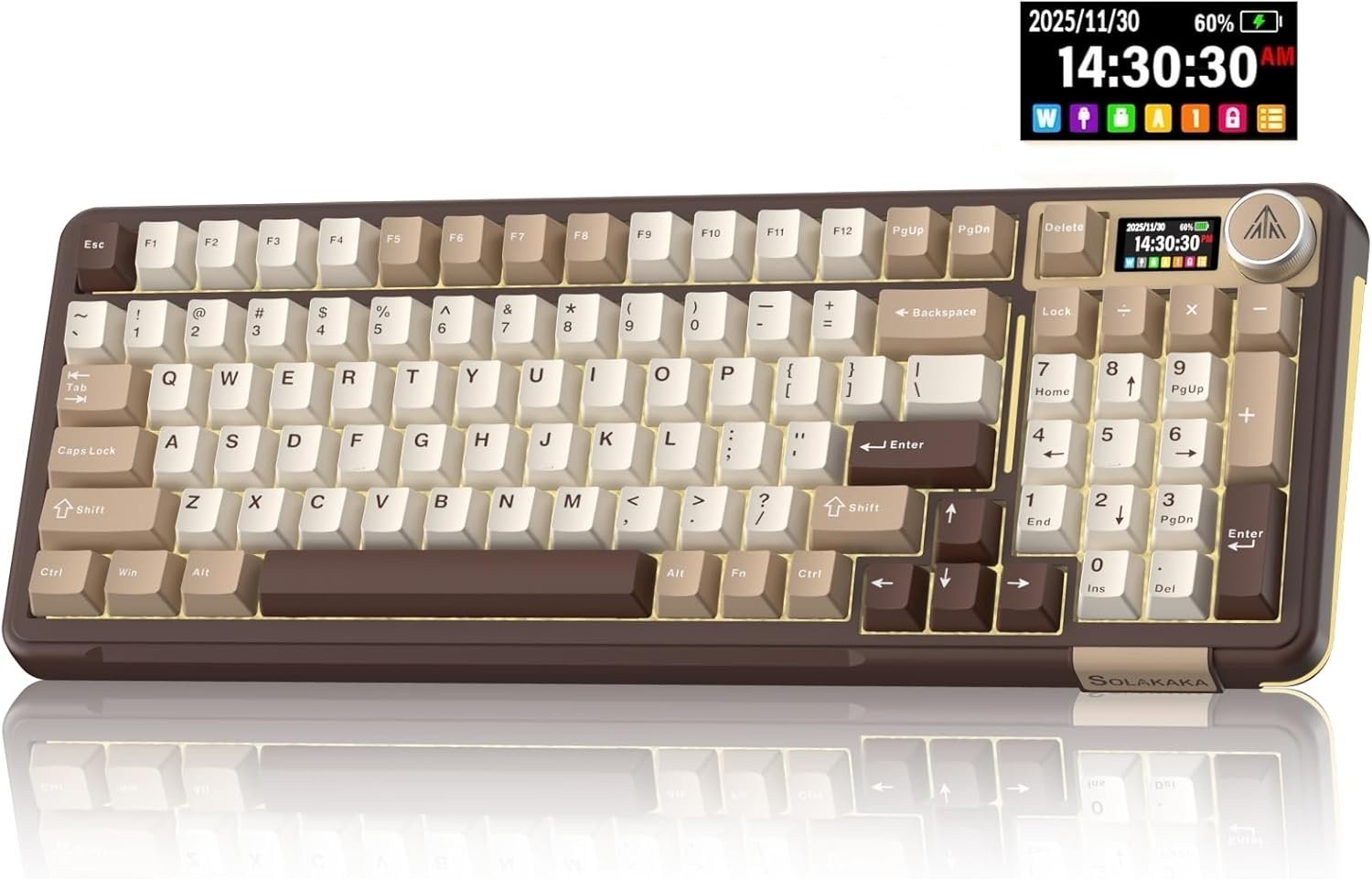
SOLAKAKA A75 75% Wireless Mechanical Keyboard, Hot Swappable Gaming Keyboard with Multifunction Knob & RGB, Gasket Mounted Creamy Keyboard, PBT Keycaps, Compact Layout for Win/Mac/PC
$79.99
Related Products






Product description


1 Full Hot-Swappable
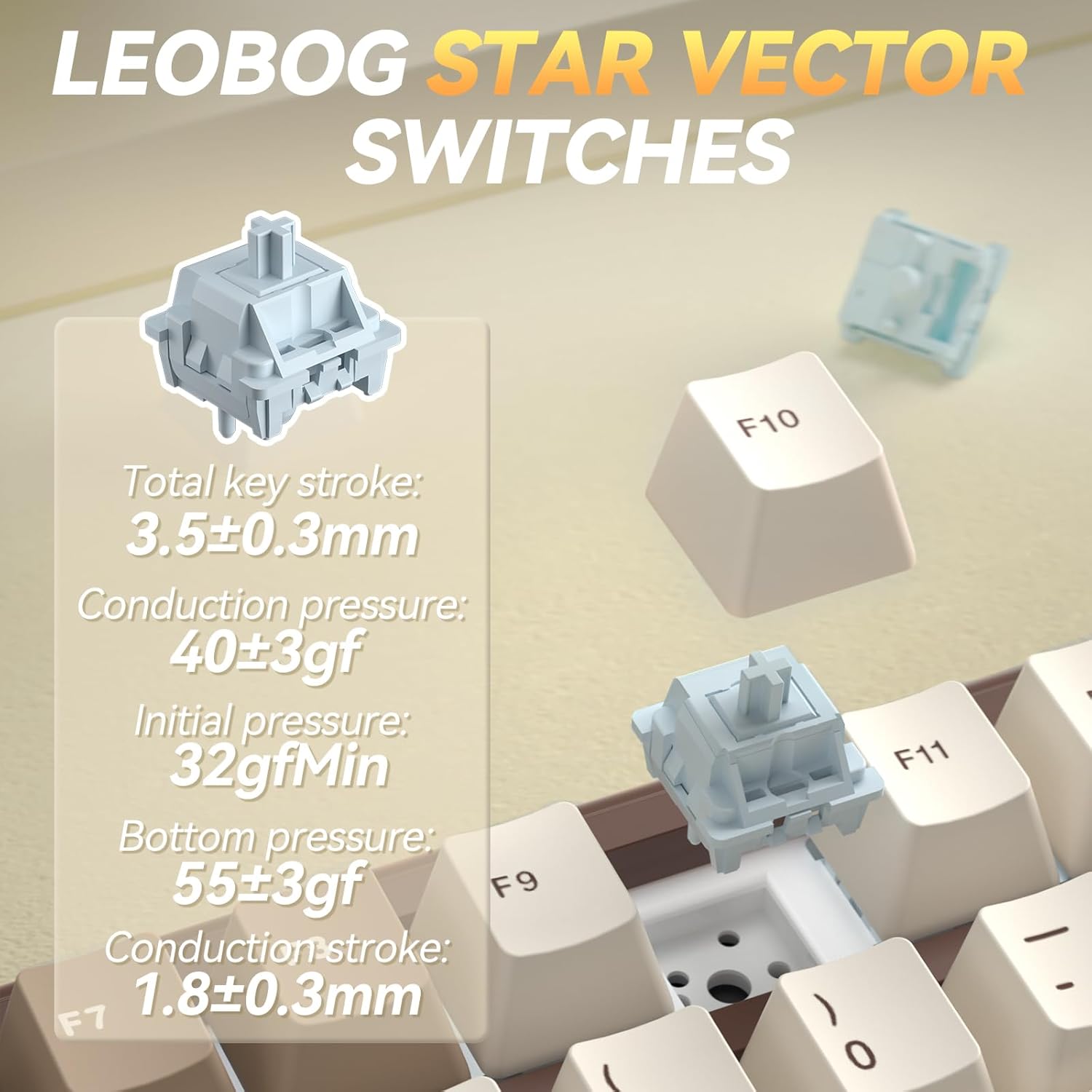
2 Linear Switch
3 Gasket Structure


Software download: solakakadriver.com (This software only supports Windows systems. Please run the driver in wired mode.)
What should I do if the plastic covering on the screen has scratches or curled edges?
The plastic covering on the screen’s surface protects it during transportation. If the plastic covering has scratches or curled edges, it can be peeled off without affecting the screen’s use.
Why can’t I run the driver software?
Please check if the driver software is running in USB-C wired mode. The driver software only supports wired mode and Windows systems.
How do I set up the GIF image?
You need to run the driver software in USB-C wired mode. And click the file download button to access the GIF image management page. Click “Upload” to upload the pre-downloaded GIF image. Click “Apply”. The GIF image will appear on the screen.
How to Switch Systems?
1. Locate the“System”settings on the screen, rotate the knob to select it, then press the knob to confirm.
2. Shortcut Keys for Switching Systems. Press “Fn+W” to switch to Windows; Press “Fn+M” to switch to Mac.
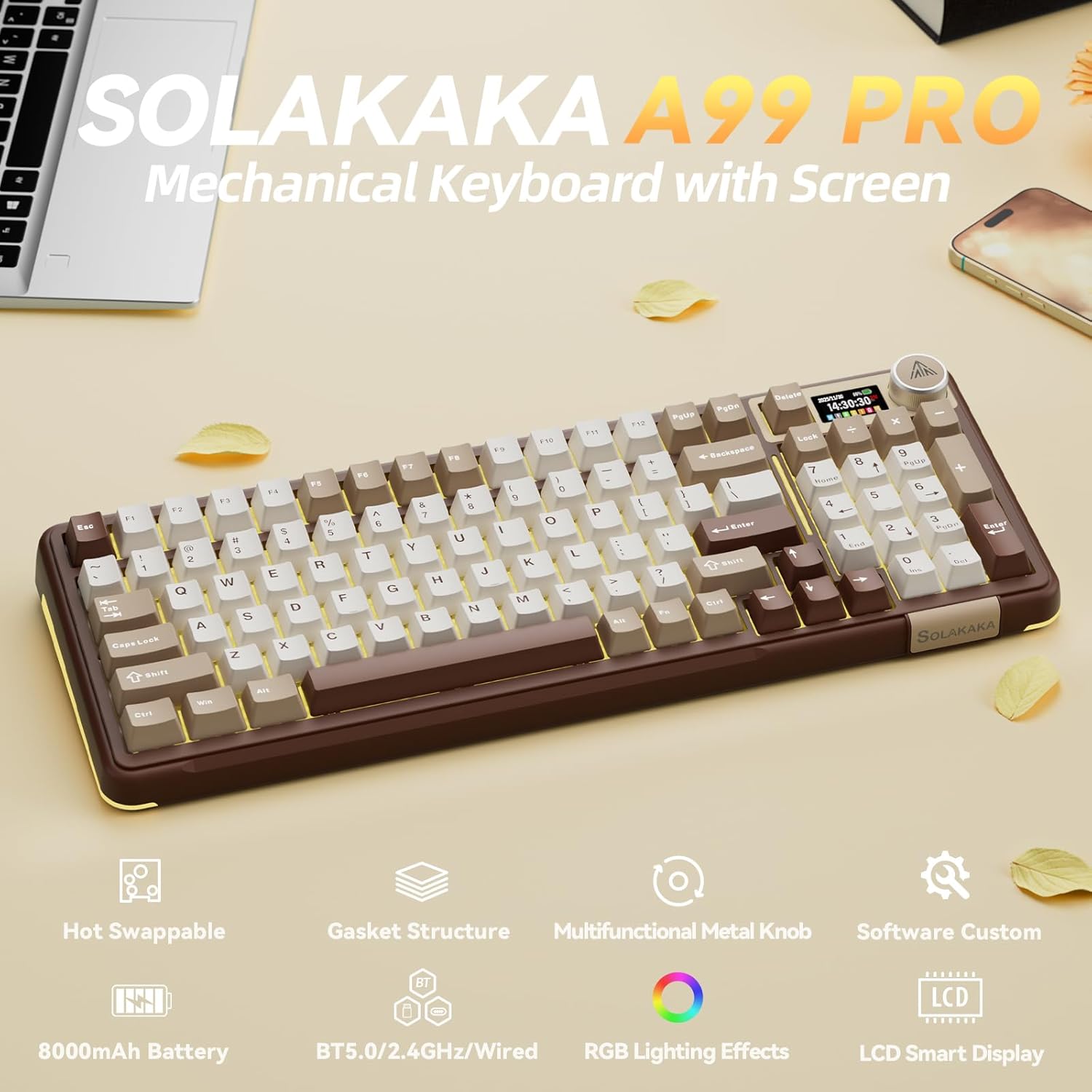
Full Hot-Swappable: The SOLAKAKA A99 Pro mechanical gaming keyboard supports 3/5-pin full hot-swappable technology. It also comes with a keycap puller, allowing you to easily replace switches and keycaps. Replacement is straightforward and requires no soldering, making it easy for both beginners and experienced users. Furthermore, this hot swappable mechanical keyboard utilizes pre-lubricated LEOBOG star vector switches for smooth and stable keystrokes
6 reviews for SOLAKAKA A75 75% Wireless Mechanical Keyboard, Hot Swappable Gaming Keyboard with Multifunction Knob & RGB, Gasket Mounted Creamy Keyboard, PBT Keycaps, Compact Layout for Win/Mac/PC
Add a review

$79.99
Alison –
Amazinnggg!!
I love this keyboard SO so much. It has the satisfying click noise when you press down on a key which I am so happy about. The small digital screen is so cool and works very well. There aren’t a ton of options for the color but there are a lot of options for the effect, so you can have just the light or you can have the lights flashing, for instance. The size is perfect for me, and it’s got a bit of weight to it so it stays put while you’re using it. Overall, this keyboard works remarkably well and I would highly recommend it to anybody!
gabriella pizzimenti –
Great sounding keyboard
This keyboard is so beautiful! Straight out of the packaging, it does not need any modding to the switches or key caps. It has the most perfect creamy thock sound! The dial is very easy to use. As someone mentioned below, the gif does not stay. It will revert to the time however that is not a priority or take changer for me. If you’re new to keyboards, I would definitely recommend this one
Caroline S –
Next-Level Gaming and Typing Experience!
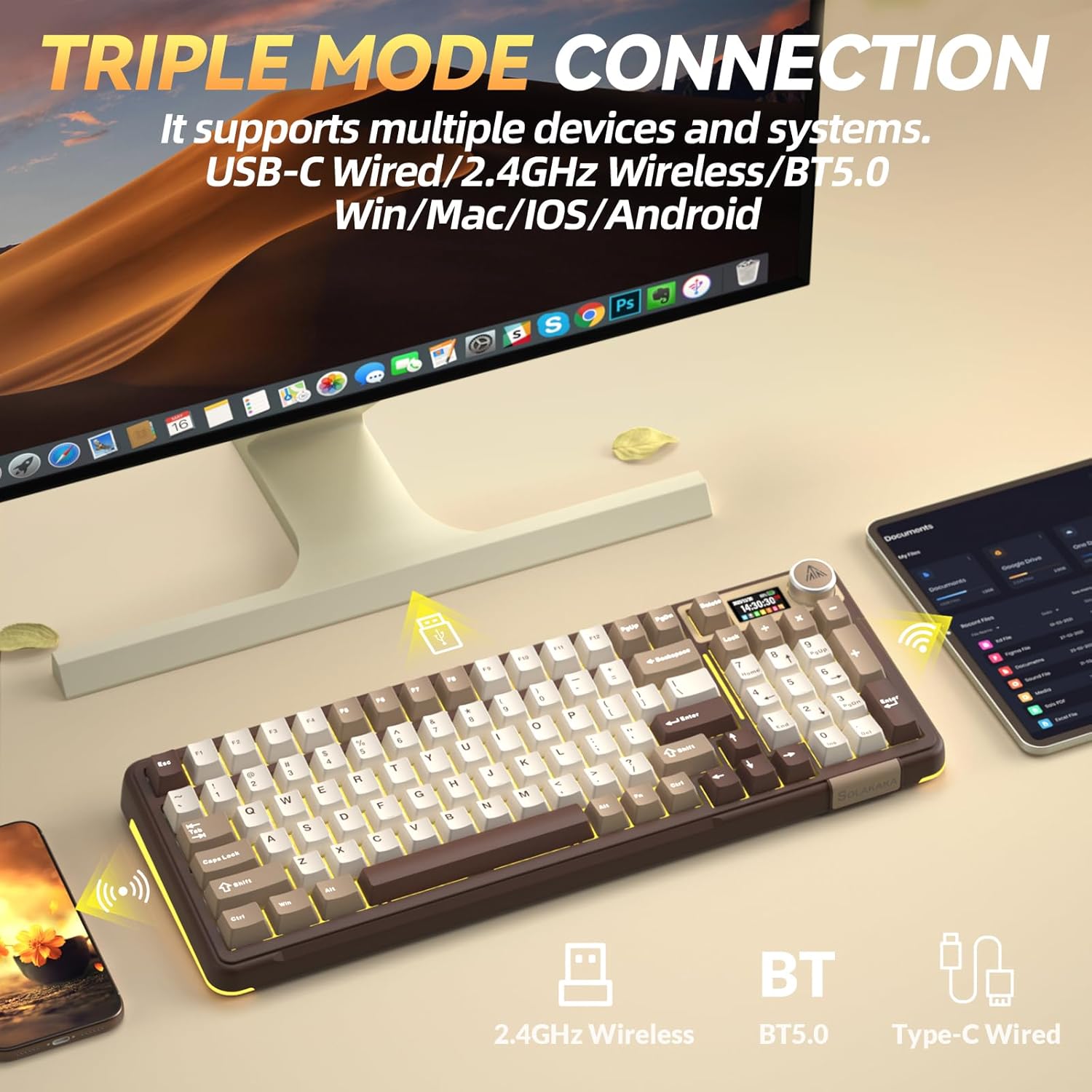
The wireless connectivity is exceptional. I utilize Bluetooth 5.0 for my laptop and 2.4GHz for my desktop, with seamless device switching. The USB-C connection is efficient and dependable for a wired configuration. I appreciate that it is hot-swappable; the smooth, creamy switches provide a gratifying experience, and I can effortlessly replace them to tailor my typing or gaming sensation.Typing on the gasket-mounted framework is a sheer delight. It is tranquil yet reactive, providing excellent input for both professional tasks and gaming experiences.
M –
Daas is good, but these are good too.
I absolutely adore this keyboard.The overall quality is quite stellar, the coloration is stunningly beautiful, the weight is solid.I’ve noticed a a couple imperfections, such as around the mode ports, but the look and feel of this monster at a glance more than makes up for it.It has some really interesting lighting features, such as the LCD screen which I personally love as having a clock handy while in game can be really useful. Wouldn’t be the first time I lose time when deep in a full screen game is all I am saying.Now that I have my newer machine set up, I’ve really come to appreciate the option of Bluetooth connectivity in my devices, especially ones that come with a dongle and cord as well. It really lets you pick your poison.I am a person who loves a big keyboard, so while this one is a bit smaller than what I am used to, the inclusion of the number pad and the important bits of the arrow section is really handy for me. I really struggle with changing keyboard formats, but this thing is nice enough that I am interested in learning it.I love the variable leg sizing, especially after having previously built my own platform out of cardboard and hot glue just to get a good angle to type on.Definitely has me feel as though it is absolutely feature complete, and honestly pretty affordable as far as high quality mechanical keyboards go.
Sam Beckett –
SOLAKAKA A99 Pro: Creamy Wireless Keyboard That Sparks Joy in Typing
I paired this SOLAKAKA A99 Pro mechanical keyboard with my Samsung tablet over Bluetooth, and it connected smoothly without any hiccups, letting me dive right into editing documents on the go. The creamy switches deliver that soft, satisfying feel with each press, making long writing sessions far less tiring than on my old setup, thanks to the gasket structure that absorbs noise and adds a plush bounce. Right away, I noticed how the LCD screen lights up with a crisp clock display by default, which glances at time or battery status super handy while working.What really sets this keyboard apart is the multifunctional metal knob, which I twisted to tweak volume and brightness effortlessly, adding a tactile thrill to adjustments that feels almost luxurious. The tri-mode connectivity shines too, as switching between devices feels seamless, and the RGB backlighting with side lights casts vibrant glows that amp up late-night sessions without overwhelming the desk. Sure, the software customization is Windows-only, which limits some tweaks on my tablet, but for everyday use, the out-of-box experience holds up strong.In the first photo, you see the keyboard propped on my wooden desk with the tablet stand nearby, showcasing the full 96% layout, those PBT keycaps in earthy tones, and the USB dongle ready for 2.4GHz mode, all captured in natural light to highlight its compact yet feature-packed build. The close-up shot reveals the ports on the back, including Bluetooth and USB-C, plus the RGB edges glowing softly against the wood grain. These images give a real-world view of how it fits into a productivity nook, helping you picture it in your own space.
Brittany –
The Ultimate All-in-One Mechanical Keyboard!
The SOLAKAKA A99 Pro is a game-changer for both productivity and gaming. The standout feature is the LCD screen and multi-function knob, which makes customizing settings like RGB, volume, and connectivity modes incredibly intuitive without needing extra software.What I love:Premium Typing Experience: The 5-layer gasket structure and pre-lubed LEOBOG switches provide that sought-after “creamy” sound and a super-smooth feel right out of the box.Insane Battery Life: With a massive 8000mAh battery, I rarely have to worry about charging, even with the vibrant RGB lighting active.Versatile Connectivity: Switching between 2.4GHz, Bluetooth (up to 5 devices!), and wired mode is seamless across Windows and Mac.Full Customization: It’s fully hot-swappable (3/5 pin) and the driver software even lets you upload custom GIFs to the LCD screen.The 96% layout is the perfect middle ground—saving desk space while keeping the essential number pad. Whether you’re a beginner or a keyboard enthusiast, this board delivers incredible value.