
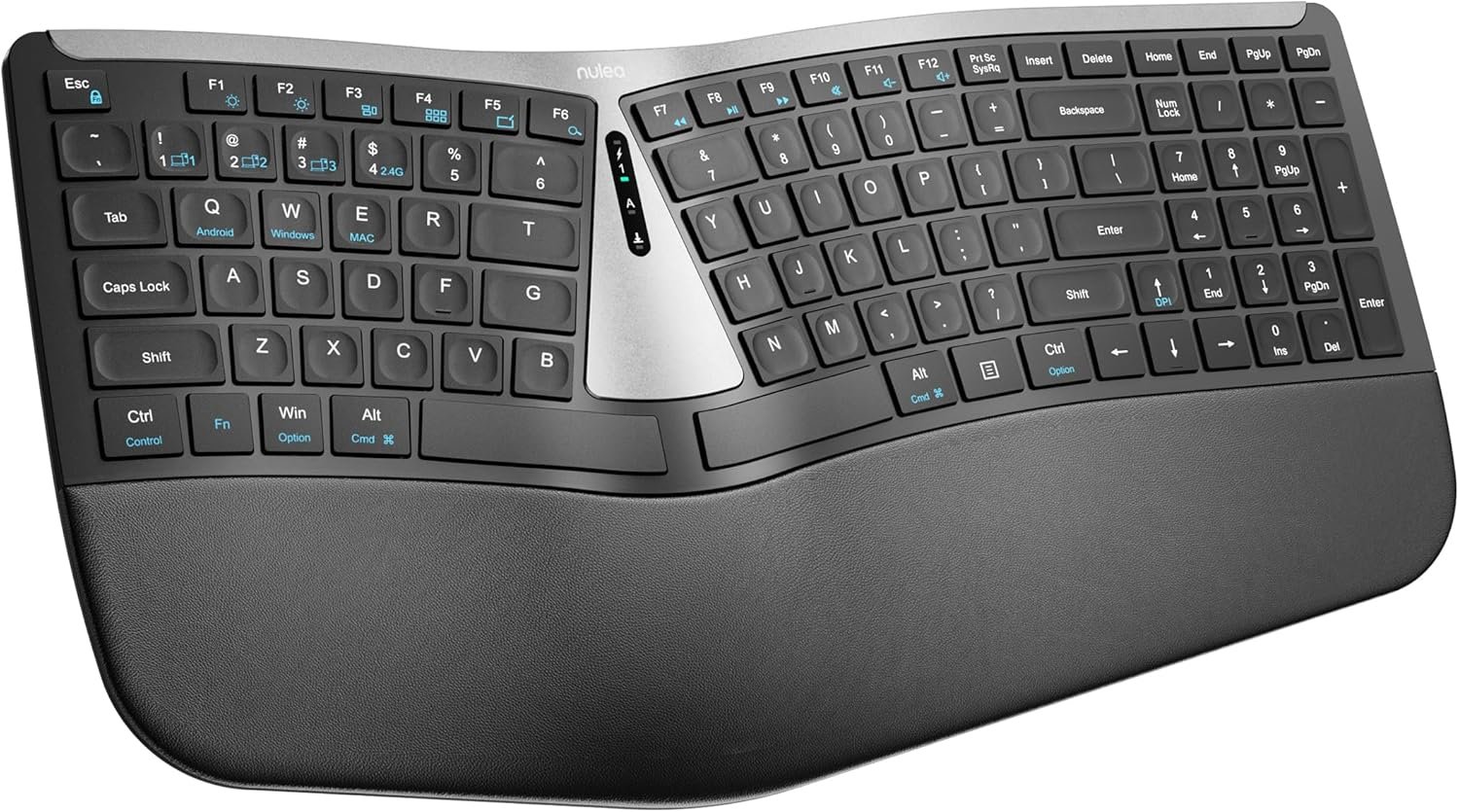
Nulea RT07B Wireless Ergonomic Keyboard – Split Keyboard, Wrist Rest, Natural Typing, Bluetooth and USB Connectivity, USB-C Rechargeable,Compatible with Windows Mac (Silver Black)
$45.99
Related Products







Product description
The video showcases the product in use.The video guides you through product setup.The video compares multiple products.The video shows the product being unpacked. Nulea RT07B Wireless Ergonomic Keyboard Merchant Video
 Better Posture,More Comfort
Type more naturally with a full-size curved, split keyframe that improves typing posture.
 Feel the Pressure Lift
Not just a cushioned palm rest. Three layers of comfort work together to give your wrists the support you need.



Ergonomic Split Design for Optimal Comfort:Nulea ergonomic keyboard is designed with an ergonomic split layout that reduces forearm muscle twisting and eases the pain associated with carpal tunnel syndrome. It offers a natural and comfortable typing position for your wrists and forearms
Rechargeable for Uninterrupted Work: Say goodbye to the hassle of constantly replacing batteries! This ergonomic wireless keyboard boasts an impressive 200-hour battery life, ensuring you stay productive and uninterrupted
Comprehensive Palm Rest:The soft palm rest provides excellent support, keeping your wrists in the most comfortable position during extended use. It’s like a cozy cushion for your wrists
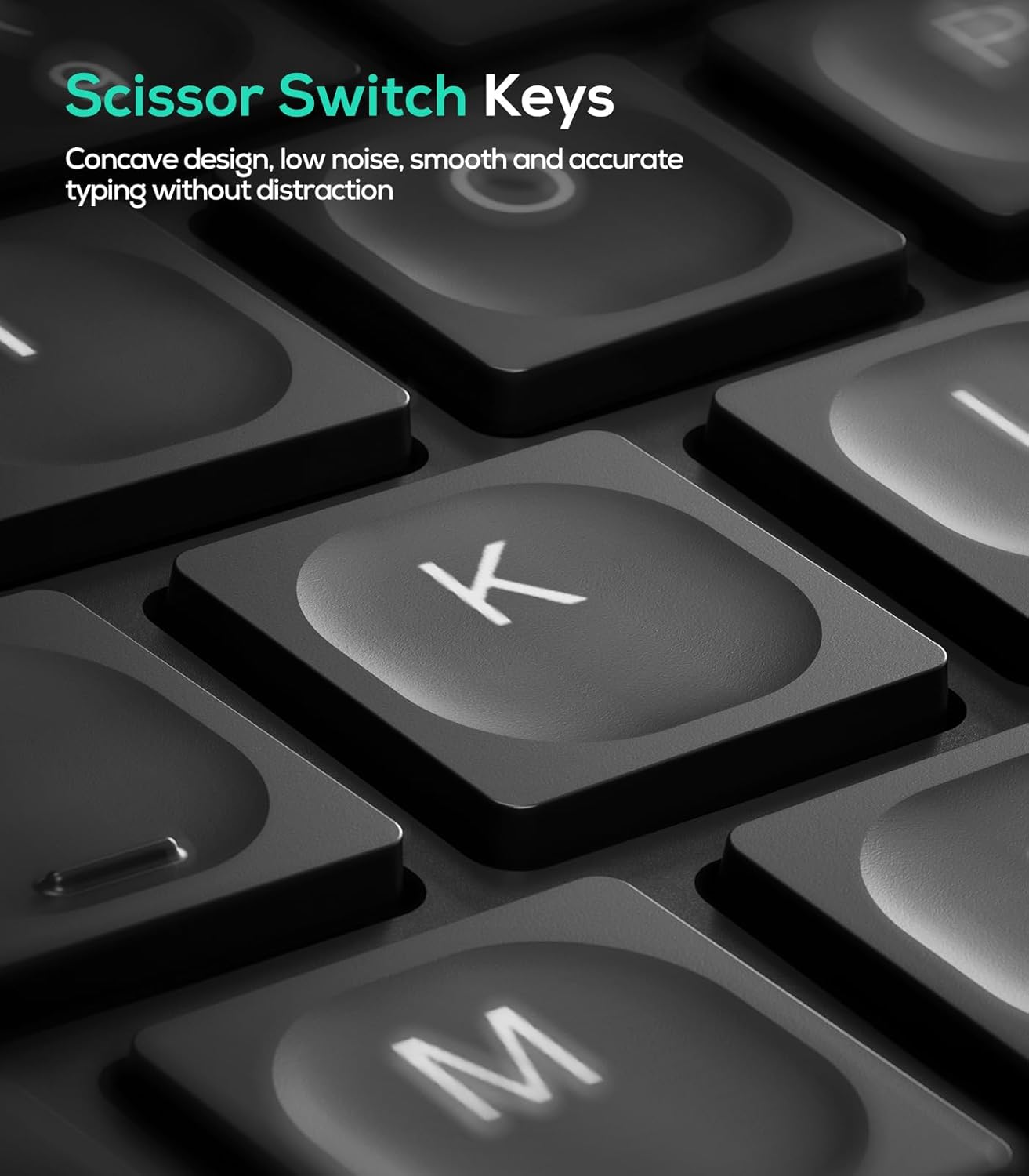
Scissor-Switch Keys for Superior Typing:The scissor-switch keys offer exceptional stability, rapid rebound, and even pressure. Enjoy a smooth and responsive typing experience with every keystroke
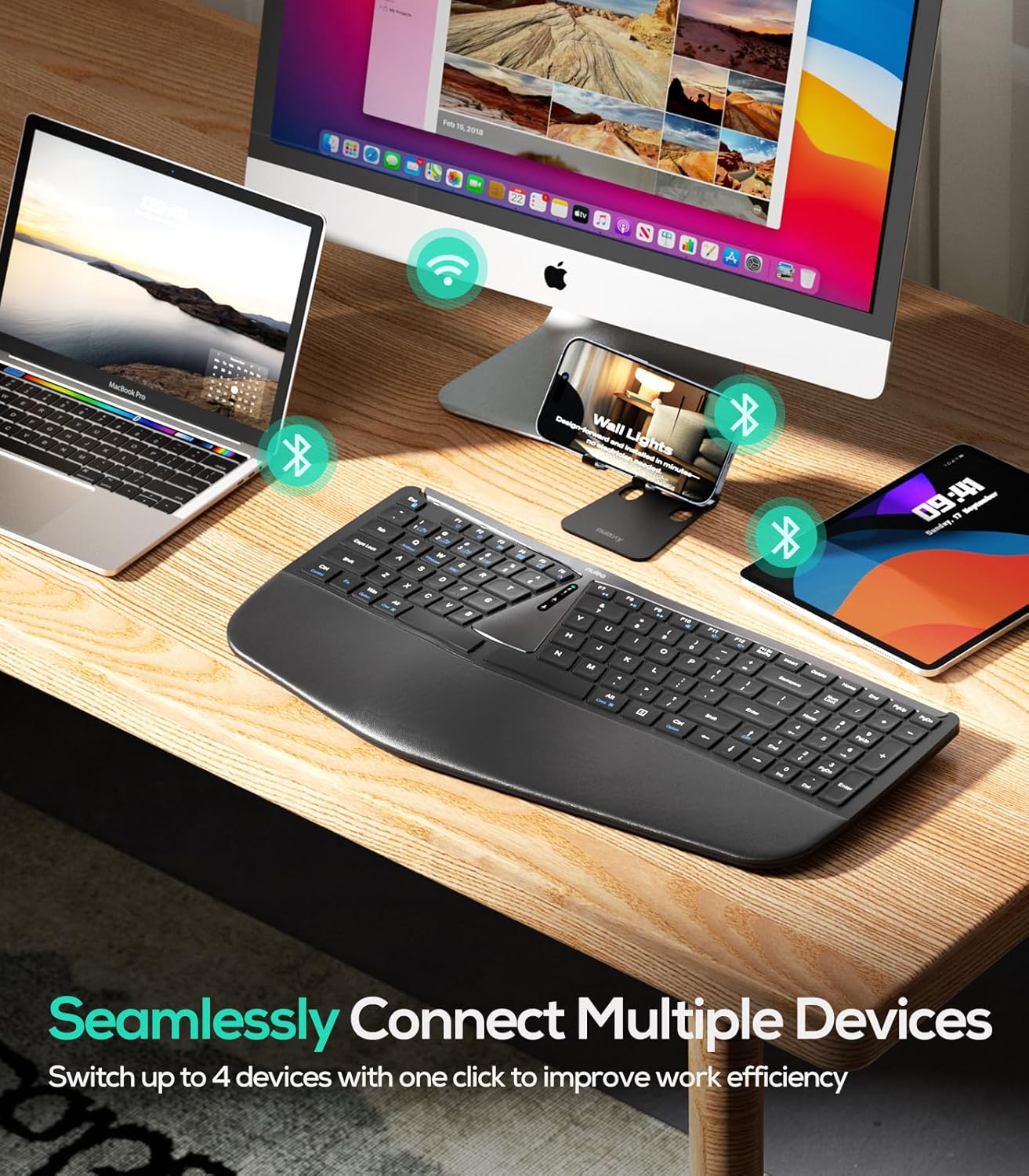
Seamless Dual-Mode Connectivity: Enjoy the flexibility of smooth transitions between devices with our dual-mode (Bluetooth & 2.4G) wireless ergonomic keyboard. Whether you’re at work or play, easily switch between different devices for a streamlined experience.
Multi-Device Connection: Connect up to three devices via Bluetooth or 2.4 GHz wireless; this ergonomic keyboard USB wireless is compatible with laptops, tablets, and smartphones; perfect for multitasking.
13 reviews for Nulea RT07B Wireless Ergonomic Keyboard – Split Keyboard, Wrist Rest, Natural Typing, Bluetooth and USB Connectivity, USB-C Rechargeable,Compatible with Windows Mac (Silver Black)
Add a review

$45.99
AJ Harris –
Where have you been?
As a screenwriter, this keyboard is super comfortable. It took me a second to get use to it but it promotes natural posture which is nice. With other keyboards, I typically look down to make sure I’m hitting the right strokes but with this one, everything is naturally there, which has increased my typing speed.I use the USB connector to allow for fast connectivity just like my old keyboard so there’s no lag. Compared to the Logitech keyboard, which is this a replica of, it’s definitely a bang for your buck. $80-$100 less is a steal honestly. My only peeve is the loudness of typing compared to the Logitech keyboard but once you get going, you barely notice. The t does not take away from the rating though.Sucks that I can’t use it at work because I definitely would.Get this one! It works like a charm.
Erica R –
Great Full Size Keyboard
Great keyboard, I just wish the keys were a smidge closer.
DD Gott – Donadees Corner –
Nulea RT07B: Comfort at your fingertips, drama optional.
The Nulea RT07B is like a recliner for your fingers. Typing feels less like work and more like a spa day for my wrists. Plus, it’s wireless—so when I rage-quit a spreadsheet, I can dramatically toss it across the desk without yanking a cord. The only difference is where the zero is on the number keypad. In fact, that part is entirely different from the others, but as with everything else, it takes a minute to get used to it.
Zak –
Dense and surprised at the quality…
My beloved Microsoft 4000 keyboard finally started to act up after 17 years…not a typo.And other similar keyboards are outrageous in price so decided to try this after a bit of researching.While the keyboard is slightly smaller than the 4000, it doesn’t seem to affect the way I type. The low keys are very similar to that of most modern laptops.My only start deduction is the number 0 key on the right is a bit further away and keep hitting the right arrow key. Along with that, the backspace is also a bit hard to reach at times. And the number key for whatever reason would reset each time I log in so it doesn’t stay on forcing me to turn it back on. One thing I wish this had was a higher keyboard height feet. The highest doesn’t seem to get high enough but I’m getting used to it.But for the most part, I got used to it quickly and do like the low profile style as it’s more quiet to type. It’s slimmer to it doesn’t take up a lot of space either is very comfortable. Overall weight is dense so it doesn’t feel like a cheap $10 keyboard. I was surprised how heavy the actual retail box was with the keyboard.Since it’s on its own 2.4GHz bandwidth, I’ve had no issue with the key transmitting and able to use it while charging from the start. No software or driver to update. Just plugin the dongle and you’re ready to go, at least with Windows 11!
Emily –
Keyboard
Wow, great keyboard. Easy connection, adjustable to your comfort. I love the fact it’s rechargeable.
Catherine –
Keyboard
It works very good my husband says its a excellent keyboard especially for your hands don’t get tried or hurt.
Bob R. –
Comfort That Resets the Way I Type
The Nulea RT07B isn’t just a keyboard—it’s a shift in how I show up to work. The split ergonomic design encourages natural posture, and the built-in wrist rest feels like a gentle invitation to slow down and type with intention. It’s Bluetooth and USB compatible, and the USB-C rechargeable battery lasts impressively long.Setup was seamless across both Windows and Mac. The keys are responsive but quiet, which makes it perfect for deep focus or late-night writing rituals. I didn’t realize how much tension I was holding until this keyboard helped me release it.If you’re looking for a tool that supports your body and your flow, this one delivers. It’s not just ergonomic—it’s emotionally ergonomic.
Rebecca Beaver –
Most annoying keyboard I have ever bought
This keyboard is the worst. When caps lock is turned on, there’s a light that comes on the keyboard for a few seconds, but the ln it turns off. So often I think caps lock isn’t on, and start typing and realize it’s all caps. It also disconnects from the computer after a few minutes of no typing. So then when I start typing again, the first few letters don’t appear bc the keyboard is reconnecting. I tried keeping the keyboard plugged into the computer after all times and that does help at all. Every time I type in my password to log into my computer in the morning, the password is wrong bc it didn’t get the first few letters. Buy a different brand, don’t buy this junk.
H2O –
My experience with Nulea products have always been good, and this is another such example.Different use case might require different keyboard designs. This design is good if you have good space on your desktop to fit a moderate to large sized keyboard. The materials, build, and design is of good quality. Its connectivity is one of the things I like most. Simply using basic key combinations (that are also marked on the keyboard), you can switch between 3 different Bluetooth devices and a 2.4GHz connection through a USB dongle. You can also switch between 3 modes (Android, Windows, and Mac) too. It has a built-in rechargeable battery that saves you from extra cables and the battery life seems quite good. The keys have slight concavity to have your fingers fit well on them. The key placement seems good, and you can quickly start typing without looking at the keyboard; everything seems to be where they should be. The scissor-switch keys feel very silent, but if I have to complain, I might have liked a slightly higher pressure threshold for pressing the keys. But on top of all these, it offers great value. The price was not available at the time of writing, but at the time of order, it was at $30 CAD, which I felt to be a great deal for what you get.
Ali –
I love it. It is perfect for what I need.
G.S. –
I have been using a Logitech ergo K860 for around 2 years now, and that keyboard is my favorite out of many that I have tried, and this comes close considering it costs around 7 times less.At the time of ordering, this keyboard was priced at 30 CADOver the k860:My biggest complaint with the k860. I very much enjoy the more compact form factor making this keyboard MORE ergonomic in this aspect than the k860 since the distance that needs to be travelled between the keyboard and the mouse is reduced. I again think there is a market for 75% keyboards that are of this form factor, but at least this is an improvement.Quality for the price (5/5): I completely disagree with the review that says that this is cheaply made. It is not actually that bad. I think it is actually built better than most keyboards in its price. It doesn’t flex even under heavy typing and the plastic is very solid and I actually think that it could be mistaken for being twice the price. This is especially compared to the Ergo K860 which is much much more expensive.Connectivity (4/5): The Bluetooth keeps up well, it does require a key press before starting up again after it’s been idle for a minute, but starts up instantly once that is done. Much better than some mechanical keyboards that are 3 times more expensive than this. The 2.4G also keeps up with no issues whatsoever.keys (4/5): If there is anything that feels cheap on this keyboard, it is the keys. I am coming from a 200+ CAD keyboard that is made by the best in the business, so there is that. The keys really don’t feel that bad, they just have slightly more wiggle room to them and are a lot less hard to press (I think the common term is they weigh less) which I actually almost welcome if it weren’t such a big difference. This is because one of my complaints about the ergo K860 is that it’s keys are a bit difficult to activate for my taste. The curve on the keys is ergonomics and mimics the ergo k860 well. This is one of my favorite things about the k860 as opposed to some other tented mechanical keyboards that I have.I wish that there was some sort of back lighting. This is another point of complaint for me with the k860.The letters are big and clear so there is no issue seeing them under normal lighting.Ergonomics (5/5):The tilt of the 2 keyboard halves (A.K.A. tenting) is pretty minimal. It is definitely noticeable, but I personally would have preferred a bit more tenting than the current situation. That said, this is only slightly smaller than the k860.The angle of separation between the 2 halves is slightly smaller than that of the k860, but it is pretty indistinguishable.other than that I have been doing type tests with this keyboard and it is much less fatiguing than a typical keyboard in my opinion.Battery life:I haven’t had this keyboard for long enough for it to run out of battery life, if it is not as expected (200 hours), I shall report back.While I don’t regret my 200+ CAD spent on the K860, I am a bit salty that I didn’t use this first because I would have stuck with it and not bought the K860. I do think that the K860 is better, but honestly if the ergonomics is all you care about, this is more than enough to cover my needs for basic typing
CanadianK –
This Nulea RT07B Wireless Ergonomic Keyboard is the second Nulea keyboard I’ve ordered. That alone speaks to how much I like this brand.This RT078 is a simpler version of the discontinued RT07 that I ordered 6 months ago.Both ergonomic keyboards’ key touch and key layout are exactly the same so moving between them is seamless. For those coming from other layouts, be aware that the Fn and CTRL keys are reversed so that takes a bit of remapping of muscle memory when I move between my Thinkpad keyboard and the Nulea.The Ctrl and Alt keys are on both sides of the keyboard; I use a lot of keyboard shortcuts so this is important to me.There is a ‘right click’ key for the right hand which brings up the mouse’s right click options. And the Win key on the left side.On the bottom are four flip-out feet to raise up the keyboard. The listing shows using either the back or all four feet to adjust the height/angle but I find using only the front feet puts the keyboard on a downward slope away from me and so my wrists stay in a straight line from my elbows to my fingers. The soft wrist rest supports my wrists comfortably.The keyboard connects seamlessly via the USB 2.4g wireless. When this arrived, I plugged in the USB dongle, turned on, and was up and running despite the fact that I already had my Lenovo wireless keyboard running. Normally I only take advantage of two keyboards when casting to my TV and using the small Lenovo keyboard from the couch.I really like the touch of the keys. The home row is marked with raised spots on the F & J keys. And the backspace key is large so it is easy for me to hit that over-used key with my pinky.I love having the number pad and I missed it so much that was why I ordered this keyboard.My only complaint about this keyboard is that the light to indicate the number pad is active is in the centre of the keyboard instead of on the Num Lock key itself. Since the light and key are so far apart, I’ll commonly start using the num lock, thinking it is engaged and then discover when I look up to my spreadsheet that I’ve been using the direction keys. I find the Num Lock turns off unexpectedly and suspect I’m over-reaching on the backspace key and hitting Num Lock by accident.I ‘needed’ this second Nulea keyboard because I had a project that required me to work on a different computer in a different room, along with my laptop. At the new computer I was super inefficient without my ergonomic keyboard, so I moved my original Nulea keyboard over to the new computer. Which meant I was using my Lenovo keyboard at my desk and missed the wider ergonomic design and the number pad so much, I ordered this RT07B solely to get through this project without getting irritated by switching keyboards.For decades I was a huge fan of the Thinkpad keyboard, considering it the best on the market. Now I’m a convert to Nulea’s ergonomic design, layout, and touch.
BBD –
These keyboards can be polarizing – you tend to either love them or hate them. I’m typing this review on this keyboard and I’m really enjoying it!My daily driver keyboards are a Logitech KB 350 (for work) and a Logitech MX Mechanical (for play), so I’m already quite used to the split/tilted/angled style of the keys – but to be fair, this Nulea wireless keyboard raises the bar on that. There are a bunch of borrowed styles and designs integrated into this keyboard: multi-PC connectivity via Bluetooth, USB cable and a 2.4 gigahertz USB A dongle that stows away neatly on the underside. Pretty much all the best ideas we’ve seen for many years are rolled into this keyboard.Aesthetically, the keyboard is beautiful. The colours, plastics and shape of everything are super sleek, elegant, and very suitable for professional office use in my opinion. The wrist rest is butter soft with a firm, light padding that feels like nothing at all to me, and I’m guessing that’s the point – you are fully supported so feel zero strain on your wrists or tendons because everything is aligned where it should be to type (as natural as that can be for humans, I suppose).I really like the keyboard shortcuts to flip between Windows and Mac key layout options (Fn-Q, Fn-W} – and you can flip back and forth quickly between them, like if you have this keyboard paired to a Mac on Bluetooth and PC using the 2.4G dongle. I like the coloured status LEDs that report which connection you are using and battery charge status (super clear from any angle and very bright). I like how the keys are very quiet (definitely feels like a good quality scissor keyboard with a nice, tactile bump on all keys). I love the foldaway feet to raise either the front OR the back of the keyboard – perfectly suited for portable lap-desk use and this REALLY reduces typing stress on the back of my hands. The Bluetooth latency is much less perceptible to me than on my MX Mechanical (way to go, Logitech – this keyboard is a tenth of the price!).A couple of things I didn’t like:-the arrow keys are crowded among other keys on the lower right side of this keyboard. Yes, it makes it super compact however it can be slightly challenging to remember your key positions without any spacing. I got used to it, but it takes some time.-the butter-soft vinyl on the wrist rest might not stand the test of time. It’s pretty thin/light and wraps around a hard front edge of the wrist rest that may wear it out prematurely if you are heavy handedOverall, I love the way this Nulea wireless keyboard looks, and I’m able to type at the same speed as my daily drivers. So to me, this is an absolute win.Highly recommended!