

llano V12 Ultra Laptop Cooling Pad with Smart Software Control, RGB Gaming Laptop Fan Cooler Stand, 5.5″ Turbo Fan, Adjustable Speed, 3*USB 3.0 Ports, 3 Height Stands, for 15.6″-19″ Laptops, Black
$129.99
Related Products


Product description
Smart Cooling, Ultimate Performance –llano V12 Ultra RGB Laptop Cooling Pad
The video showcases the product in use.The video guides you through product setup.The video compares multiple products.The video shows the product being unpacked. llano V12 Ultra Laptop Cooling Pad Merchant Video



1 Intelligent Control
2 Turbo-Pressure Cooling
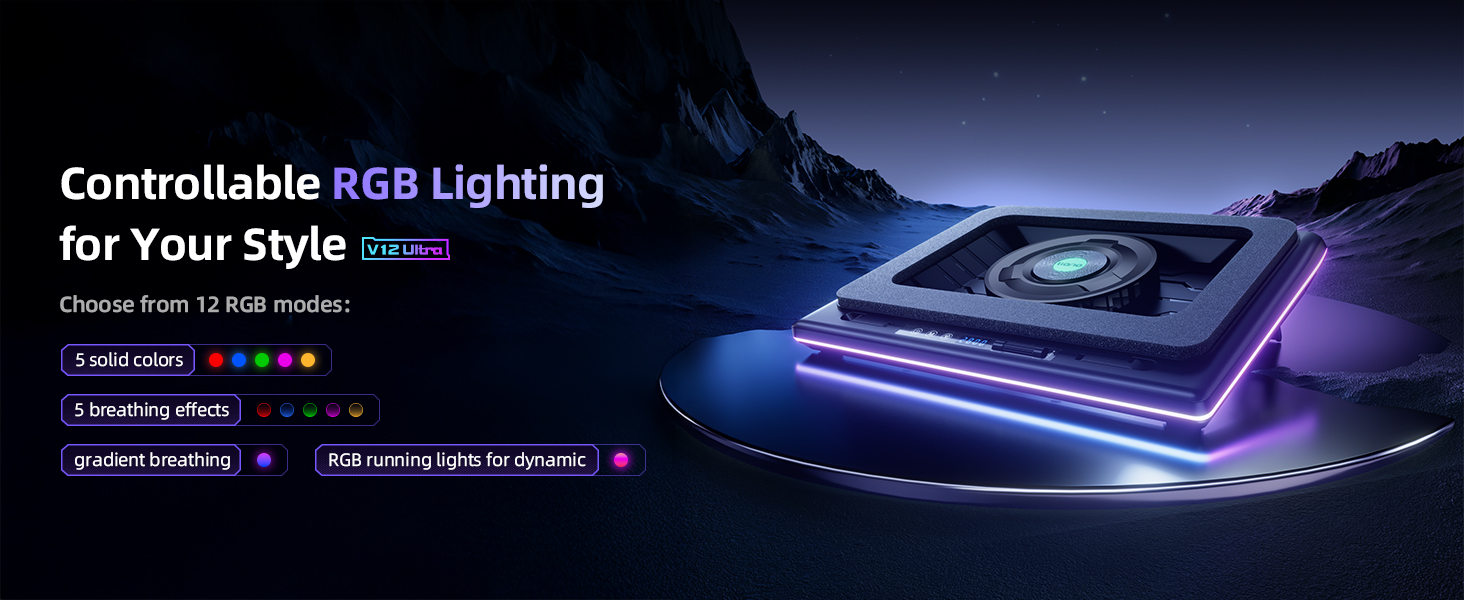
3 Dynamic RGB Lighting
4 for 15.6″ to 19″ Laptops


1 Control Description
2 What’s in the Box
3 Ergonomic Design
4 Removable Dust-Filter
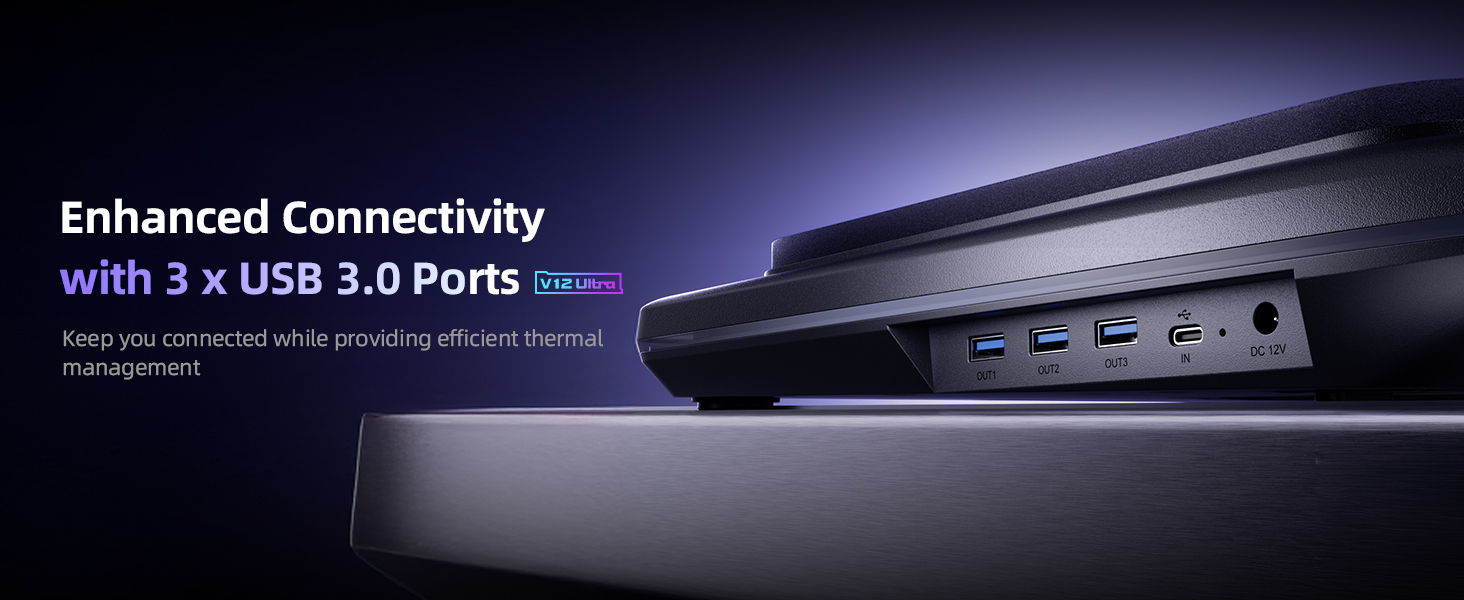
5 External 3*USB 3.0 Ports
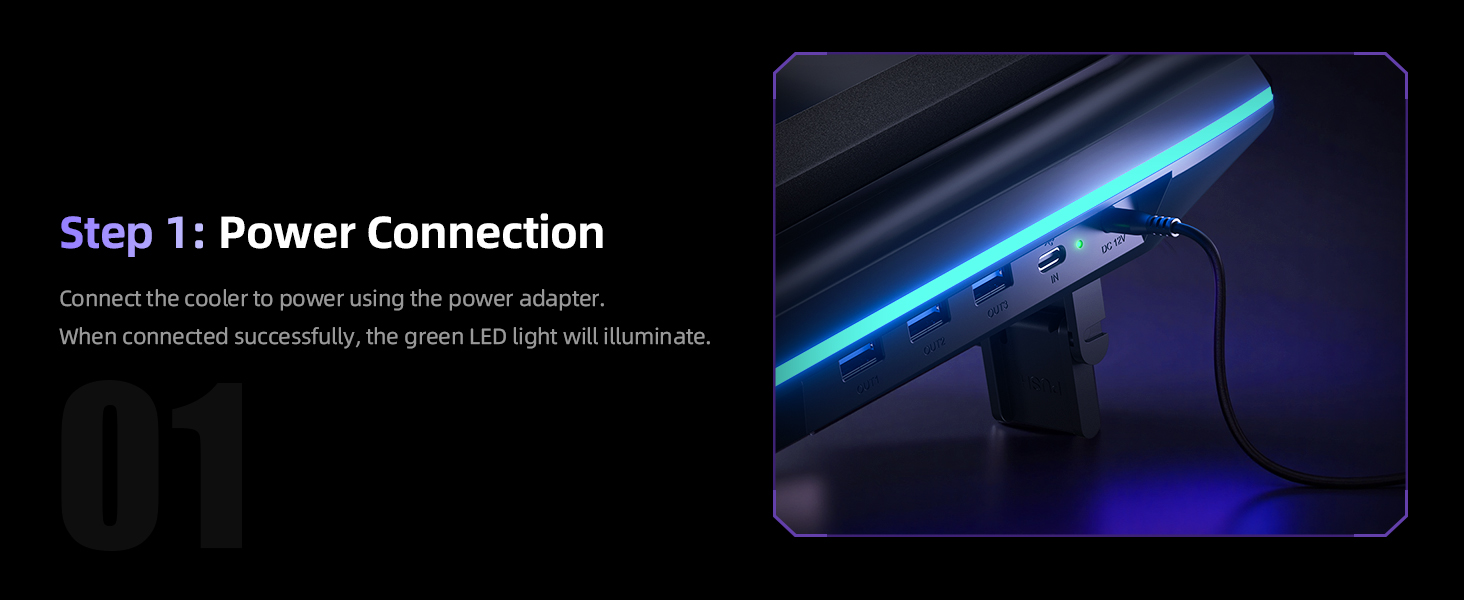

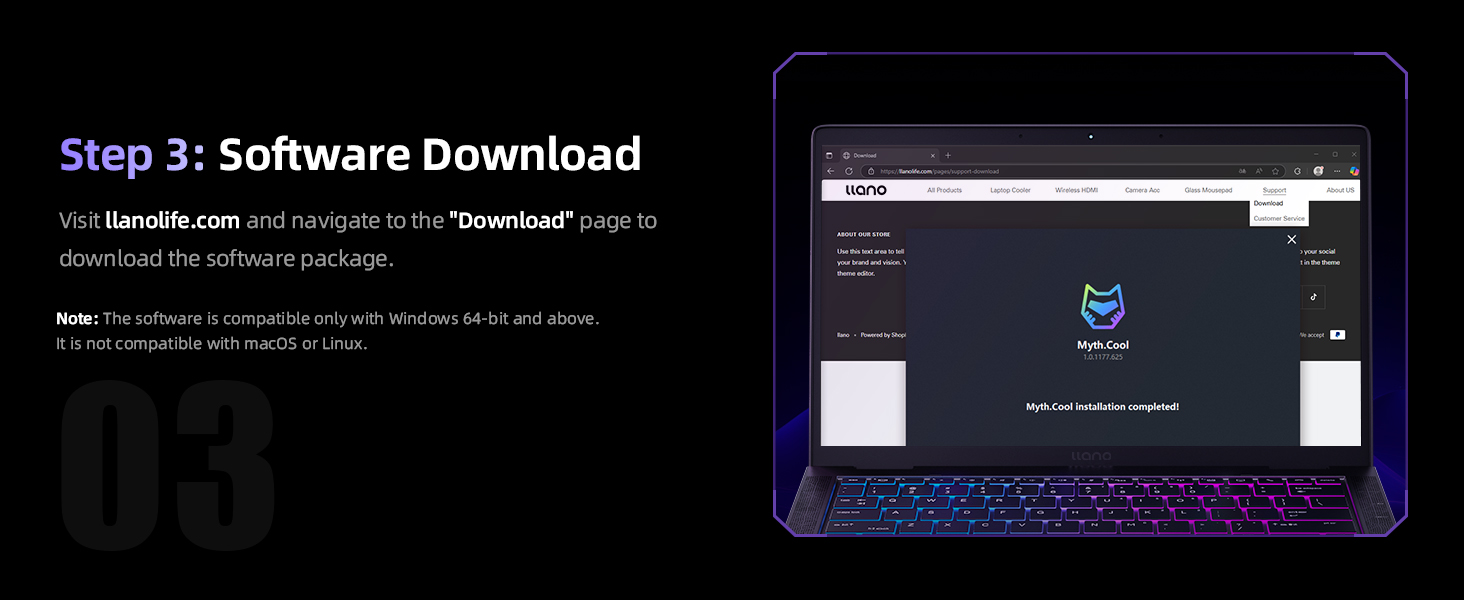


1 Power Connection 2 Power On the Cooler 3 Software Download 4 Open the Software 5 Manual Control
V12 Ultra Laptop Cooling Pad Specifications
Model V12 Ultra Dimensions & Weight 16.9″L x 12.9″W x 2.7″H ; 4 Pounds Compatible Laptop Size 15.6 ” and above (including 17.3″, 18.4″, and 19″ laptops) Power Supply 36W Power Adapter: Type A – 2 pin Plug, 12V / 3A, 5.5×2.1mm DC, 6.6ft Cord Fan Speed Range 300-2800 RPM Turbo Fan Size 5.5 inches Rich Feature Integration 3 * Position Adjustable Stand; 5 RGB Color Options; 3 x USB 3.0 Hub; Removable Dust Filter Smart Software Control Modes 3 Intelligent Modes ( Low / Medium / High) Manual Control Modes 2 Manual Mode (software customization, custom settings adjusted via software / scroll wheel customization, physical adjustments using a scroll wheel) -44°C in 90s Under full load, the 2800 RPM turbo fan delivers up to a 20–25°C temperature drop for both CPU and GPU in just 90 seconds. (Data provided by llano Laboratory) What’s in the Package Laptop Cooler * 1, 36W Power Adapter * 1, USB-A to C Cable * 1, Dust Cover * 1, Memory Foam * 1, User Manual * 1 How to Download the Software Visit llanolife.com and navigate to the “Download” page to download the software package.(Note: The software is compatible only with Windows 10 64-bit and above. It is not compatible with macOS or Linux. In addition, without software, you can manually control.) Noise & Cooling Note Higher fan speed (2800 RPM) provides strong cooling but may generate noticeable noise. The V12 Ultra improves noise control with intelligent frequency conversion via the Myth.cool software, offering better sound optimization than V12. Q1 Cooling Performance The V12 Ultra Gaming Laptop Cooling Pad features a 5.5-inch turbo fan capable of reaching up to 2800 RPM. Lab tests show that it can reduce CPU and GPU temperatures by up to 25°C in just 90 seconds, effectively preventing thermal throttling and enhancing both gaming and work performance. Q2 Noise Levels At low speeds, the noise level is approximately 27dB, which is nearly silent. When the fan reaches its maximum speed of 2800 RPM, the noise level may rise to around 70dB. To minimize noise, we recommend using the smart AI control mode, which automatically adjusts the fan speed based on your laptop’s workload, ensuring efficient cooling with lower noise levels. Q3 Compatibility The V12 Ultra Gaming Laptop Cooling Pad is designed for laptops with screen sizes of 15.6 inches and above, including popular models such as the ASUS ROG Strix G16, MSI Katana 15, and Alienware M18. Ensure your laptop fits within these dimensions for the best experience.
llano Laptop Cooling Pad Series, Keep Your Laptop Ice Cold!
Add to Cart
Customer Reviews
4.5 out of 5 stars 237
4.6 out of 5 stars 2,367
4.6 out of 5 stars 2,367
4.6 out of 5 stars 2,367
4.5 out of 5 stars 485
4.4 out of 5 stars 266
Price
$129.99$129.99
$95.99$95.99
$123.69$123.69
$89.99$89.99
$85.49$85.49
$79.99$79.99
RGB
12 Dynamic Modes
10 Dynamic Modes
10 Dynamic Modes
/
12 Dynamic Modes
/
Turbo Fan Size
5.5″
5.5″
5.5″
5.5″
4.72″
4.72″
RPM
2800
2800
2800
2800
3500
3500
Adapter Power
36W
36W
36W
36W
18W
12W
Compatible Laptop Size
15.6″-19″
15.6″-19″
15.6″-19″
15.6″-19″
13″-17.3″
13″-17.3″
Extend Ports
3 * USB-A 3.0
3*USB-A
3*USB-A
3*USB-A
2*USB-A & 2*USB-C
/
Intelligent Control
✔
✘
✘
✘
✘
✘
Adjustable Height
✔
✔
✔
✔
✔
✔
Removable Dust-Filter
✔
✔
✔
✔
✔
✔
Intelligent AI Temperature Control with Myth.cool Software: Safeguard your laptop with our cutting-edge cooling technology! The llano V12 Ultra features three smart cooling modes (Low/Medium/High) that automatically adjust fan speed based on your laptop’s workload. Experience efficient cooling with minimal noise—perfect for gaming, working, or streaming. Download the software from “llanolife.com/Download” for seamless control, or opt for manual operation with a simple scroller.
Turbo-Pressure Cooling for Rapid Heat Dissipation: Unlock your laptop’s full potential with our powerful 5.5″ turbo fan, reaching speeds of up to 2800 RPM. The AI-enhanced 360° airflow design has been lab-tested to reduce CPU/GPU temperatures by an impressive 22°C in just 90 seconds. This high-performance cooling solution minimizes noise while preventing overheating during intense gaming sessions or heavy multitasking, ensuring optimal performance when you need it most.
Wide Compatibility: Designed for laptops with screen sizes of 15.6 inches and above, the V12 Ultra laptop fan cooling stand is compatible with ASUS ROG Strix G16 / MSI Katana 15 / Alienware M18 , perfect for gaming laptops and workstations alike.
Ergonomic Design with 3 Adjustable Heights: Work and play comfortably with our ergonomic design featuring three adjustable tilt options (15°, 12°, 3°). Customize your viewing and typing angles to alleviate neck and shoulder strain, making it ideal for long gaming marathons or extended work hours. The sturdy adjustable foot stand ensures stability and promotes better posture, enhancing both comfort and performance.
Easy-to-Clean Removable Dust Filter: Maintain peak performance effortlessly with our detachable dust mesh filter. Designed to trap dust and debris, it ensures consistent airflow while extending the lifespan of both the cooler and your laptop. No tools required—simply remove the filter, clean it, and reattach for hassle-free maintenance, keeping your cooling system running like new.
Vibrant RGB Lighting & Versatile USB 3.0 Hub: Elevate your gaming setup with dynamic RGB lighting featuring 4 effects and 5 vibrant color options to match your style. Additionally, our cooling pad includes three high-speed USB 3.0 ports (5 Gbps) for connecting peripherals like mice, keyboards, and controllers without cluttering your laptop. Transform your cooling pad into a multifunctional hub for ultimate convenience.
What’S in the Package: Laptop Cooler * 1, 36W Power Adapter * 1, USB-A to C Cable * 1, Dust Cover * 1, Memory Foam * 1, User Manual * 1
High Power Output: Equipped with a 36W power output, the cooling pad provides robust performance, ensuring that your laptop remains cool even during demanding tasks.
13 reviews for llano V12 Ultra Laptop Cooling Pad with Smart Software Control, RGB Gaming Laptop Fan Cooler Stand, 5.5″ Turbo Fan, Adjustable Speed, 3*USB 3.0 Ports, 3 Height Stands, for 15.6″-19″ Laptops, Black
Add a review

$129.99
Mike E –
Tons of airflow, very well-built
This thing is a jet engine! Which is exactly what I wanted. With this much air being moved you absolutely have to expect some noise, but with noise cancelling headphones it’s nothing.At top speed it fees like a hurricane lol; it’s perfect for keeping my laptop cooled during the most demanding games. Anybody who complains about noise just simply doesn’t understand, if you want a high volume air cooling system it’s gonna be a little noisy. Just get some good headphones and it’s like nothing is even there. It works exactly as advertised and is the best laptop cooling device I’ve ever purchased, and I’ve gone through quite a few.
Remigijus –
llano V12 Ultra
The product is very good, although it is noisy when running at full capacity (personally, this is not an issue for me as I use headphones). It arrived quickly even though it was during the holiday period. CPU temperature dropped from 90°C to 65°C.
Cliente Amazon –
Great product
Great product! It’s a but expensive but if your laptop is worth more than 2k….better play the long run. It’s actually not as loud as I thought
lille enjoy –
Works well, but really loud.
The V12 cooling pad is extremely effective for cooling my Omen16 gaming laptop. I picked up a few frames and its now running Kingdom Come 2 at 90ish fps at 1080p on a mix of ultra and experimental settings. Only downside is its about as loud as a hairdryer on low settings at the best of times. That said, it’s keeping my pc in or near the sweet spot of 60c on both cpu and gpu so that’s all I cared about really since I game with headphones, but its louder then my speakers otherwise.
Scott moore –
Laptop cooling fan
This cooling fan is awesome Good quality well made they should update new colors like a like the dark blue that everybody likes
Vickie –
Definitely worth every penny.
It’s amazing, keeps laptop cooler even under more strenuous games. I play ark on ultra+ settings and it keeps it cool. Can be loud on those settings, but headset makes it unnoticed. The only problem is if you want to take it with you, most bags won’t carry it. I recommend getting a 55l travel laptop bag so it can go with. I have pets so the filter is a huge bonus as well.
UmerW –
Good Product from a utility perspective but certainly not worth its $150 price
Prior to ordering this product, I had gone through a number of reviews on YouTube so I had a fair idea about it. Almost every reviewer mentioned the “noise” aspect of this product. I just got this product yesterday and tried it this morning and I can confirm the noise issue is real.The product starts with 300rpm as a baseline and while there was no sound issue at this rpm, I could hardly feel any air at all. I put the laptop on the cooler and bumped the rpms to 600 where I started to feel some air circulating, I then bumped it up to 800 and the air circulation was enough that made me feel confident that it would bring the temps down however between 600-800 the increase in the fan sound is enough to be considered “noise” by any definition and at that level of noise constantly in the background while you are working, I can see why it could become a serious issue or to be unsustainable for permanent use.Despite the “noise” issue and some cheap plastics used on a $150 product, I am still going to keep it – WHY – because I have a laptop that does get pretty hot and I have no choice but to run a cooling fan to keep the temps down for performance and longevity. I must also mention that I do not seem to have many excellent quality alternatives either and almost all of the product substitutes use inferior/cheap quality plastics.
mario sebastian konrradi –
excelentes temperaturas, pero ruido molesto por encima de ciertas rpm.
Soy de Resistencia Chaco aqui el calor promedia todos los dias en 30°c y a veces bastante mas la sensación térmica 35°c a 37°c.Espero se note en la imagen: la laptop apagó los dos cooler de tan frio que queda en modo ofimatica, mirando youtube o netflix solo enciende el cooler del micro y la gpu se mantiene apagada.En modo gaming (forbidden west, battlefield 6, indiana jones con todo en alto o ultra 1080p) el micro promedia los 70°c y la gpu entre 50° a 60° (memorias a 54°c y el hotspot entre 55° y 65°).Mi laptop tiene los tdp maximos en cpu y gpu: i7 13620h, rtx4060, 2tb AG473, 2×16 kingston fury impact 5600mhz.LA PRINCIPAL CRITICA ES EL RUIDO: se puede usar normal sin auriculares entre los 300rpm a 600rpm (ofimatica o mirando pelis, multitarea, python, java, etc).Para emuladores livianos como Eden de switch donde el micro trabaja un poco mas se puede usar entre 600rpm a 900rpm ya hay que ponerse auriculares porque empieza a ser molesto el zumbido.En juegos pesados o tareas demandantes la uso entre 1000rpm a 1400rpm aqui ya está el limite con auriculares normales.A partir de las 1500rpm a 1800rpm hay que usar auriculares con cancelación de sonido si uno va a estar cerca de la laptop ya que es muy molesto el zumbido (sentis como un ‘taponamiento’ del oido) y además es el limite termico para mi laptop: por encima de esas revoluciones ya no enfria mas y dependiendo del juego o la tarea si es muy demandante incluso eleva la temperatura, asi que no tiene sentido ir por encima de las 1800rpm al menos en mi laptop que tiene 2 coolers normales por debajo.
Dutch –
Software good and the item it self is good I was not sure as of the cost but I have seen temps drop by 10 airflow is good is good as the form keeps the air in and makes it come throw the cases. This will help keep the lifespan going longer as won’t cook the parts dust filter will keep it clean and a second one in the box.In highest fan speed noise level can be very loud but headphones can fix that other people around you will have a issue with it I definitely say it’s value for money.
Andrew –
I use a Lenovo Legion 7 with an Intel Core i7-12800HX and an RTX 3070 Ti.Overall, the cooling pad does its job. Average GPU temperatures dropped by 10–15°C under gaming load.Build quality is generally good and it does not feel or smell like “cheap Chinese plastic.”As for the downsides:* The pad itself is quite noisy when running above 600–800 RPM. This is something to keep in mind if you work or play without headphones.* The dust filter is not dense enough and can let very fine particles through, so it is not a 100% dust protection solution.Some drawbacks related to the software:1. The automatic fan control feature is convenient and curve-based. However, by default the fan curve is tied to CPU temperature. There is no option to switch the temperature source to the GPU, even though GPU temperature monitoring is available in the software. In my case this would be more practical, since the GPU is not always under load, while CPU temperature fluctuates frequently, causing the fan speed to fluctuate as well.2. There is no option to automatically turn off the cooling pad when the laptop shuts down or goes into sleep mode. I also noticed some odd behavior where the pad sometimes turns on by itself when the laptop boots, but with the RGB lighting disabled. The lighting then has to be re-enabled manually in the software. This feels more like a bug than a feature, and there is no mention of any auto-start behavior in the software itself.3. I am currently not using the latest version of the software, because in newer releases the laptop sensor monitoring is generally broken.Overall, despite these drawbacks, this is one of the few laptop cooling pads on the market that actually works, thanks to its design.
Aurore –
Puissant très satisfait de mon achat
Eten –
It can get loud, so be careful for that. Headphones are necessary, but gets the job done
James Glazier –
This is an amazing piece of equipment. At 900RPM it brought my temps on my Legion slim 7i Gen 8 by 5C when playing Cyberpunk 2077 on Ultra settings. at 1500RPM it brought them down a further 5C and on max 2800 RPM it brought them down a further 10C.I used Cyberpunk as a baseline as it’s a CPU and GPU hog on max settings. Keep in mind that the fans are very loud at 2800 RPM so I keep it at around 1500 to 1800 RPM. The CPU never goes above 55C and the GPU never goes above 70C which means no bottle necking and thus no thermal throttling.My laptop has the RTX 4060 mobile and the 13th Gen Intel Core i7-13700H CPU. All in all, I highly recommend this product.