

Keychron R3 Retro Wireless Mechanical Keyboard, 80% TKL Hot Swappable RGB Tactile Super Brown Switch, QMK Tri-Mode(2.4 GHz/Bluetooth/Wired), Compatible with Mac PC Linux
$79.99
Related Products







Product description
Keychron R3 Retro Wireless Mechanical Keyboard – 80% TKL Layout 
2.4 GHz/Bluetooth 5.2/Type-C (Support Up to 3 Devices) 
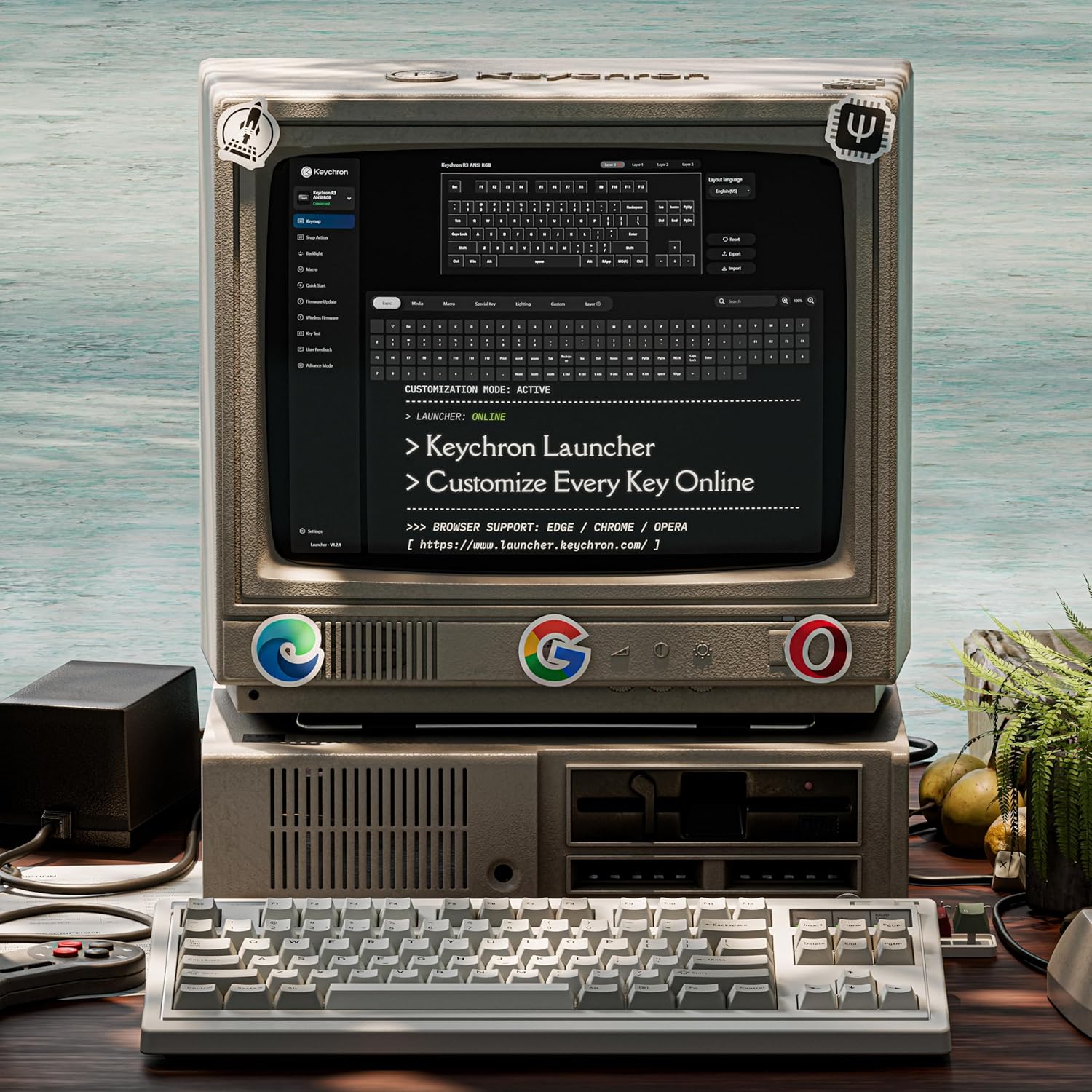
Programmable Keys with Keychron Launcher 
Total Mac & PC Harmony 
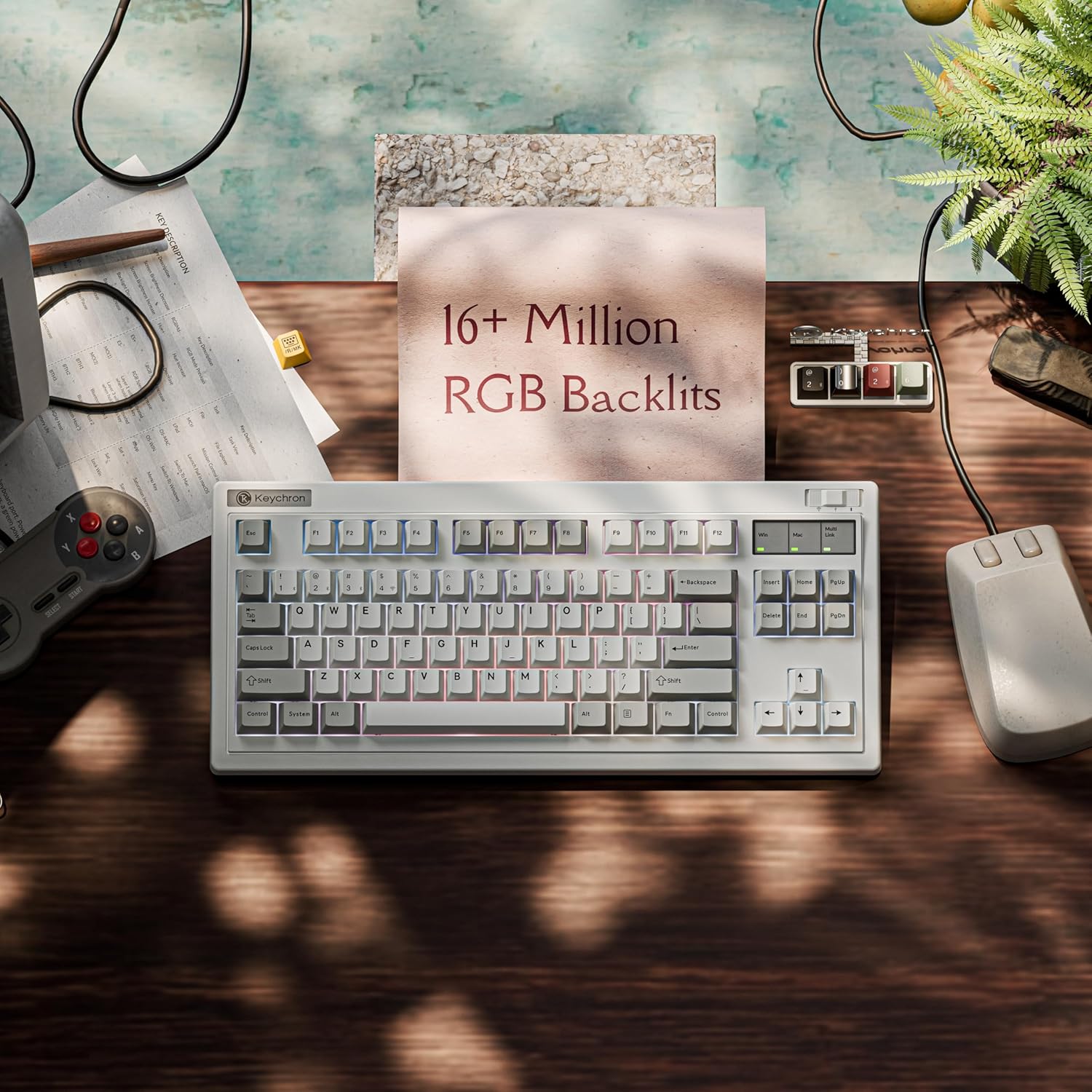
16+ Million RGB Backlits 


1 Hot-swappable Brown
2 Advanced Structure
3 Package List
Specs
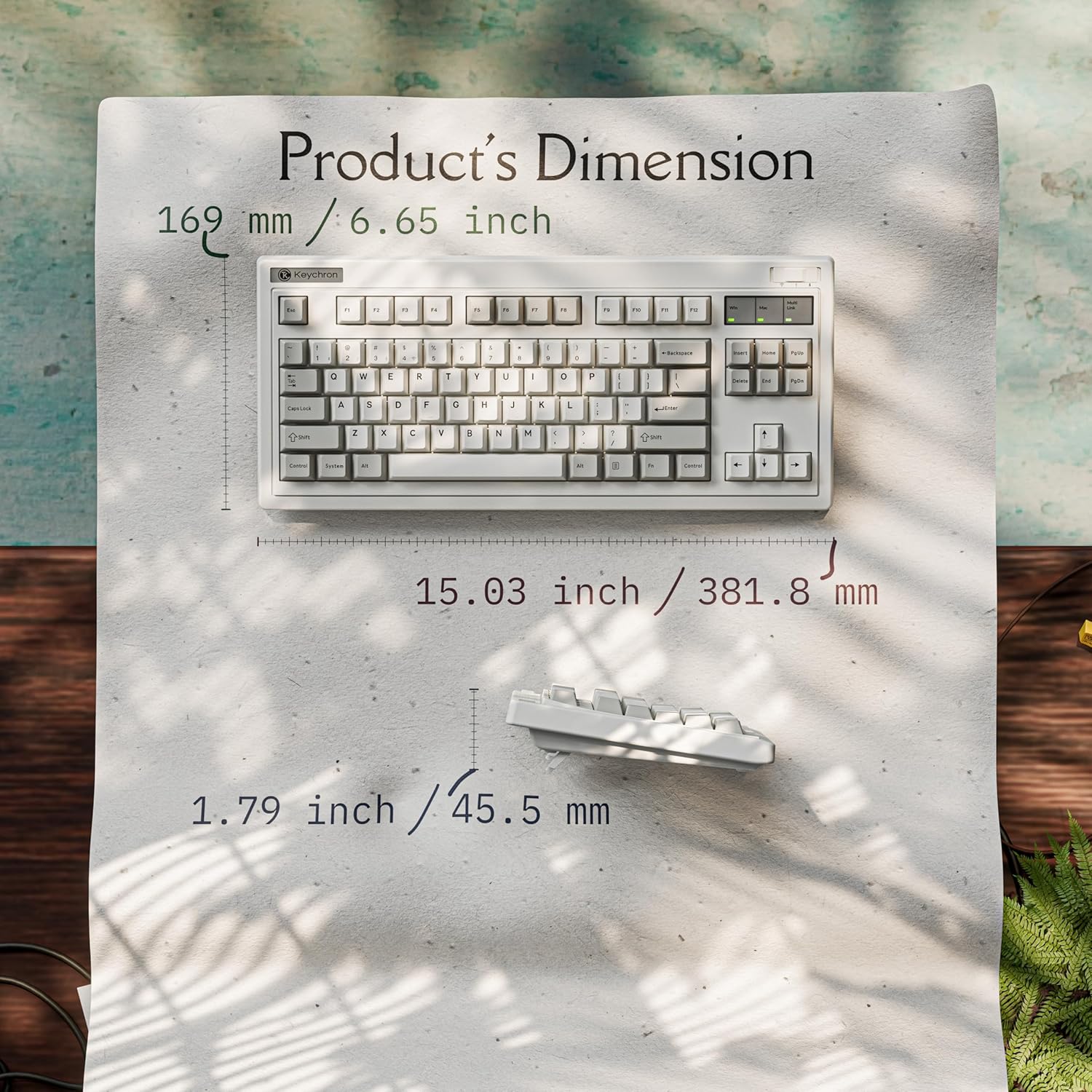
Number of keys 84 Switch type Mechanical Super Brown Switch Battery 4000mAh Charging time Around 5 hours Charging port Type-C Mode Bluetooth / Wired / 2.4GHz Bluetooth operating distance Within 10 meters (open space) Name of Bluetooth device Keychron R3 Dimension 381.8*169*45.5mm(15.03*6.65*1.79inch) Weight 1.45kg(3.2lbs) Keycaps’ Material Non-Shine-Through PBT Keycaps Backlit RGB Polling Rate 1000Hz Compatible System macOS/Windows Operating Environment -10 to 50℃(14 to 122°F) BT Working Time Up to 100 hrs Working Time
Wireless TKL Keyboard with Premium Features: The R3 is a wireless retro mechanical keyboard with a classic TKL (80%) layout, packed with high-end features like QMK firmware, non-shine-through PBT keycaps, gasket mount structure, acoustic foams for a satisfying “thock,” and Keychron super switch—delivering a refined and responsive typing experience.
Tri-Mode Connectivity – Switch seamlessly between three connection modes. Pair up to three devices via Bluetooth 5.2, or choose 2.4 GHz wireless or Type-C wired modes for stable, high-speed performance across different setups
Total Mac & PC Harmony: This keyboard offers seamless compatibility for every setup. Its intelligent system detection also enables effortless switching between macOS and Windows, making it the single, perfect keyboard for all your computers.
macOS, Windows, & Linux Compatible – Switch seamlessly between macOS and Windows with the system toggle and extra OS-specific keycaps. Customize keymaps for each system using the Keychron Launcher, which supports macOS, Windows, and Linux.
Hot-Swappable with Keychron Super Switch: Featuring Keychron super switches built with a new precision mold, each switch is tested for durability up to 50 million keystrokes. Easily hot-swap any switch for a personalized typing feel—no soldering needed.
Customize Every Key with QMK & Launcher App: The open-source QMK firmware unlocks unlimited possibilities for key remapping, macros, and shortcuts. Use the Keychron Launcher web app to customize every key directly in your browser—no software installation required.
Non-Shine-Through PBT Keycaps & South-Facing RGB: Features durable double-shot PBT keycaps paired with south-facing RGB lighting. (Keycap legends are not shine-through and may be hard to see in low light.)
4 reviews for Keychron R3 Retro Wireless Mechanical Keyboard, 80% TKL Hot Swappable RGB Tactile Super Brown Switch, QMK Tri-Mode(2.4 GHz/Bluetooth/Wired), Compatible with Mac PC Linux
Add a review

$79.99
Blakk –
A quality board with a great aesthetic
I’ve been quite happy with Keychron products in the past. It’s really nice to see Keychron put something out with this classic aesthetic while retaining their design elements.This is a good unboxing experience, not unlike boards from their other series. Everything is nicely packed with a manual and reference material. The extras here are very nice, even better than the extras that come with the much more expensive Q series boards. You get a decent cable and USB adapter that are both themed with the retro-beige color. You also get a keycap puller and additional yellow themed modifiers for swapping out for a little variation.The keycap quality is generally what I would expect, maybe a little above. These are double-shot keys that have a nice matte texture. They arent super thick but do feel good and the legends are sharp.This is a plastic board, but don’t let that persuade you away. It has the heavy-duty feeling of a retro abs board with the density and durability you would expect from that era. Everything is finished to a smooth matte texture and it just feels great to touch. As far as I can tell, build quality is excellent. The RGB lighting is vibrant for those into it. For those not, the board looks great with it off.This board sounds good as well. There are some aspects I like even more than my Q6 Max. In my Q6, the backspace in particular pings terribly. Not so here, every key sounds uniform for the most part and the spacebar is satisfying. Everything feels as if it has been lubed appropriately, including the stabilizers. In my Q6, the stabs felt over lubed and sluggish. The spacebar pops on this board. It’s actually a very soft and fairly quiet typing experience. The thocking is more pronounced in my video than it is in reality. This is a board you could take to the office as it is quite quiet with brown linear switches. I believe this is gasket mounted and you can see the gaskets work when pressure is applied (you get some extra gaskets in the extras).On the software side, this is using the normal keychron launcher web UI. I have no complaints about it at all, it’s super intuitive and you can customize just about anything you would want there, without downloading an app. It’s great software.Oh, and if this wasn’t clear already – this is a hot swap tri-mode PCB. I went with the browns and to be honest, I would suggest going for a tactile switch in this board. It’s very soft to type on with the gasket mount – it can feel almost squishy. Very much a preference there, though. Since this is tri-way, you have a lot of connectivity options. Personally I always use wired on my keyboards but the versatility is commendable. By the way, the wireless dongle is nestled into a small holder on the left side of the board. I couldn’t find it and for a moment thought it was missing, but then I referred to the manual. I love it when there is some consideration for the user and a dongle holder is built into a keyboard.This is a fantastic keyboard and if you are looking for something with that classic, beige aesthetic, this is a solid choice with a lot of great features. Especially at this price point.
Brian S –
Great Keyboard except for the lack of Caps Lock indicator..
This retro-themed keyboard is excellent. After using the R5 with yellow banana switches—which are admittedly creamier—I found that the brown switches provide the perfect tactile response I was looking for.However, the lack of a dedicated Caps Lock indicator on the top right is a significant drawback. While the R5 includes this feature (but suffers from a poor number pad layout), its absence here is felt. It would be a major improvement if this model included a physical indicator or offered the modularity to add one ourselves.
Jonathan Snow –
Retro look, modern function
This keyboard reminds me of the first one I ever owned on a PC. It was an IBM XT…that keyboard was metal and extremely heavy, and had a distinct click when you pressed the keys.This one looks like that, but the sound and feel is different. It has more of a ‘thunk’ sound than the click. It is actually a very satisfying feel and sound when typing on it.It has USB connectivity, as well as bluetooth and a wireless USB dongle. You can switch between the 3 at any time with the slider switch at the top right. In bluetooth mode, you get 3 different bluetooth profiles, and you can easily switch between them to control 3 separate bluetooth devices with the keyboard.Probably the most powerful function of the keyboard is its programmability. You simply go to their website and use their web app to program special functions, how the lights work (or don’t), remap keys or even create macros. It really is simple and straightforward to use the web app to accomplish this.One caveat to the web app – I am a Linux user, so if you use a normal user account (not root), you won’t have write access to the keyboard device to be able to attach to it and program it. I found through some quick web searching how to fix that. You find the device (for me it’s /dev/hidraw4 – yours will likely vary), and use chmod to change access (chmod a+rw /dev/hidraw4). I found it by opening a new tab in Chrome and going to chrome://device-log. Again, this worked for me, your mileage may vary.Overall I love this keyboard. My only grip, and it’s a small one, is that it doesn’t have a number pad on the right. I didn’t use it that often on my older keyboard, but there are rare times I miss it. Otherwise, I like that the keyboard is a bit smaller, and I can’t stress enough how much I love the sound and feel as I type.
Eduardo –
Beautiful Aesthetic
Up until now I never liked any keyboard that did not have a numpad but this one has changed that. The keyboard itself is not too large despite its bulky look, being as long as my Aula F98 Pro and only about an inch wider. The keyboard itself has a really nice build and weight to it, similar to old keyboards from the Macintosh and IBM computer era. The colors used are all very nice and feel era-appropriate with the RGB and wireless functions being the modern touches you could need for added convenience. I ordered the Banana switches and they feel great, being a bit more quiet and tactile than my current keyboard which is a plus for someone that likes to have feedback on every click that linear switches lack. Additionally, you can play around with your keyboard settings using Keychron’s amazing web app that requires no downloads, making this a 5 star experience that other keyboard brands cannot match as they require the download of outdated apps that will just sit around taking up storage and may potentially even be malware. This keyboard will definitely be my new daily as I try to retro-fy my setup.