

eMylo 2 Channel WiFi Power Meter 80A+80A Smart Power Monitor,Clamp Ammeter Power Monitor,2.4GHz WiFi,Real Time Monitoring,Smart Life/TUYA APP, Compatible with Alexa and Google Assistant
$22.94
Related Products




Product description


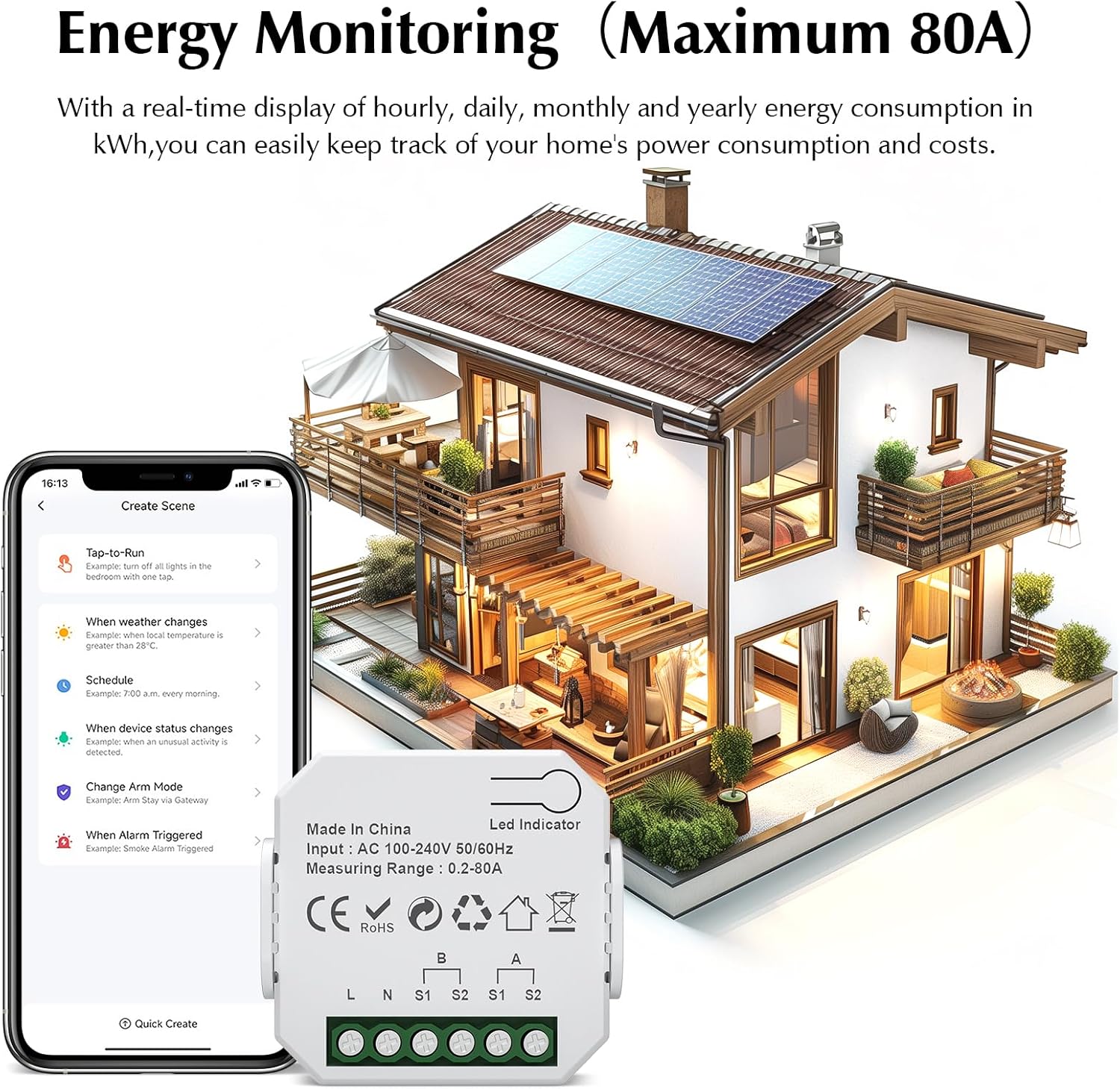
Comprehensive Electricity Monitoring: Our Smart Energy Monitor Helps You Conveniently Monitor and Manage Your Energy Consumption. Clip the Sensor to the Firewire for Detection and You Can Easily Keep Track of Your Home’s Power Consumption and Costs With a Real-Time Display of Hourly, Daily, Monthly and Yearly Energy Consumption in Kilowatt-Hours
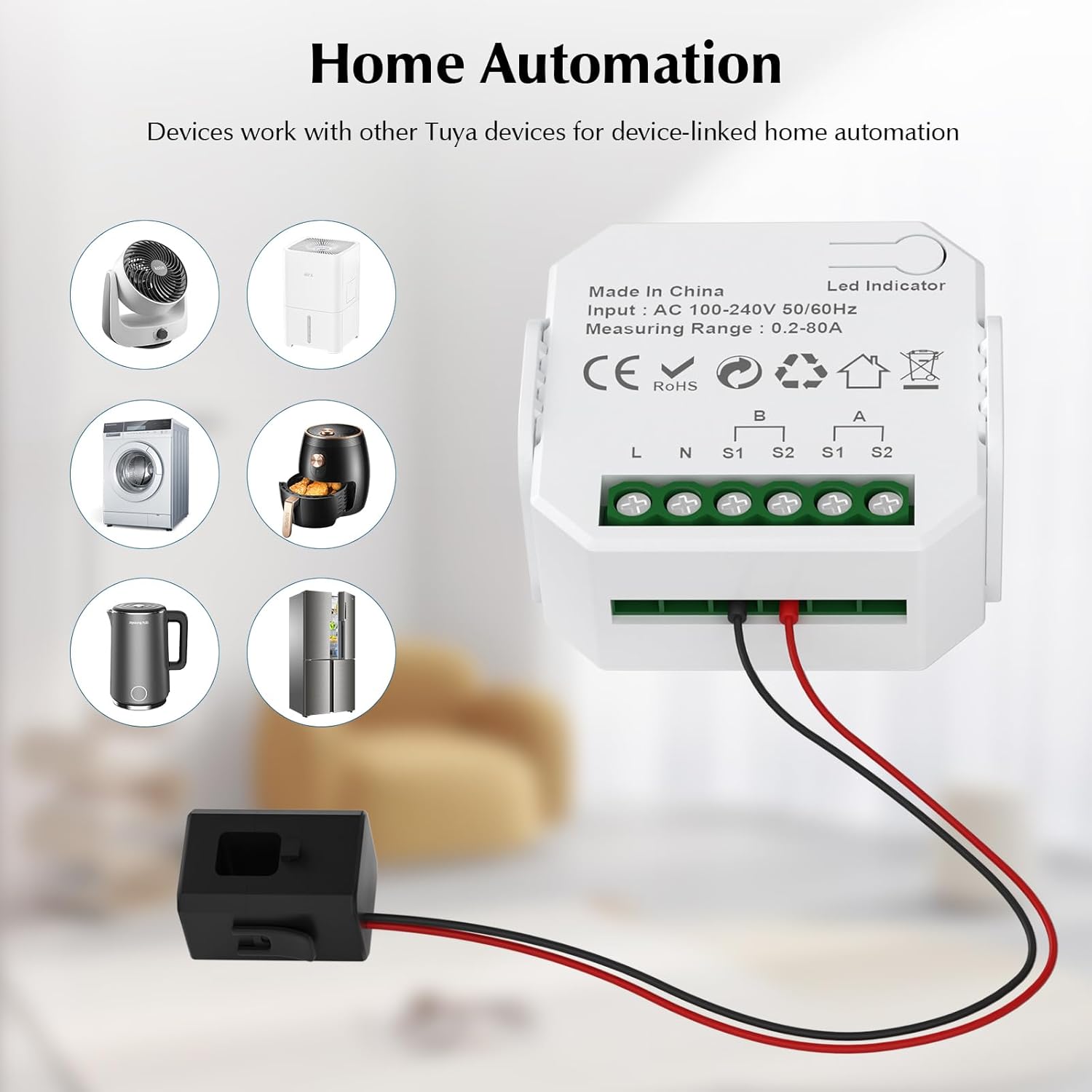
Automate Your Home: With Our Smart Energy Monitor, You Can Easily Automate Your Home Appliances and Devices. Create a Scenario Where You Can Have the Device Work with Other Tuya Devices for Device-Linked Home Automation. You Can Also Receive Notifications When a Device is Switched Off
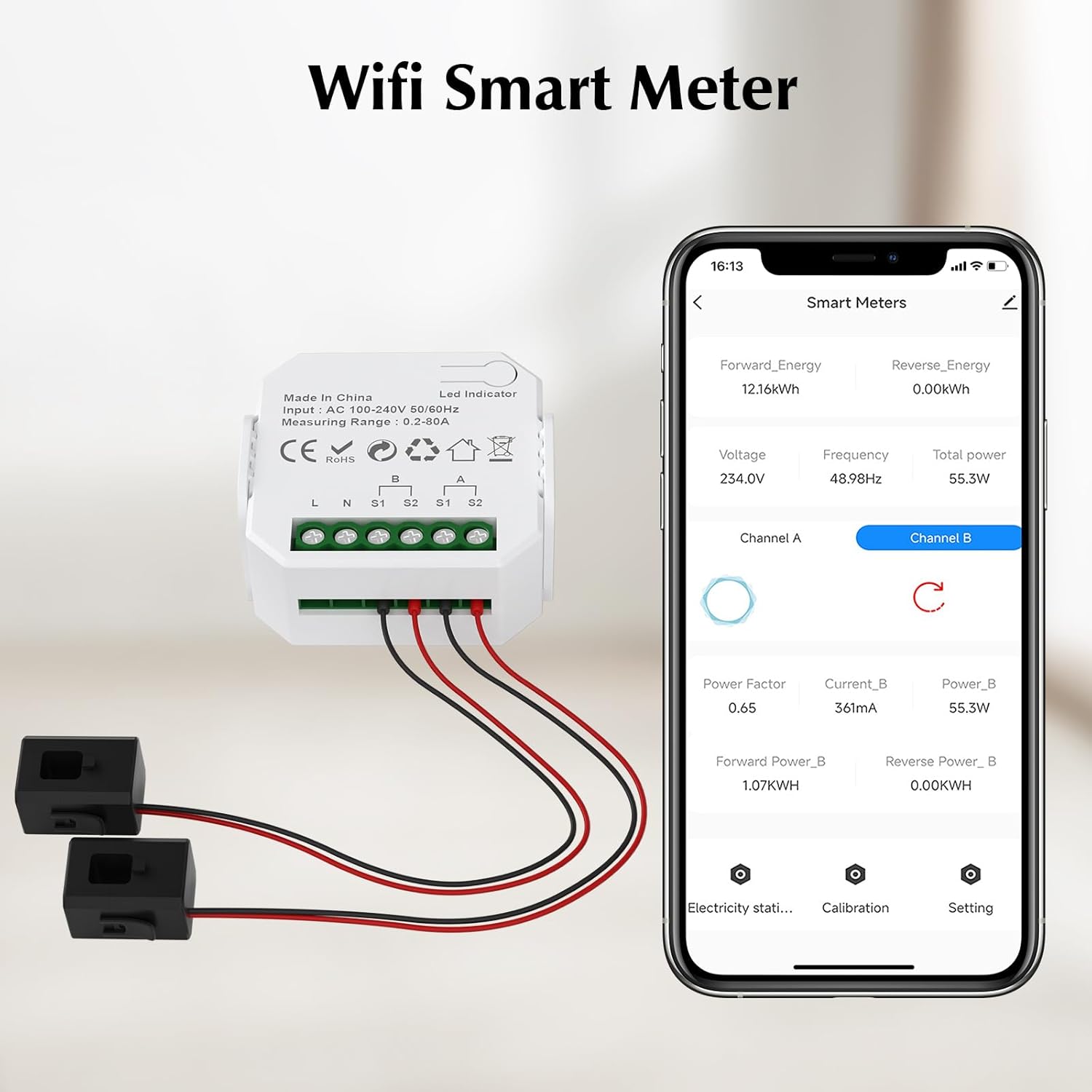
Versatile: Not Only Voltage and Current Can be Monitored, But Also Power Factor, Active Power and Frequency in Real Time. With a Current Range of 0.2A-80A and a Rated Voltage of 100-240V Ac 50/60Hz, You Can Enjoy Comprehensive Power Monitoring to Help You Manage Your Energy Consumption Efficiently and Economically!(Equipped With 2 x 80A Clamp Sensors)
Smart App Control: Download Smart Life/Tuya App for App Control (2.4Ghz Wifi Only), You Can Access Real-Time Device Status Percentage, Voltage, Current And Power to Monitor the Power Consumption Of Your Appliances
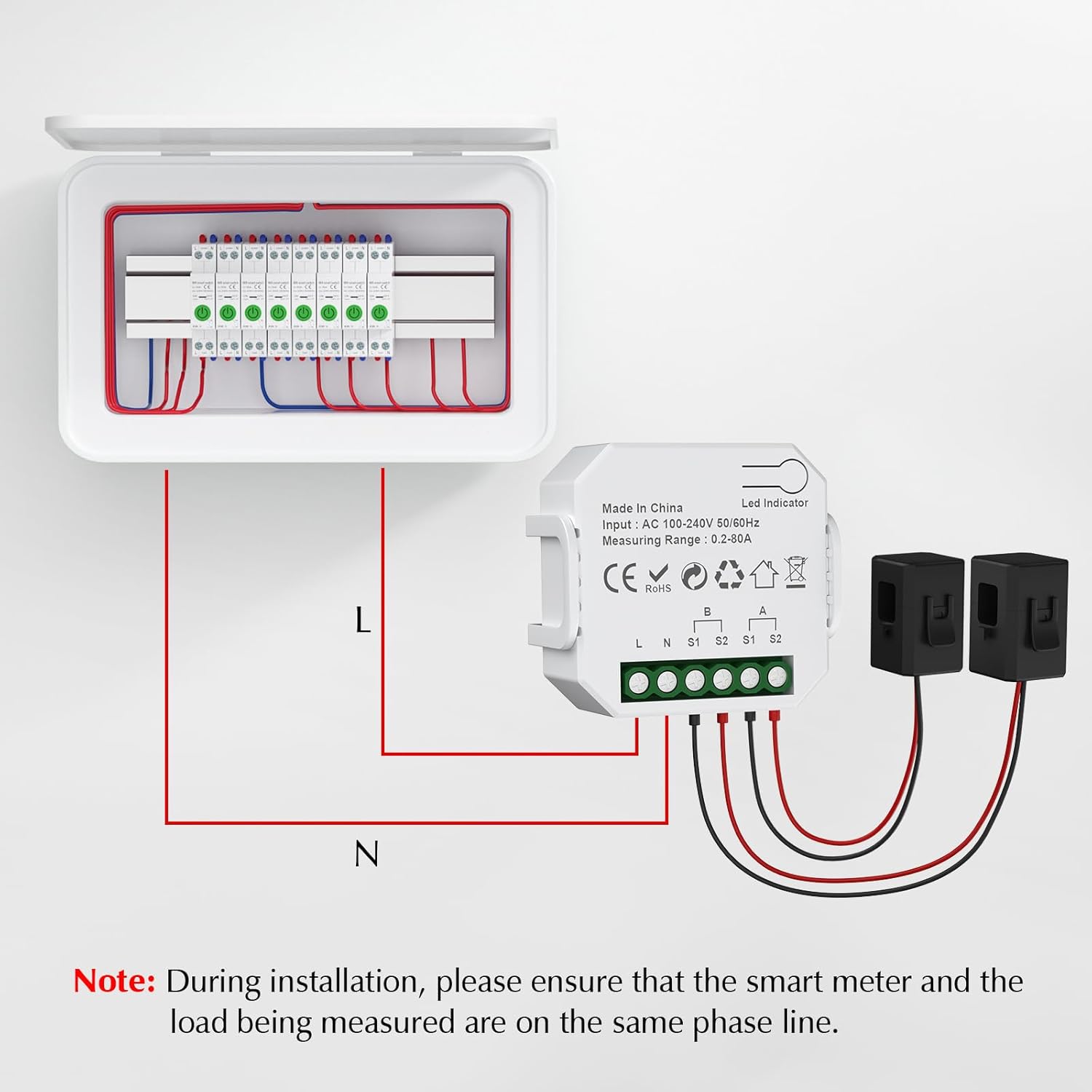
Safe and Easy Installation: Our Energy Monitors Require No Changes to the Cable Connections During Installation. Simply Plug the Wires into the Terminals and You Are Ready to Measure
11 reviews for eMylo 2 Channel WiFi Power Meter 80A+80A Smart Power Monitor,Clamp Ammeter Power Monitor,2.4GHz WiFi,Real Time Monitoring,Smart Life/TUYA APP, Compatible with Alexa and Google Assistant
Add a review

$22.94
nice guy –
Easy to use and accurate
Work well, easy setup and measure accurate
Jerry B –
No frills power meter works – Read below
This is a no-frills power meter that appears to be the same as Tuya.Good:-You can monitor power output on two 120v lines coming into your breaker-You can use this device to monitor total output in a circuit and it will subtract total input from a Solar panel system (if you have one)-App update allows you to see both circuits plus total combined-Server storage appears to be free, yay- Cost is super cheap for what they give you- This will update the App over WiFi or to your phone of the Internet (great)- Alarm set able for going over a max power (cool)Bad:- The graph for power is ultra tiny (non-usable)- The total kWh power and each of the two channel or circuit inputs cannot be reset to zero (haven’t found it yet)- No ability to add your time-based billing or any billing such as $0.40/kwh 11:00-17:00- No estimate of your bill for that month or week- No ability to download your data (haven’t looked further)- App link goes to sketchy site, go to App Store and download the official tested Smartlife app from there (looks like blue house with an arrow)- Setup was actually easy, but you have to register an email.- Don’t trust this device on a network with your other important devices, maybe put on a guest WiFi network- 2.4Ghz only WiFi, don’t expect 5.8Ghz- 5 second delay in turning on a light and seeing the power change in the App- Pay attention to your mounting of the current clamp sensors, both must point in the same direction, otherwise App thinks one is solar input and will subtract the power from the other channel.Overall, not bad. It feels like a nerdy engineer made it, but he or she forgot to ask what people want.This is most useful for alarm over max power, remote power monitoring, total monthly or weekly usage, and testing power draw on different home circuits, or monitor how much solar A/C is fed back to the grid versus your usage.
Quas –
Connection was simple!
This smart power meter is a powerful tool for anyone looking to take control of their energy usage. It offers transparency, convenience, and the potential for savings—especially when paired with smart habits and energy-efficient appliances. While not a magic bullet for lowering bills, it’s a step toward a more informed and sustainable household.
Michael –
Useless for Home Assistant – Aggregated Data, Not Per-Channel
I am seriously dissatisfied with this product and giving it one star. While the meter technically “works” and reports data to the Tuya/Smart Life app, its integration with Home Assistant is functionally useless, which was my entire reason for purchasing it.The primary issue is that this is a 2-channel meter, but it does not provide 2-channel data to Home Assistant. The HA integration only exposes three entities for the entire device: Total Power, Total Amps, and Voltage. There are no separate entities for each 80A channel, making it impossible to monitor two different circuits (e.g., main lines, or a sub-panel and an EV charger). This defeats the entire purpose of a multi-channel device.Furthermore, the data entities it does share are not the valuable real-time data points you would expect. If you are a Home Assistant user looking for detailed, per-channel energy monitoring, avoid this item at all costs.As a secondary issue, the device is advertised to support 240V, but on my standard 240V installation, it immediately began triggering high-voltage alarms. I had to manually find and disable the alarms in the app to get it to function.I will be replacing this unit with a more capable device from a different brand. It’s not even worth the time and effort it would take to uninstall and return it.
Robert brown –
Not what I was looking for
The product does work but the Smart life app does not give me the information I was looking for. I wanted to monitor my pool pump and pool heater power. Both are 240 volts and you can only measure one leg of the power. I tried going to the amp calibration screen to double the amps, but I could only go up to 1.2 times and that feature didn’t seem to work. I wanted to see a daily KwHr for each device but it only has a graph with NO daily totals. It seems to just total the use from installation.I don’t really blame the product but the Smart Life app is horrible. Maybe they come up with their own app or convince Smart Life to upgrade theirs to something like the Emporia Energy app.
Timothy S. Minnick –
Won’t stay connected to WiFi
Drops offline every few hours despite excellent WiFi signal strength. Works fine if you can keep it connected to WiFi
ken –
Found out it can monitor both poles of a monitored breaker
By the instructions I could not monitor both poles of a 2 pole breaker. I could only put the CT on the phase the 120 Volt power breaker was on. I found out if I fed the power in 240 Volts from a 2 pole breaker. Installing the CTs on each leg of the 2 Pole monitored breaker with one CT arrow facing one way and the other CT arrow facing the other way it now does what I want it to do I have a reading on both channels and and they add together under total power but can still be read switching from A or B Chanel.
FDISLA –
Ver el comportamiento eléctrico de mi local
Puedes tener una idea de tu consumo eléctrico mensual
REUTER –
Funktioniert tadellos
Deb –
Arrivato nei tempi previsti, subito montato, ottimo prodotto
Luca V. –
il dispositivo è ok ma l’obbligo di abbonamento per avere le notifiche sui consumi non è specificato correttamente ed il costo non sarebbe irrisorio.