

TECKNET Bluetooth Mouse, 4800 DPI Wireless Mouse, 2-Year Battery 6 Adjustable DPI, 6 Buttons Compatible with Laptop/Windows/Computer – Black
$13.99
Related Products








Product description


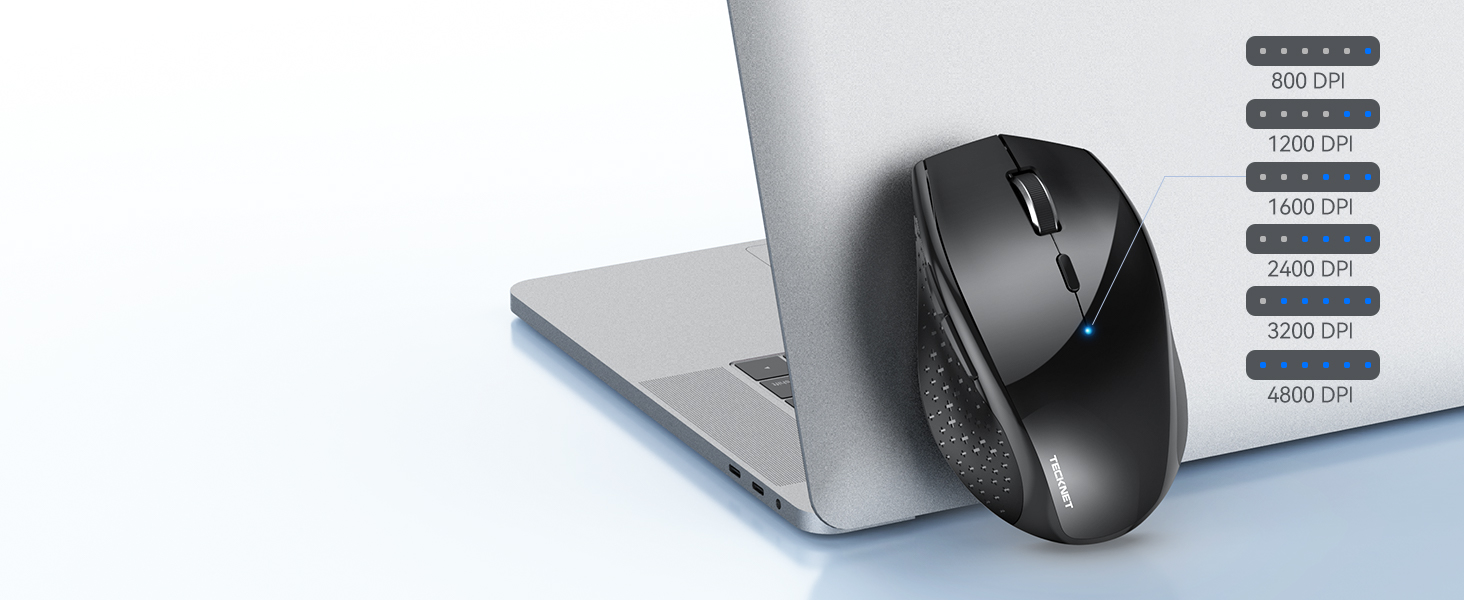 High Sensitivity Precise Control
Make alternating screens easier, ensuring smoother and more reactive responses.
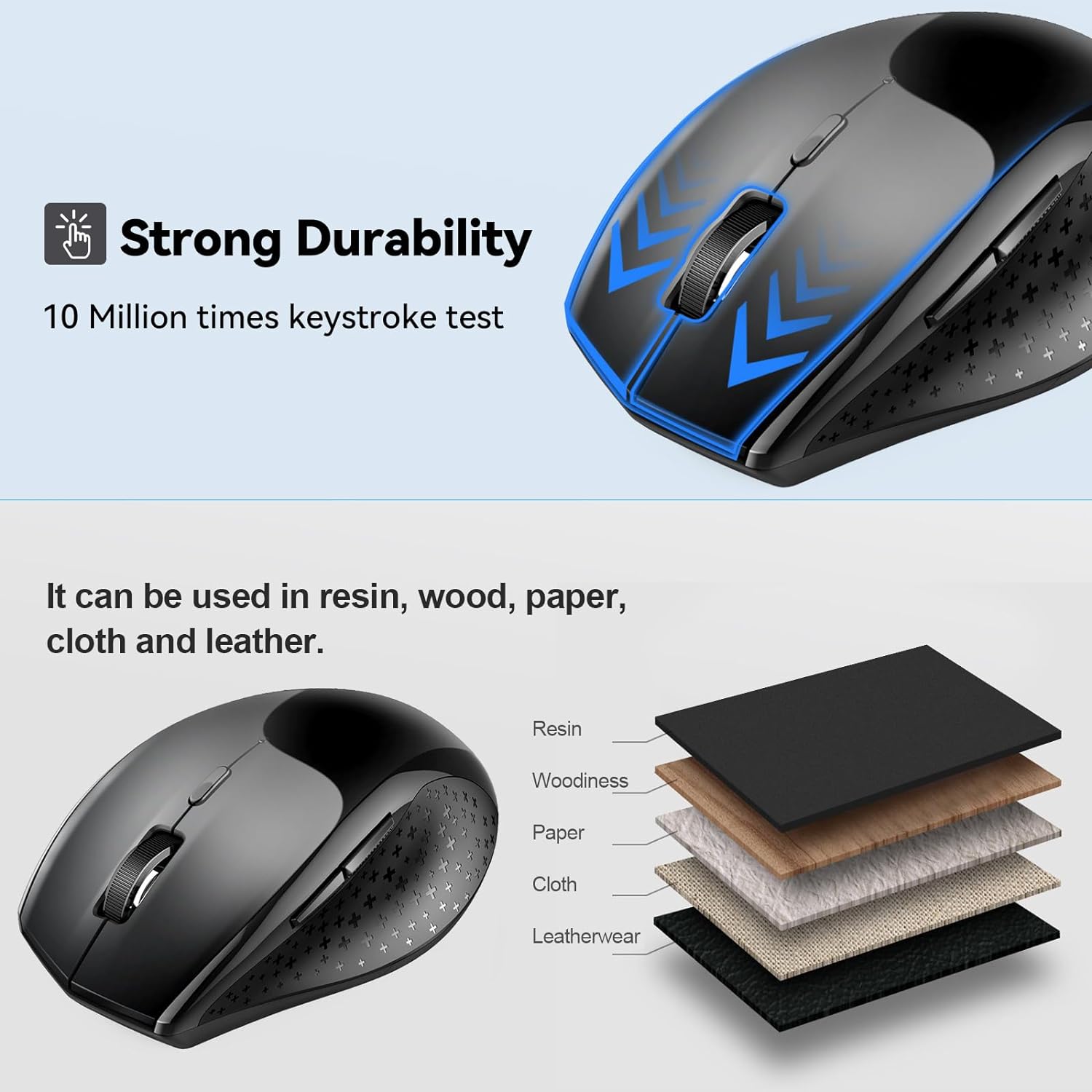
 Tracks on Most Surfaces
You’ll enjoy smoother tracking on most surfaces you encounter in daily life.
 Ergonomic Design
TECKNET bluetooth mouse has a contoured shape and soft rubber grips to reduce 30% muscular strain.
 Bluetooth 5.0
Bluetooth 5.0 allows for a reliable connection of up to 15 meters.
1 6-Level DPI Adjustment
2 TruWave Technology
3 Ergonomic Design
4 15m Connection Distance


6 DPI and 6 Buttons: TECKNET bluetooth mouse (Without a Receiver ) has 4800/3200/2400/1600/1200/800DPI. With 6 efficient buttons and 6 adjustable DPI levels, it allows you to freely control the wireless mouse speed. Connects directly to Bluetooth-enabled devices like laptops, computers, or PCs without the need for a receiver. (Please Note: This mouse is Not silent)
TruWave Technology: The accuracy of TruWave means this wireless mouse works on most surfaces you encounter in daily life. For example: wood, paper and cloth. And the wireless mouse offers exceptional sensitivity and responsiveness, providing real-time tracking without delay.
Wide Compatibility: The TECKNET bluetooth mouse is compatible with Windows (Win 11, Win 10, Win 8.1, Win 8, 2003, 2000, XP, VISTA, etc)Suitable for desktop, laptop, PC, MacBook, Chromebook and other devices. (Please Note: Side buttons are not compatible with macOS)
Bluetooth Pairing: 1. Slide mouse switch to Bluetooth 2. Hold pairing button (2-3 sec) until LED flashes. Click “Pairing” on device; wait for “Connected.” (Note: If the mouse is idle for an extended period, it will automatically enter sleep mode. Please click any button to wake it up.)
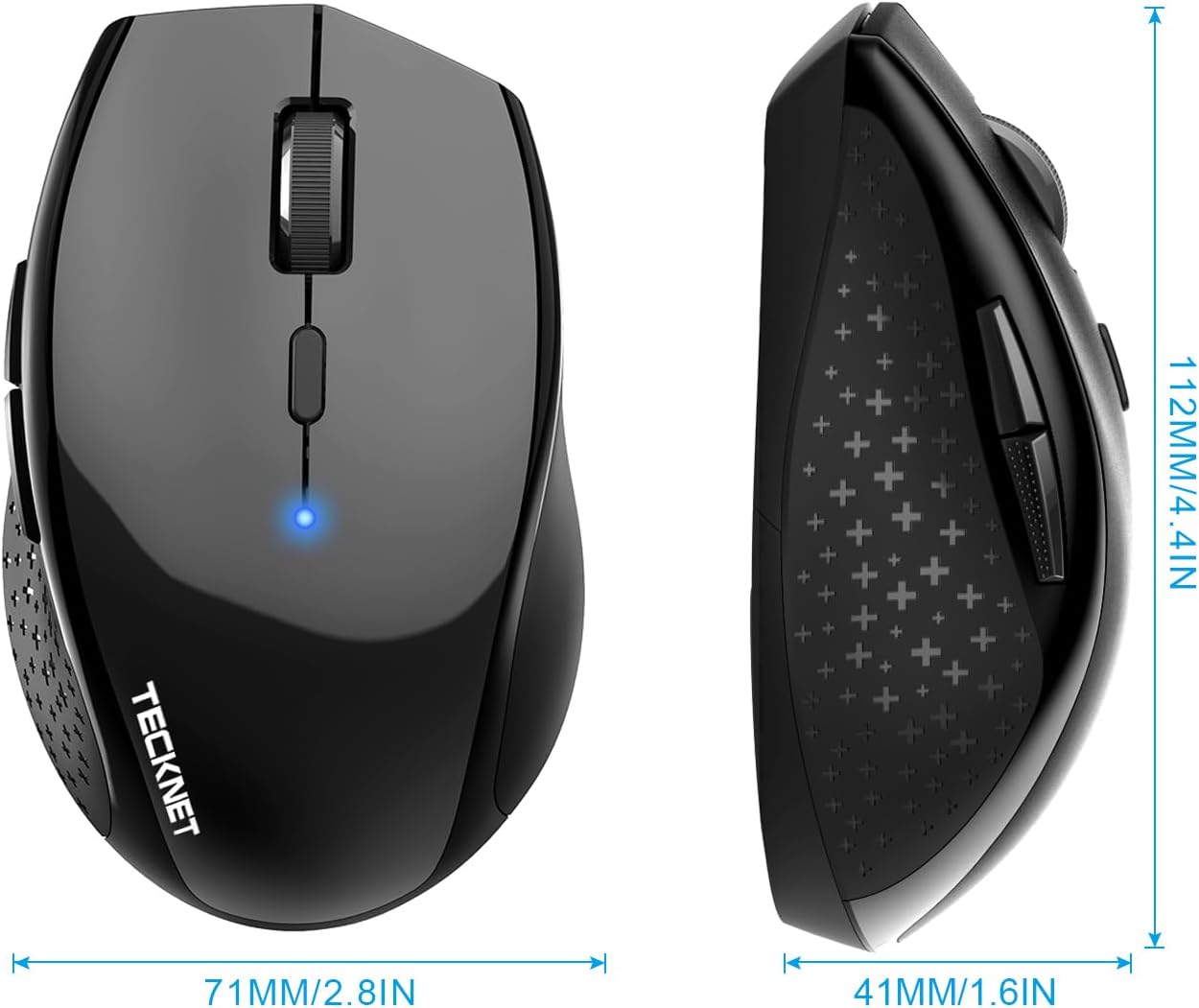
Ergonomic Design: The contoured shape and soft rubber grip provide a comfortable, secure fit that reduces wrist fatigue during long hours. Its balanced design ensures portable comfort for use at home, in the office, or on the go. (Size: 4.4*2.8*1.6IN/112*71*41MM)
Long Battery Life: The TECKNET Bluetooth mouse can deliver up to 24 months of battery life. It requires only 2 AA batteries (not included).
36 MONTHS SUPPORT: If you encounter any problems in using the product, please feel free to contact our professional customer service team, enjoying TECKNET 36 Months Warranty (Registered Only)
10 reviews for TECKNET Bluetooth Mouse, 4800 DPI Wireless Mouse, 2-Year Battery 6 Adjustable DPI, 6 Buttons Compatible with Laptop/Windows/Computer – Black
Add a review

$13.99
Alex Beyer –
Wanted to Turn my Note Pro (12.2″) into a little more than a toy
The price is what sold me on it, but it was the size I was worried about. I don’t have big hands, but I don’t have small hands either (they’re in that annoying in between stage of bigger than average, but smaller than large for an adult male). This mouse is great, though was a pain to pair with android, and I thought it was busted. I ended up testing it on my Windows 8 PC and it worked just fine, then I later figured out how to get it to work on my Android Tablet without any issue. I’ll go into that a little later.Pros:-Not that small, just slightly smaller than my favorite M510 Logitech mouse. It’s the large hump near it’s rear that makes it decent fit for my hands without having to change my grip to something uncomfortable and unusable.-On windows, all the buttons work and did something, again I’ll go into that later.Cons:-None really, the android connection issue is an Android issue that I solved. If I had to pick one, it would be that the printed manual says it has an 8 month battery life as to the 18 that this page claims, kind of a huge difference in time.Android Connection Fix:1st: Connect the device like you would any other. Go into Settings > Bluetooth > Turn it on > Scan. On initial turn on of the mouse it should go into search mode where it should then be discovered by your tablet/phone. If not press the connect button (top middle) on the underside of the device.2nd: Notice how janky the cursor is, that seems to happen every time you pair this mouse for the first time. Turn off your bluetooth, and then on again to kill the connection with the mouse.3rd: When bluetooth is back on, press “Bluetooth 3.0 Mouse” to initiate re-pairing, and on the bottom of the mouse press the connect button to re-establish a link to the tablet. You should notice now that the cursor is smooth and working as it should.Mouse Buttons Functions (Windows):-Orange side buttons = back and forth (top = forward, bottom = back)-Everything else works like it should, right click, scroll wheel/middle click, left click. Works just fine and is very responsive.Mouse Buttons (Android):-Orange (top): seems to not do anything for me-Orange (bottom) and Left Click: acts as an Android “back” button-Right Click: acts like a one finger touch-Scroll Wheel: scrolls between home screens and drawers in launcher, and then normally in apps like Photo Gallery, and Browser-Middle Button: acts like “home” takes you to your launcher, you can also activate the long press “home” feature (which on my Note Pro launches Google Now)Since I’m writing this on my Tablet using/testing a keyboard I don’t know if I can upload pictures from Amazon’s Android App. I’ll do that when I reconnect with my PC and maybe correct any spelling mistakes I might have made but using an external keyboard doesn’t pick up. With that said, I can’t be more pleased with my purchase, after solving that Android Mouse issue. It’s one of those purchases that luckily doesn’t cost much and for me is worth the risk. The manual was in proper English and was rather informative.
Loring C –
quality inexpensive mouse, Bluetooth only, catch 22 installation
This mouse works just fine. But beware, to install it to where it works on your PC, you need to open settings>add devices and click on Add new Device. Well, that’s really hard to do unless you have a working mouse… catch 22 unless you have an old wired mouse you can use. But if you are replacing a broken mouse, well… There’s some KB sequences to click on various highlighted screen items but its really laborious.other than that is was easy to connect if you have a working mouse to borrow.Pros: No dongle tying up a USB portCons: set up catch 22, (you practically need a working mouse to install this mouse); your PC must have a working BT port.
FuNanChu –
Nice mouse! Connects easily, powers on quick, battery lasted me 9 months.
2022: I use my mouse a LOT. Maybe about 5 or 6 hrs a day (weekends included) so i guess thats quite a lot for their 24 month estimation. There’s some power down time during use, but still, I click around a lot and sometimes use it consistently for hours at a time. When it powers down, just takes 1 click to get it up again and its connected. Pretty fast I’d say.With that much usage, got a solid 9 months out of it. Not bad.Never had any issues with it during that time. Except for a couple of ties when I couldn’t seem to wake it up from slee and thought the batteries died, but i just flipped it off and on again and that seemed to get it going again. Not 24 mos but I’m still satisfied with it.There are a couple of reviewers here who had issues with connectivity / battery life… but I didnt.3/2025:Still working well. There is an issue with the sensor failure every so often, i flip it on/off.Battery life seems shorter but Ive been using it for some long gaming sessions so that could be it too.
Lelah –
Quality Mouse!!
This is a great mouse! I was able to pair it right away! Works well!
skartreuse –
Nicely sized, cheap, quality mouse.
I spent about a month sitting on a few bluetooth mice. I wasn’t sure I really needed one and I wasn’t sure which one to get if I finally decided to go through with a purchase. In the end, I went with the cheapest one that still had decent reviews. I do not regret my decision.My daily driver is a late 2015 Macbook Pro. It only has 2 USB ports, one of which always holds a 128GB flash drive. This means that at any given moment in my day, I only have a single USB drive open. So, I decided to opt for a bluetooth mouse rather than a USB one. I was concerned that I wouldn’t be able to use the back and forward buttons with OSX since I had issues with it in the past. I found that the back and forward buttons worked in some applications and some didn’t. As a cheap solution, I bought Better Touch Tools, which I highly recommend. It allows custom mapping of mouse buttons, trackpad gestures, keyboard shortcuts, and window snapping like in Windows 10.Anyways, the process of connecting was as easy as all other bluetooth devices. I turned on the mouse and it immediately started looking for a device to pair to. I went into my Macbook’s system preferences, then bluetooth settings, and then hit the pair button. The mouse shows up as TECKNET BM306. Then an icon popped up that said connected. This icon shows whenever my mouse connects and disconnects. It’s a feature of OSX and not of the mouse. Wtihin the system preferences for ‘Mouse’, it has the usual options for scroll wheel direction, tracking speed, scrolling speed, double-click speed, and primary mouse button.So far the mouse has been a great and cheap solution, however I have noticed moments where the movements seem to lag. I have only noticed the lag when my mouse and wireless earbuds are connected to my laptop at the same time. They’re probably interfering with each other? I’m not a bluetooth expert so I’m not quite sure. Just something to keep in mind; wired will usually be more stable in most cases of technology.One more feature that I didn’t realize I would miss: side scrolling. This mouse has a scroll wheel that scrolls up and down and also middle clicks. It doesn’t, however, scroll sideways. Not a big deal, I can usually hold shift while scrolling to scroll sideways, but the side scrolling would have given me more options with Better Touch Tool.As for the size, it’s perfect for me. I have small and skinny girl hands and use a right-handed claw grip. This mouse is a great size, comfortable for using at least 3 hours at a time and small enough to shove into the small pouch of my backpack.If you have any questions for me, feel free to leave a comment. I’ll try to answer them.
BBT and Bike –
I was looking for a simple Bluetooth mouse for my MacBook Air, and this one has good value and reviews.Mouse size is laptop friendly, the blue tooth set up is very straightforward. Respond of it is also good. Very steable, I had not had to re-Connect my Bluetooth, as soon as I turn it on, my MacBook recognizes it right away, Very happy with the purchase.
ShopSmartReviewer –
I’ve been using the TECHNET Bluetooth Mouse for a few weeks now, and I’m thoroughly impressed! The sensitivity gives me precise control, over whether I’m working. The ergonomic design fits perfectly in my hand, making it comfortable to use for long hours without any strain. It’s incredibly easy to set up with Bluetooth, and the wireless connection is stable with no lag. I also love how portable it is, making it perfect for travel. Overall, this mouse is a fantastic choice for anyone looking for a reliable, high-performance wireless mouse at a great price!
Touhid –
The back and forward button only work while browsing internet. These two buttons do not work in Microsoft apps such as word
Deepak Raheja –
not comfortable not complete product delivered.
Shellie –
I didn’t want to spend a ton on a new mouse for my home office, this had good reviews so I gave it a go. Very happy with the purchase. Connected instantly via Bluetooth, easy to change the speed and a good feel in your hand. It is a bit heavy with the 2 batteries, but I’m not carrying it around the house, and my wrist is not weak…. so I’m not sure why that’s an issue. The only thing is I wish you could customize the side buttons (forward back I don’t use) but if that is a deal breaker, spend the cash on a fancier one. For the price? Great mouse.